Education 提示词分类

Education AI 图像提示词

浏览 Education 相关示例与可复用的 AI 图像提示词方向,用于规划主体、构图、灯光、色彩、材质和视觉风格。

该合集依据 PromptPlum 的 Education 分类整理。可将这些参考方向改写为适合自身主体、尺寸与视觉目标的提示词。

视觉参考组
educational infographic
内容规模
13 个公开提示词
视觉参考组04 / REF
Education AI 图像提示词 reference 101
Education AI 图像提示词 reference 202
Education AI 图像提示词 reference 303
Education AI 图像提示词 reference 404
VEYVIA / EDUCATIONAL-INFOGRAPHIC已整理
提示词画廊

选择一个最接近的画面。

打开任意样片查看完整提示词,或直接带着参考图与画面比例进入生成器。

13 个公开提示词
Education AI 图像提示词 prompt 101
educational-infographicgraphic-designeditorial-photography

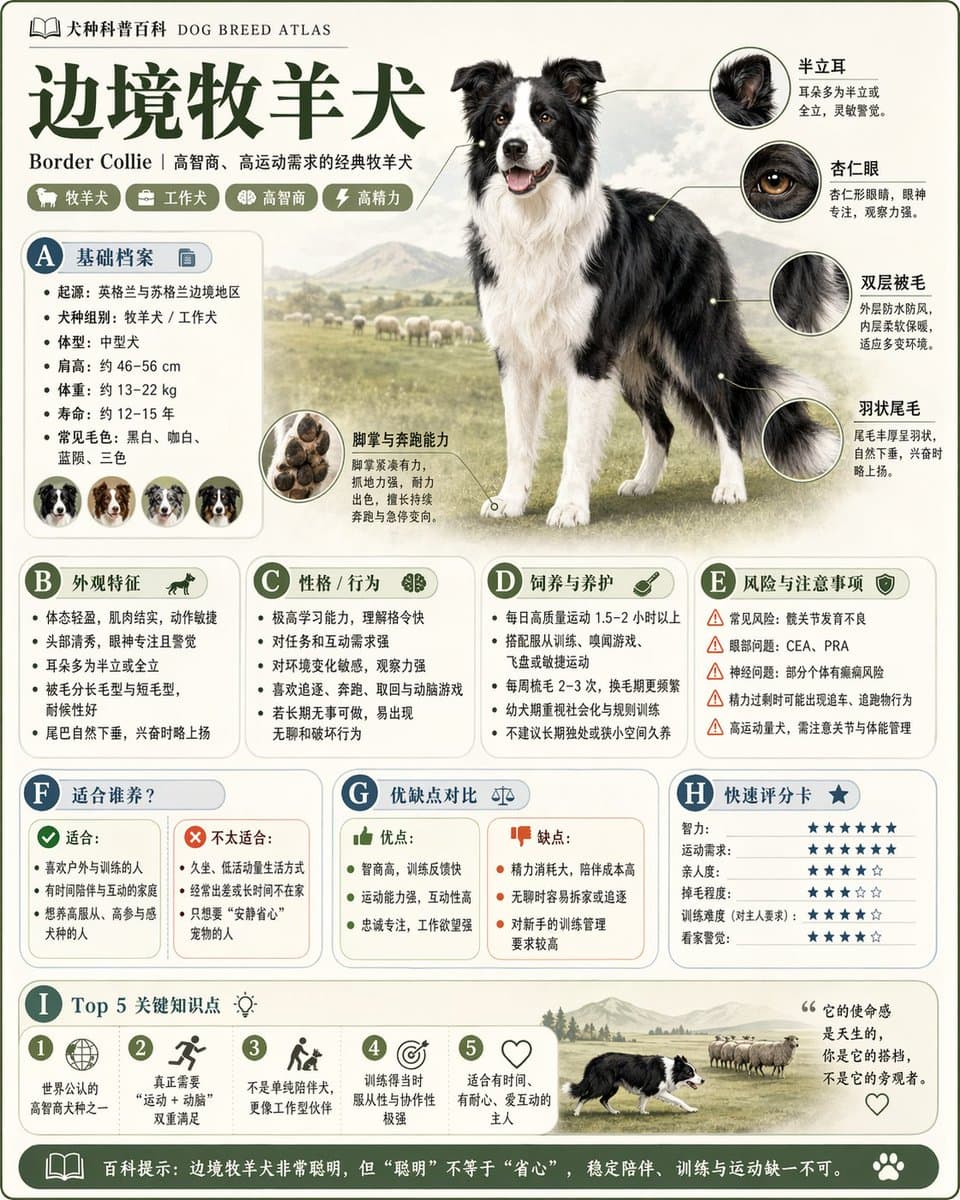
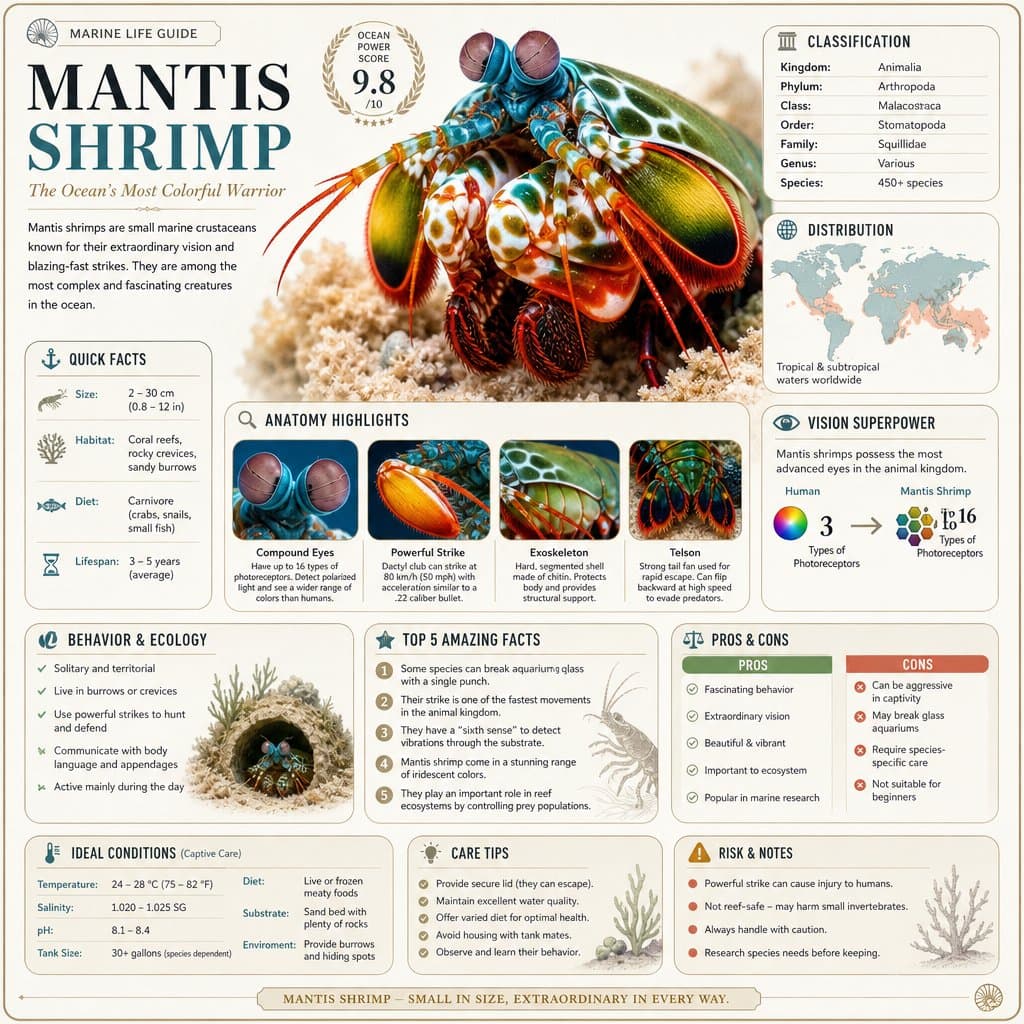
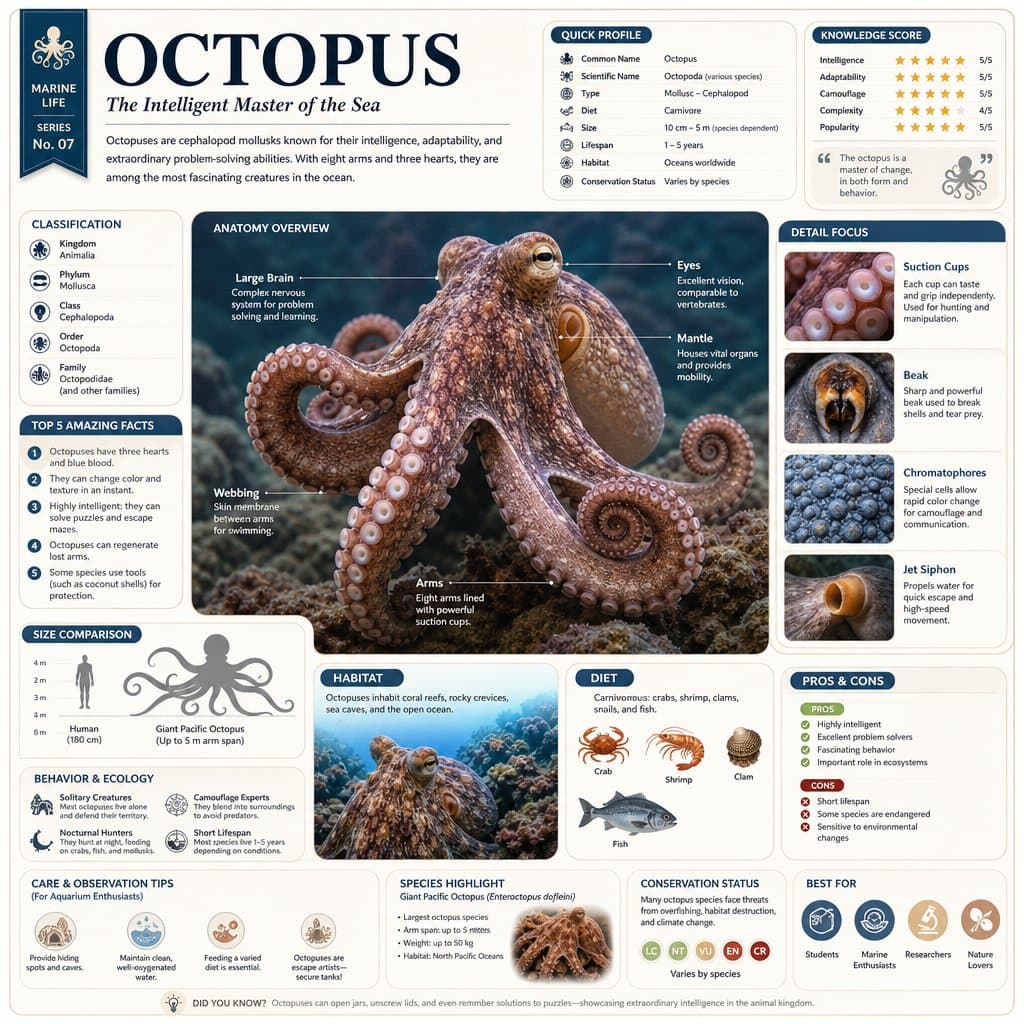
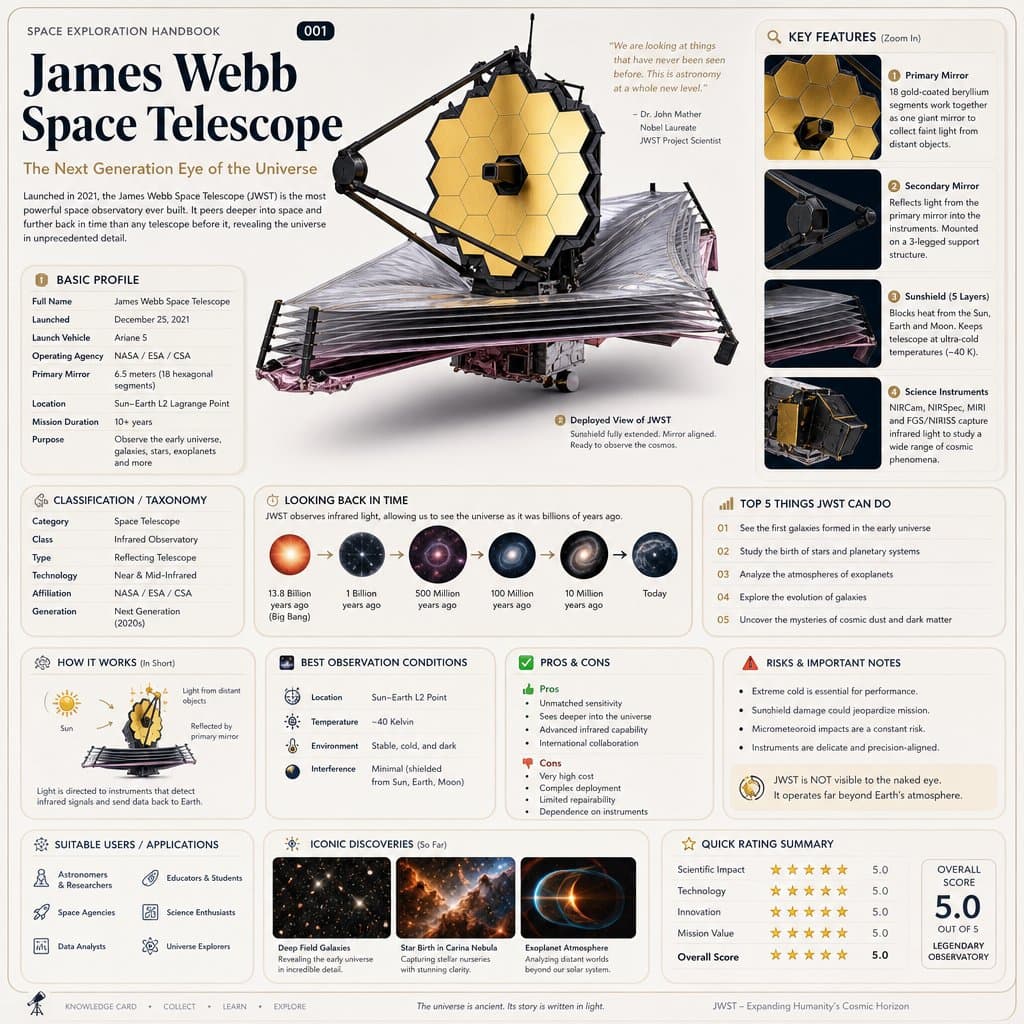
Based on { TOPIC }, create a high-quality vertical “encyclopedia-style educational infographic image.” This image should NOT look like a regular poster or a simple illustration. Instead, it should feel like a structured knowledge guide that combines: the feeling of a collectible reference handbook a modern encyclopedia page a lifestyle knowledge card and a highly shareable social-media infographic The overall style should resemble a premium natural-history guidebook mixed with modern editorial infographic design. The image should include: One beautiful and highly detailed main subject image Several zoomed-in detail sections highlighting important features Multiple modular information panels with rounded corners Clear title hierarchy and highlighted key labels Concise yet information-rich encyclopedia content Visual scoring systems, quick summaries, or “Top 5” modules The information sections should automatically adapt to the topic. Select and combine relevant categories such as: Basic profile Classification / taxonomy Physical characteristics Behavior / ecology / habits Structure or formation mechanisms Growth conditions or usage methods Care, maintenance, or optimization tips Risks, warnings, and important notes Suitable users or application scenarios Pros and cons comparison Quick rating tags or summary cards Visual requirements: Clean light-colored background Soft and elegant color palette Gentle shadows Small refined icons Rounded information boxes Organized editorial layout High information density without feeling crowded Comfortable reading experience The final result should feel like a real publishable encyclopedia knowledge card designed for reading, collecting, and creating as part of a consistent series — NOT like a commercial advertisement poster. The image must strongly emphasize: “knowledge integration + modular information design + handbook/reference-style presentation.”
Education AI 图像提示词 prompt 202
dreamy-moodeducational-infographicgeometric-design

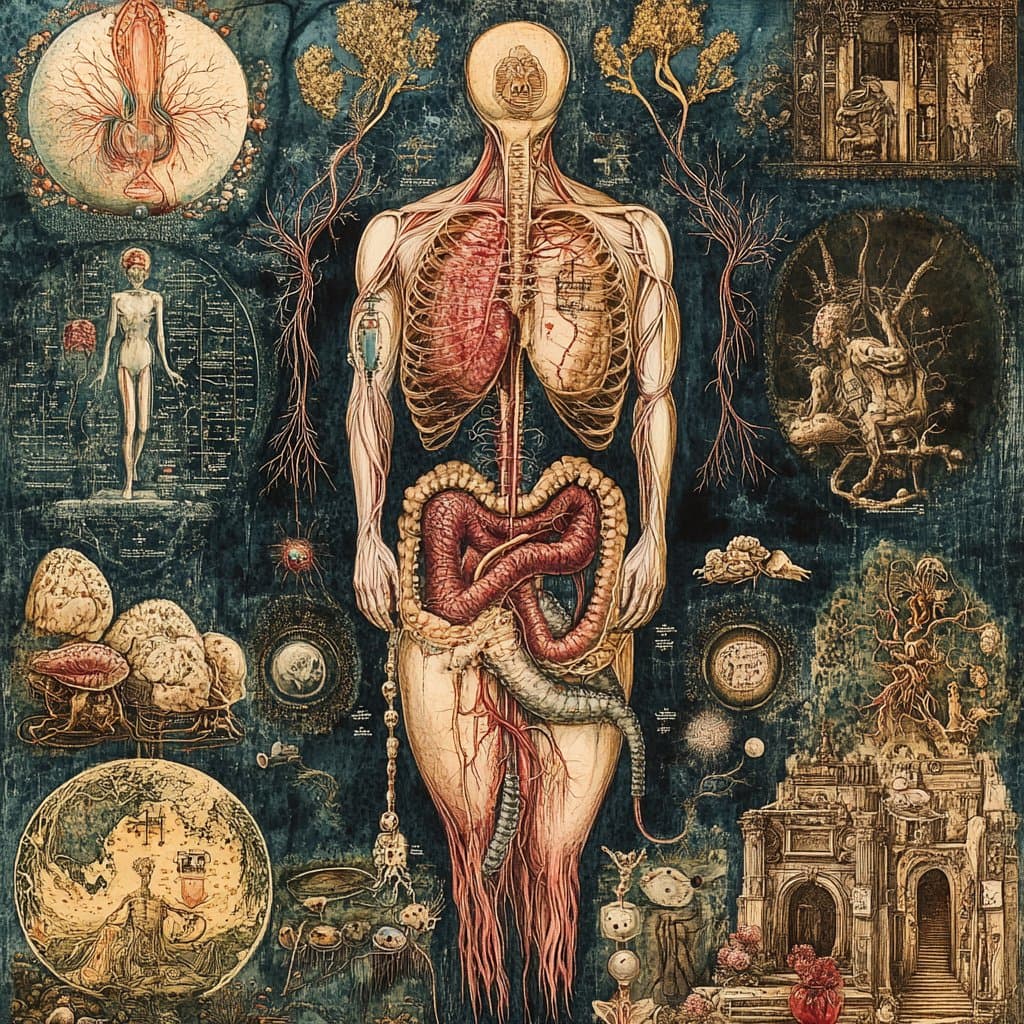
intricately detailed medical poster of [subject matter], in the style of magical realism with surrealistic elements that seamlessly blends multiple scenes into one cohesive and continuous piece evoking a dreamlike quality, fantastical psychedelia with a background of complex elements of Russian folklore and fairy tales, embodying mystical symbolism inspired in the style of Slavic mythology and sacred geometry, very detailed style, strong use of light and shadow, regional gothic, Danish Golden age, art deco elegance, serene and tranquil scenes.

Education AI 图像提示词 prompt 303
3d-food-renderdata-visualizationeducational-infographic

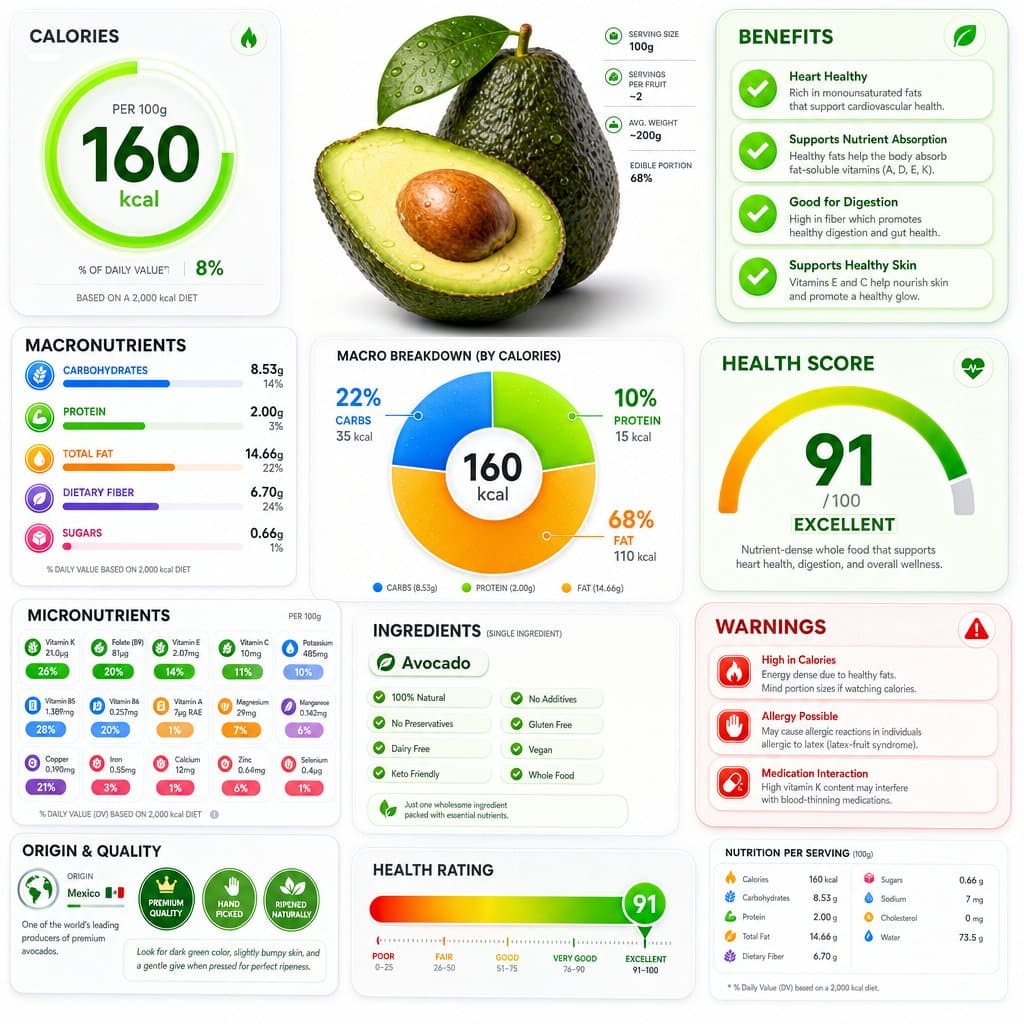
Nutrition Visuals. By GPT image 2.0 Prompt: A ultra-detailed nutrition facts infographic poster of [FOOD], designed in a modern premium health app UI style. Bright white background with vibrant colored glassmorphism cards — electric green, coral red, vivid blue, and golden amber section panels with soft rounded corners and subtle drop shadows. The [FOOD] is shown as a large hyper-realistic 3D render at the top center. Below it: a bold circular donut macro chart (carbs/protein/fat) with bright gradient fills. Sections laid out in a clean asymmetric grid: Calories displayed as a giant bold number with a glowing ring indicator, Macronutrients with smooth gradient progress bars in bright colors, Micronutrients in a compact icon-grid layout with colored badge indicators, Health Score as a large arc gauge meter with a bold number, Benefits panel with bright green animated checkmark cards, Warnings panel in coral red alert cards, Ingredients list in a clean pill-tag style, Origin & Quality badges, and a Health Rating gradient bar at the bottom from red through amber to bright green. Typography is sharp, modern, ultra-clean — large bold headers, thin data text, tight tracking. Small nutrition icons next to every data point. Subtle grain texture overlay. No title bar, no tagline. Aspect ratio 1:1. Premium health app aesthetic, print-quality, ultra-detailed, bright and vibrant.

Education AI 图像提示词 prompt 404
educational-infographicprofessional-photographyscrapbook-collage

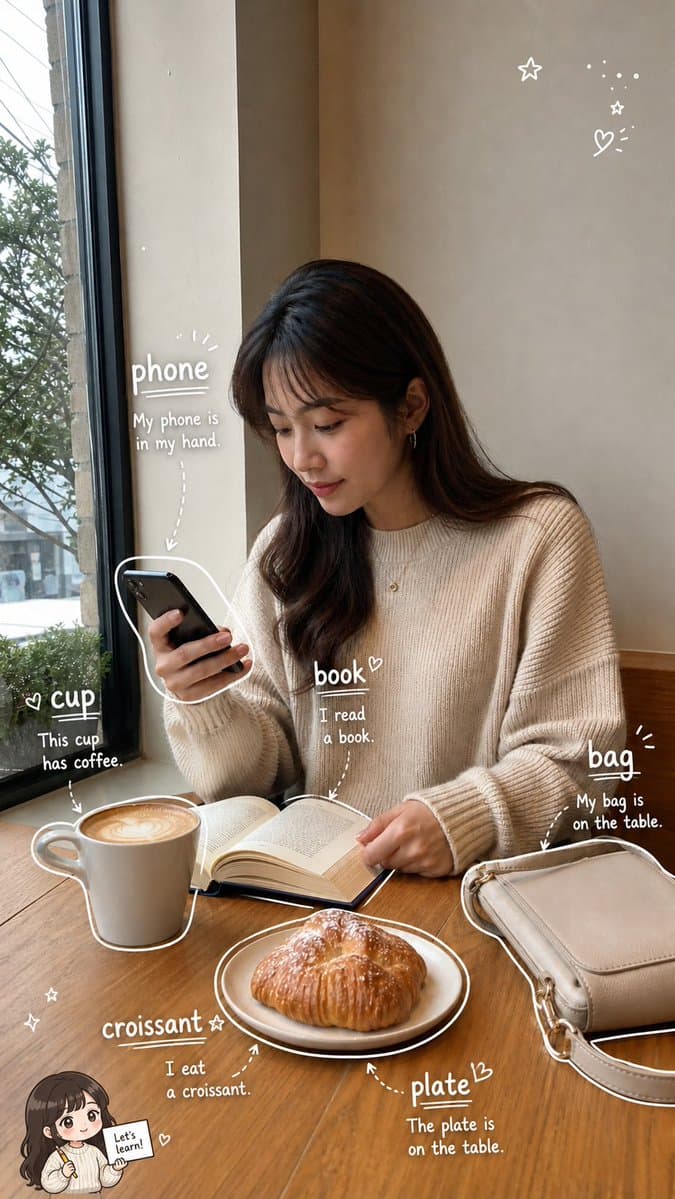
《看图学单词手账》提示词: 请根据用户上传的生活照片(Image A),创作一张高完成度的「看图学单词手账照 / Photo Vocabulary Scrapbook」。 【核心任务】 基于用户上传的真实生活照片,在尽量保留原图真实感与主体内容的基础上,把这张照片增强成一张“轻学习手账风”的英语单词学习图。 请自动识别照片中清晰、常见、适合英语初学者学习的日常物品,并用白色细线手绘风格圈出物品,再为每个物品添加英文单词和简短英文例句,让整张图看起来像一页清爽、自然、适合社交媒体发布的 photo vocabulary scrapbook。 【原图保留要求】 Image A 是用户上传的原始照片,也是本次创作的基础底图。 请尽量保留原图中的: - 真实人物(如果有) - 场景环境 - 物体摆放关系 - 光线氛围 - 构图结构 - 照片原本的生活感与真实摄影感 不要大幅改动原图,不要把照片整体变成插画,不要破坏照片的真实感。 如果照片中有人物,不要换脸,不要明显改变人物身份与姿态。 【物品识别规则】 请优先识别 6 个日常生活中常见、清晰可见、适合英语学习的物品。 如果画面中合适物品不足,或者画面空间不足以清晰呈现 6 个标注,则可降为 5 个。 不要为了凑数而选择太小、太模糊、太抽象或不常见的物品。 优先选择: - 日常高频物品 - 容易理解和学习的名词 - 视觉上清晰可辨认的物品 【标注呈现方式】 请用白色细线手绘风格对每个被识别的物品进行标注。 要求如下: - 用白色细线沿着物体边缘轻轻描出轮廓 - 线条要像随手画上去的一笔画,轻松自然,不要太工整 - 可加入少量箭头、虚线、圈线或辅助指向线 - 标注风格要自然、有留白、像手账笔记 - 不要把整张图画满,不要过度装饰 - 标注应尽量分布均衡,形成自然阅读路径 【文字内容格式】 每个物品旁边只写两部分内容: 1. 英文单词(最突出、字号最大) 2. 一句简短英文例句(比单词小一号) 不要写中文,不要写复杂英文释义,不要写太长的解释段落。 整体以“纯英文轻学习标注”为主。 句子要求: - 简短 - 自然 - 容易理解 - 适合英语初学者 - 难度控制在 A1–A2 - 尽量使用基础词汇和基础句型 - 每句尽量短,建议 4–8 个英文单词左右 - 不要写复杂从句,不要使用生僻词 【文字排版要求】 - 英文单词最突出 - 例句略小一号 - 文字整体清晰可读 - 不要让文字块过大 - 文字颜色以白色为主 - 如有需要,可加极轻微描边或阴影,保证在照片背景上清晰可读 - 保持手写笔记感,不要像正式排版海报 【Chibi 学习助手规则】 可选加入 1 个很小的 chibi 学习助手,但必须遵循以下规则: 1. 如果照片中有清晰可见的人物: 可以加入 1 个小型 chibi 学习助手。 该助手应基于照片中的主要人物形象延展而来,保留人物的基本发型、服装特征或整体气质,像一个迷你英语学习小助手。 2. 如果照片中没有人物,但有清晰可见的动物或宠物: 也可以加入 1 个很小的动物学习助手。 该助手应基于该动物形象进行可爱化处理,并与原动物保持一定对应关系。 3. 如果照片中既没有人物,也没有动物: 不要加入任何 chibi 学习助手。 4. chibi 学习助手只能有 1 个,而且必须很小: - 放在角落或边缘区域 - 不能成为主视觉 - 不能遮挡主体物品、英文单词或例句 - 只能作为轻微辅助装饰 5. chibi 学习助手的动作可以是: - 拿着单词卡 - 拿着铅笔 - 拿着小本子 - 轻轻指向某个单词 - 做出学习、提醒、陪伴的可爱动作 【手绘辅助元素】 可以在画面空白处加入少量辅助性的手绘装饰元素,用于增强 scrapbook / 手账学习感,例如: - stars - sparkles - arrows - circles - underlines - dotted lines - tiny hearts - cute little icons 要求: - 数量少 - 点到为止 - 以白色为主 - 不要太花 - 不要喧宾夺主 - 不能影响物品学习标注的清晰度 【整体构图要求】 整体视觉应以“原始生活照片 + 物品学习标注”为主。 构图逻辑如下: - 保持原图主体清晰 - 6 个(或 5 个)英语单词标注分散在画面中 - 白色手绘线把物品与文字自然连接起来 - 标注布局均衡,不要都挤在一个区域 - 优先避开人物脸部和主体核心区域 - 让观众的阅读顺序自然形成: 先看照片 → 再看被圈出的物品 → 再读单词 → 再读例句 【整体风格关键词】 realistic lifestyle photo, photo vocabulary scrapbook, white hand-drawn annotations, English vocabulary notes, clean and natural layout, light learning content, soft doodle style, social-media-friendly, minimal scrapbook aesthetic, casual study notes, cute but clear. 【避免事项】 请避免以下问题: - 标注数量过多 - 物品选择不典型 - 文字太长 - 例句太复杂 - 手绘线条太乱 - 元素堆得太满 - 遮挡主体 - 把照片改得不像真实照片 - chibi 助手太大或太抢眼 - 没有人物/动物却硬加 chibi - 文字乱码 - 英文错误或不自然 - 排版拥挤难读 【最终目标总结】 把一张普通生活照,变成一页: “可爱、清爽、自然的英文单词学习手账图”。

Education AI 图像提示词 prompt 505
educational-infographicfull-body-portraitgrid-layout

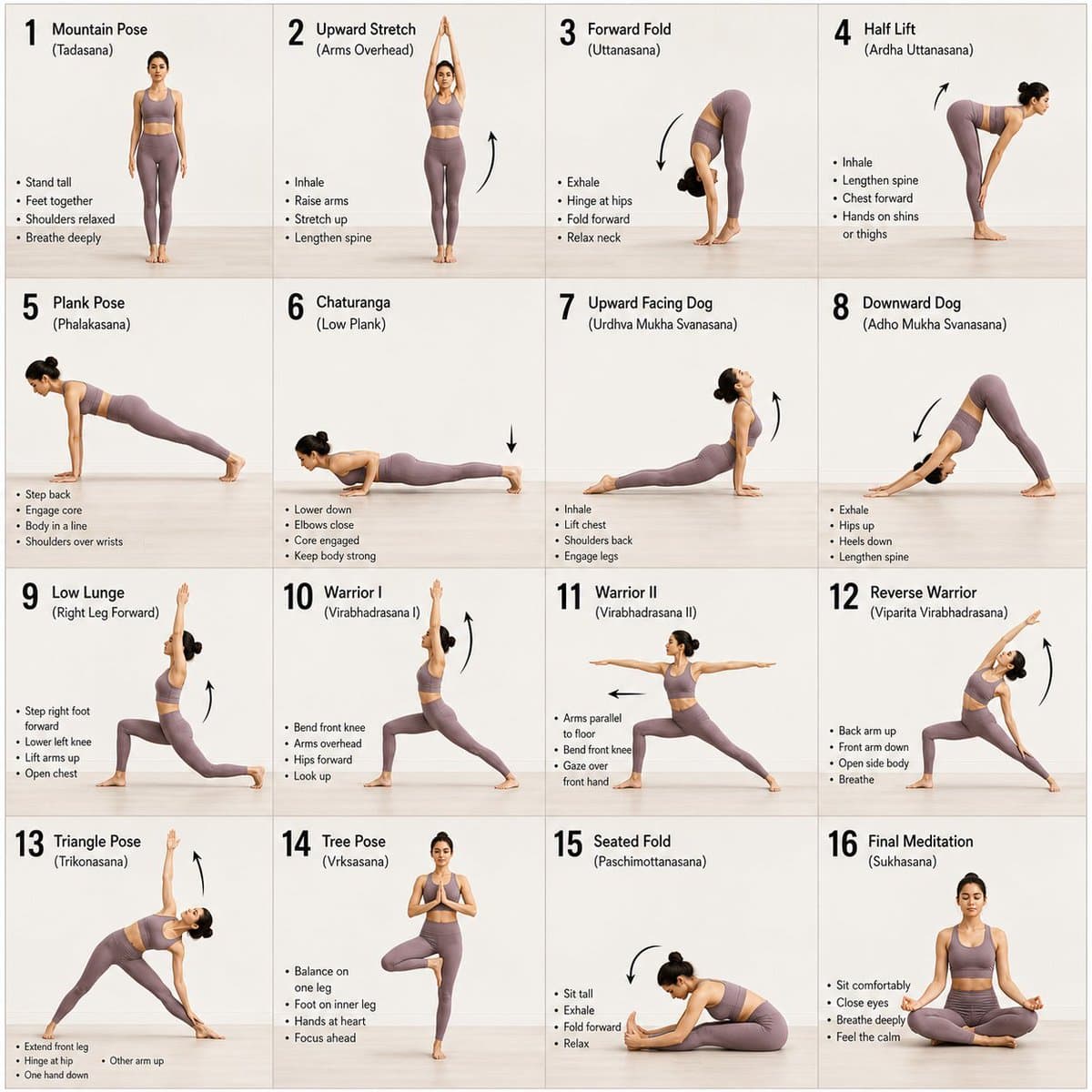
Image prompt : A 16-panel instructional storyboard grid featuring a calm, athletic young woman performing a sequence of yoga poses in the same spot. Clean minimal studio background with soft natural lighting, consistent full-body framing across all panels. The woman wears a fitted neutral-toned yoga outfit (leggings + sports top), barefoot, hair tied back. Each panel shows a different pose in a smooth progression: Mountain Pose (Tadasana) Upward Stretch (Arms Overhead) Forward Fold (Uttanasana) Half Lift Plank Pose Chaturanga (Low Plank) Upward Facing Dog Downward Dog Low Lunge (Right Leg Forward) Warrior I Warrior II Reverse Warrior Triangle Pose Tree Pose (Balance) Seated Fold Final Meditation Pose (Eyes Closed, Calm Expression) Style: modern instructional design, evenly spaced grid layout, each frame labeled with step number and pose name, subtle arrows indicating movement flow, soft shadows, neutral background, high detail, realistic proportions, elegant and calming aesthetic.

Education AI 图像提示词 prompt 606
animal-illustrationannotated-diagrameditorial-design

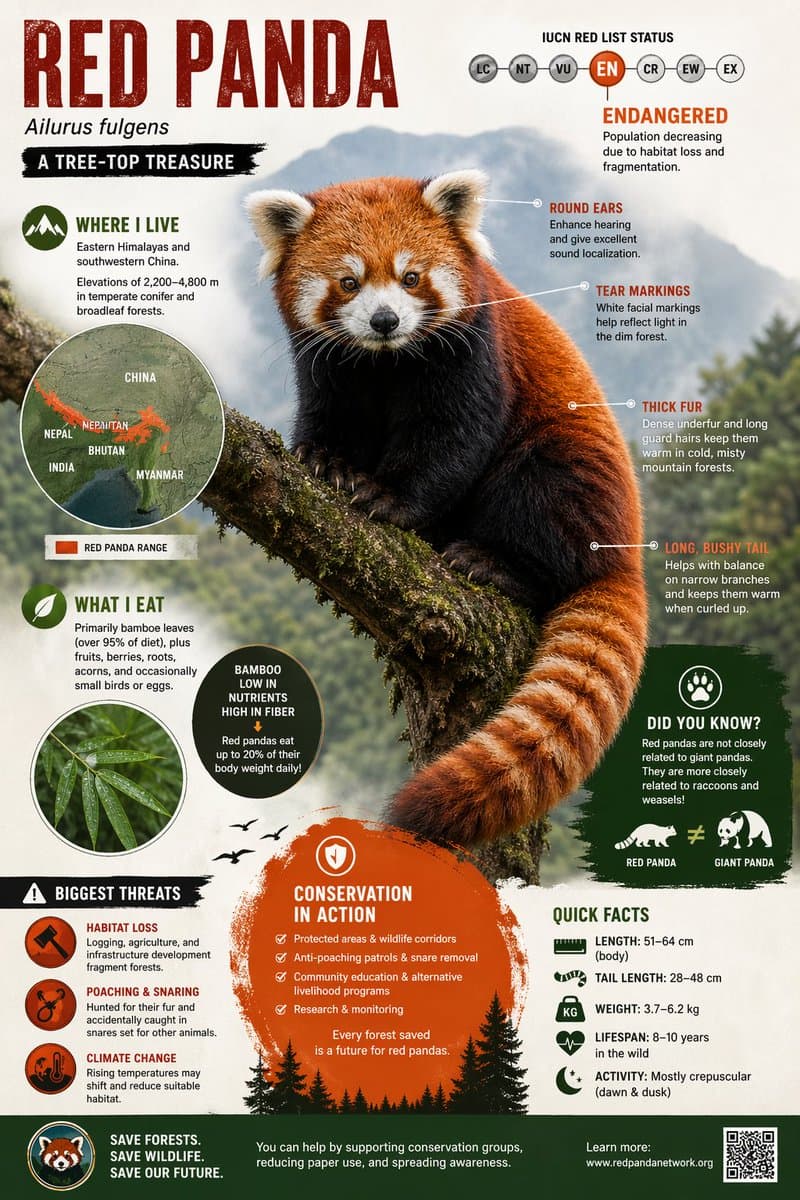
GPT Image 2 on ChatGPT Prompt Create a visually rich infographic about an endangered animal. Start by finding one online, research its habitat, diet, and unique traits. Present information through annotated visuals and structured callouts, not generic sections. Style it like a bold graphic illustration: a detailed, photorealistic central animal as the focal point, supported by diagrams, callouts, and concise text elements. Use clean backgrounds and a mix of photorealism with strong graphic elements (shapes, icons, color blocking) in a layered composition. Make it dense, tactile, and professionally authored.

Education AI 图像提示词 prompt 707
editorial-designeducational-infographicinfographic-poster

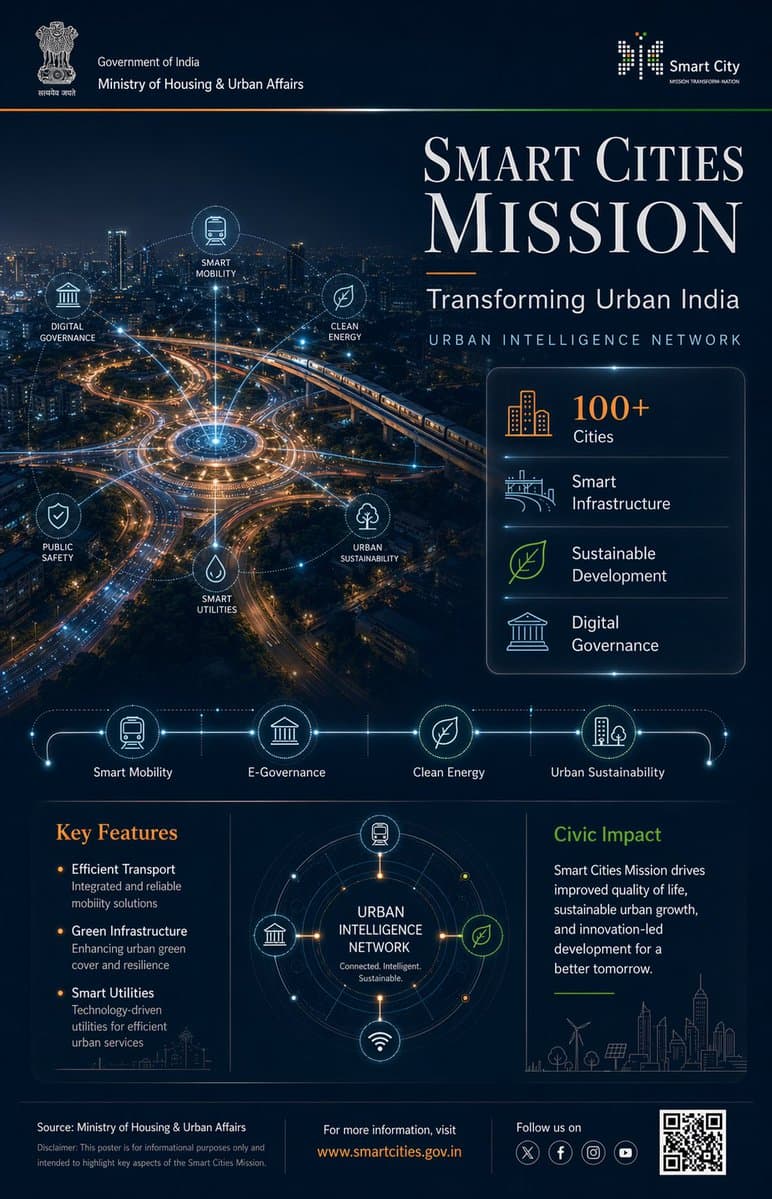
Prompt : Ultra-premium Indian Government infographic poster, 4:5 vertical format, concept-driven design titled "PRADHAN MANTRI FASAL BIMA YOJANA – Securing Farmers, Securing Future", designed in high-end editorial government communication style --- CORE CONCEPT: "PROTECTION FROM ABOVE" Agriculture visualized as being safeguarded by an invisible environmental protection system The entire layout follows a TOP → DOWN visual narrative: Protection originates from above and flows downward to farmers and crops --- LAYOUT STRUCTURE (CINEMATIC TOP-DOWN COMPOSITION): TOP 40% (DOMINANT VISUAL ZONE): Cinematic aerial view of Indian farmland - patchwork agricultural fields (green crops, golden harvest tones) - subtle rural elements (narrow pathways, irrigation lines, small huts) - realistic Indian geography (NOT western farmland) Above farmland: A semi-transparent protective dome (very subtle, premium execution) - dome edge defined by faint glowing contour lines - slight refraction effect (like glass/energy shield) - extremely controlled glow (no sci-fi exaggeration) ENVIRONMENTAL ELEMENTS interacting with dome: - rain clouds releasing water → diffused across dome surface - sunlight rays hitting dome → softly scattered - wind flow visualized using soft directional streaks These elements visually communicate: "risks are present but controlled" --- MID TRANSITION ZONE (SOFT BLEND): Gradient transition from farmland into information layer Add: - faint data lines emerging from farmland - small glowing nodes connecting different plots This creates subtle connection between agriculture and insurance system --- BOTTOM 60% (INFORMATION ARCHITECTURE): Structured like "support layers" --- TITLE BLOCK (UPPER BOTTOM SECTION): PRADHAN MANTRI FASAL BIMA YOJANA Subheading: Crop Protection for Every Farmer Typography: - Serif headline (Playfair Display style), tight kerning, high contrast - Subheading in clean sans-serif (Lato/Open Sans) --- DATA STRIP (HORIZONTAL): Minimal stat highlights: - Crop Insurance Coverage - Protection Against Natural Calamities - Affordable Premiums - Nationwide Reach Each separated with thin dividers, no heavy boxes --- FEATURE SYSTEM (ICON GRID): 4–6 minimal monoline icons: - crop - rain/weather - insurance shield - farmer - financial support Icons connected subtly with thin organic lines (not rigid tech lines) --- CENTER VISUAL (INFOGRAPHIC ELEMENT): Circular diagram inspired by crop cycle + protection - inner circle: crops - outer ring: risk factors (rain, drought, storm) - outermost layer: protection boundary Very clean, minimal, high breathing space --- IMPACT SECTION (BOTTOM RIGHT / FINAL BLOCK): Short refined text: "Ensuring financial stability for farmers, reducing crop loss risks, and enabling sustainable agricultural growth across India" --- FOOTER: Source: Ministry of Agriculture & Farmers Welfare Minimal disclaimer Optional QR placeholder --- COLOR SYSTEM (NATURE-LED PREMIUM): Primary: Deep Earth Green (#2E7D32) Secondary: Soil Brown (#6D4C41) Golden Harvest (#D4A373) Accents: Saffron (#FF9933) Soft Sky Blue (for climate elements) Background: Muted dark green / deep navy blend --- MATERIAL & FINISH: - matte textured background (paper grain subtle) - soft light gradients - minimal glow (only for dome + nodes) - no harsh contrast - realistic lighting balance --- DESIGN PRINCIPLES: - no clutter - no heavy UI boxes - organic flow, not rigid grid - emotional + informative balance - everything visually connected to farmland --- QUALITY: 8K resolution photorealistic + vector hybrid ultra sharp typography award-winning infographic aesthetic Behance feature-level quality --- NEGATIVE PROMPT: no futuristic city elements no neon glow no western farms no clutter no overdesigned UI no heavy gradients no unrealistic sci-fi shield --ar 4:5 --v 6 --style raw --q 2

Education AI 图像提示词 prompt 808
educational-infographicgrid-layoutsports-infographic

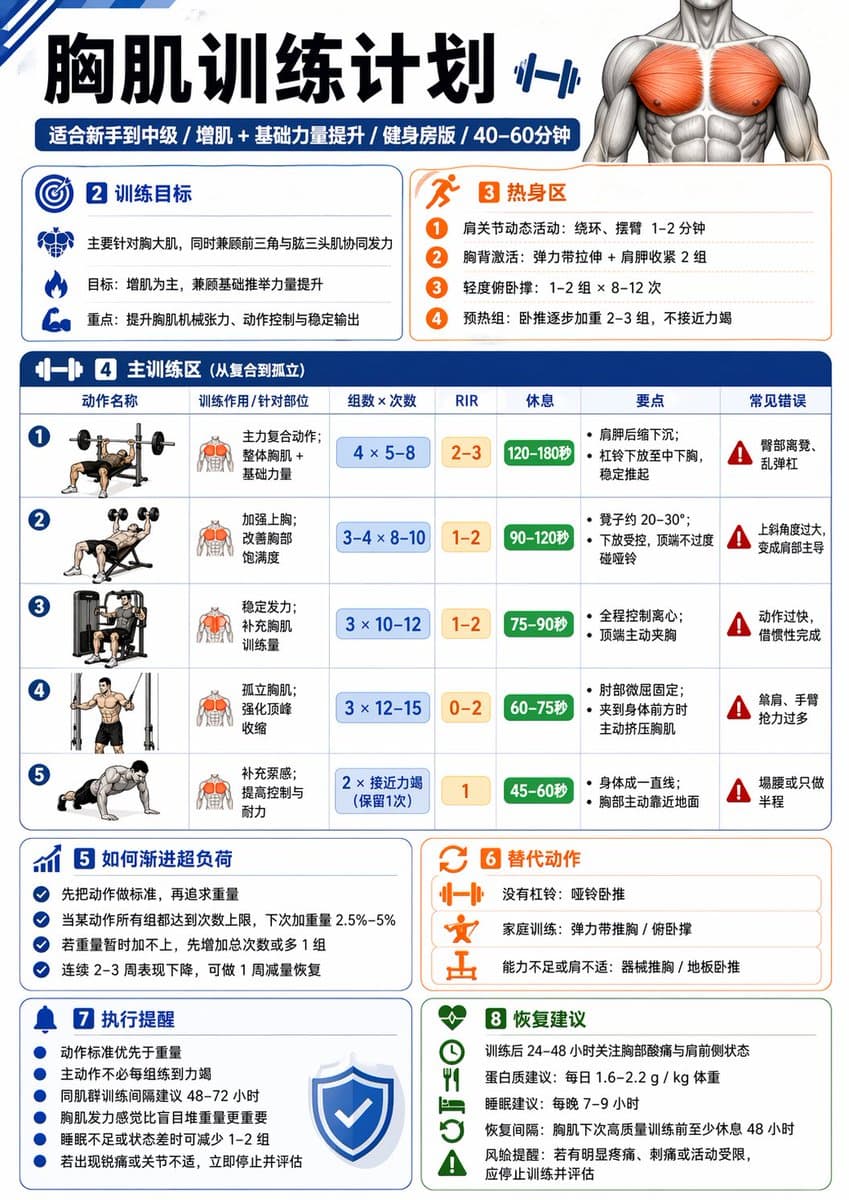
🤩用GPT-image-2生成健身训练图,省一笔私教费! 🤜使用提示词,写你想锻炼的部位或动作,自动生成详细的训练计划! 我生成的主题是:胸肌、腹肌、引体向上、附身臂屈伸,都有针对性的拆解,对新手友好,信息量很足! 提示词: 请生成一张中文健身信息图,主题为:【xxx】。 要求这张图既专业又实用,适合普通成年人作为训练参考。默认对象为无严重伤病的健康成年人;如果没有额外说明,默认训练目标为“增肌 + 基础力量提升”,默认训练水平为“新手到中级之间”,默认训练场景为“普通健身房”,默认单次训练时长控制在 40–60 分钟内。 请根据【训练主题】自动判断输出类型: 1)如果【训练主题】是某个肌群或身体部位(例如:胸肌、背阔肌、肱二头肌、腹肌、肩部、腿部等),请输出一张“该部位训练计划信息图”。 2)如果【训练主题】是某个动作或技能目标(例如:引体向上、俯卧撑、双杠臂屈伸、深蹲等),请输出一张“动作解锁 / 进阶训练计划信息图”。 整张图请采用清晰、现代、专业、易读的中文信息图风格,竖版排版,视觉简洁,重点突出,适合社交媒体分享或训练参考卡片。不要写成长篇大论,每个模块用简洁短句呈现,数字信息要醒目。 这张信息图必须包含以下内容: 【A. 标题区】 - 主标题:直接写【训练主题】训练计划 / 解锁计划 - 副标题:自动补充适用人群、目标、训练场景、建议时长 例如:适合新手 / 增肌导向 / 健身房版 / 45分钟 【B. 训练目标区】 用简洁语言说明: - 这次训练主要针对什么 - 主要目标是什么(增肌 / 力量 / 技能解锁 / 核心控制等) - 本次训练的重点刺激或能力提升方向 【C. 热身区】 给出 2–4 个热身建议,简洁列出即可,例如: - 动态活动 - 目标肌群激活 - 轻重量预热组 每项可附一句说明 【D. 主训练区】 这是核心部分,请列出 4–6 个主要训练动作。 每个动作都要包含以下信息: - 动作名称 - 训练作用 / 针对部位 - 组数 × 次数(或时间) - RIR 建议 - 每组间休息时间 - 动作关键要点(1–2 条) - 常见错误(1 条即可) 请确保动作安排合理: - 先复合动作,后孤立动作 - 整体训练量适中 - 新手不要安排过度极限训练 - 主动作通常建议 RIR 1–3 - 孤立动作可建议 RIR 0–2 - 如果是腹肌或核心类动作,可用“秒数 / 次数”形式 - 如果是技能类动作,请优先安排“前置能力动作 + 过渡动作 + 目标动作尝试” 【E. 进阶 / 解锁逻辑区】 根据主题自动生成: - 如果是肌群训练:写“如何渐进超负荷”,例如达到次数上限后再加重量、优先保证动作标准等 - 如果是动作解锁:写“分阶段进阶路径”,例如从悬垂、肩胛引体、离心训练、弹力带辅助,到标准动作完成 【F. 替代动作区】 请给出 2–3 个替代动作,适用于以下情况: - 没有器械 - 家庭训练 - 当前能力不足 - 某些动作做不了 【G. 执行提醒区】 请给出 4–6 条简洁提醒,例如: - 动作标准优先于重量 - 不要每组都练到力竭 - 同肌群建议间隔 48–72 小时 - 疼痛不等于正常发力 - 睡眠不足时可适当减少训练量 【H. 恢复建议区】 简洁说明: - 训练后恢复重点 - 蛋白质 / 睡眠 / 恢复间隔建议 - 1 句风险提醒(如有明显疼痛应停止并评估) 【I. 视觉设计要求】 - 整体为单页中文信息图 - 竖版排版 - 风格现代、清爽、专业、健身感强 - 使用模块化卡片布局 - 重点数字(组数、次数、RIR、休息)要醒目 - 可加入简洁的人体肌群图标、哑铃、杠铃、引体向上等小图标 - 颜色保持高级、干净、有运动感 - 中文文字必须清晰、准确、易读 - 避免过多装饰,强调实用性与执行性 请最终输出为“一张完整的信息图内容”,而不是只给普通段落文字。

Education AI 图像提示词 prompt 909
educational-infographicencyclopedia-stylegrid-layout

用GPT-image-2生成科普百科图,快速扫盲不懂的知识!😉 这个提示词是通用模板,把主题换成任何动物、植物等等,你就可以通过一张图了解到TA的档案、习性、特征、养护等知识。 提示词: 请根据【主题】生成一张高质量竖版「科普百科图」。 这张图不是普通海报,也不是单纯插画,而是一张兼具“图鉴感、百科感、信息结构感、收藏感”的模块化科普信息图。整体风格参考高级博物图鉴、现代百科书页、生活方式知识卡和社交媒体高传播信息图的结合。 请让画面包含: - 一个清晰漂亮的主题主视觉 - 若干局部特征放大细节 - 多个圆角模块化信息分区 - 清楚的标题层级与重点标签 - 简洁但丰富的百科内容 - 可视化评分、要点总结或Top 5模块 内容栏目请根据主题自动适配,优先从这些方向中选择并合理组合: 基础档案、分类信息、外观特征、习性/生态、形成机制/结构组成、生长或使用条件、养护或维护建议、风险与注意事项、适合人群或适用场景、优缺点对比、快速评分卡。 视觉要求: 浅色干净背景,柔和配色,轻阴影,精致小图标,圆角信息框,整洁排版,信息密度高但不拥挤,阅读体验好。整体必须像真正可以发布、阅读、收藏、系列化生产的科普百科卡,而不是广告图。 请不要做成普通商业宣传海报。要突出“知识整理 + 模块信息 + 图鉴式展示”的特征。

Education AI 图像提示词 prompt 1010
chinese-typographyeducational-infographicpaper-texture

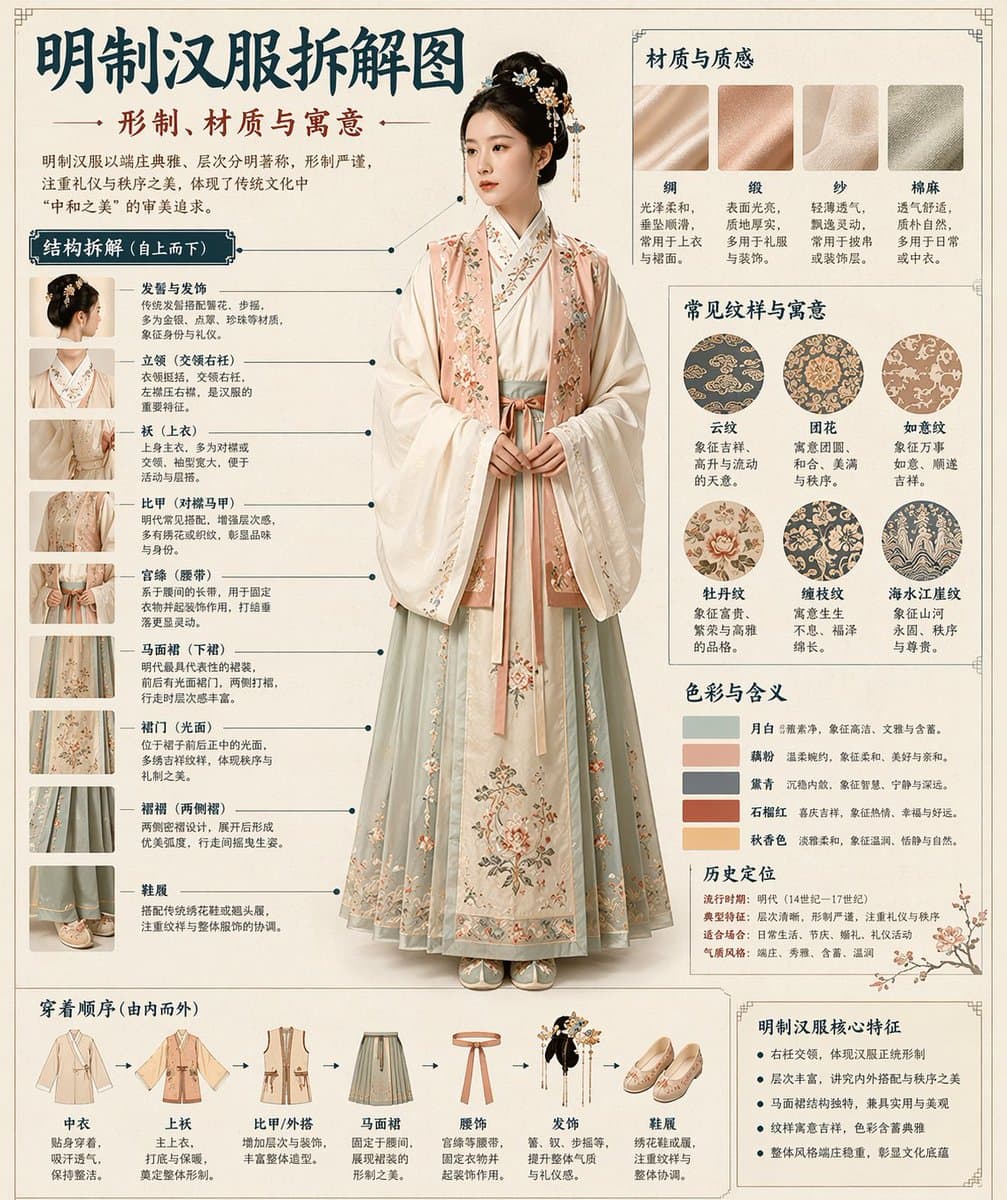
GPT-image-2 生成汉服拆解图🤯图鉴式风格,拆的很细! 这个提示词是通用模板,把主题替换成你想生成的内容,就可以扩展到汉服、凤冠、盔甲、器物等各种拆解图。 提示词: 请根据【主题】自动生成一张“博物馆图鉴式中文拆解信息图”。 要求整张图兼具真实写实主视觉、结构拆解、中文标注、材质说明、纹样寓意、色彩含义和核心特征总结。你需要根据【主题】自动判断最合适的主体对象、服饰体系、器物结构、时代风格、关键部件、材质工艺、颜色方案与版式结构,用户无需再提供其他信息。 整体风格应为:国家博物馆展板、历史服饰图鉴、文博专题信息图,而不是普通海报、古风写真、电商详情页或动漫插画。背景采用米白、绢纸白、浅茶色等纸张质感,整体高级、克制、专业、可收藏。 版式固定为: - 顶部:中文主标题 + 副标题 + 导语 - 左侧:结构拆解区,中文引线标注关键部件,并配局部特写 - 右上:材质 / 工艺 / 质感区,展示真实纹理小样并附说明 - 右中:纹样 / 色彩 / 寓意区,展示主色板、纹样样本和文化解释 - 底部:穿着顺序 / 构成流程图 + 核心特征总结 若主题适合人物展示,则以真实人物全身站姿为中央主体;若更适合器物或单体结构,则改为中心主体拆解图,但整体仍保持完整中文信息图形式。所有文字必须为简体中文,清晰、规整、可读,不要乱码、错字、英文或拼音。重点突出真实结构、材质差异、文化说明与图鉴气质。 避免:海报感、影楼感、电商感、动漫感、cosplay感、乱标注、错结构、糊字、假材质、过度装饰。

Education AI 图像提示词 prompt 1111
colorful-invitationeducational-infographictechnical-illustration

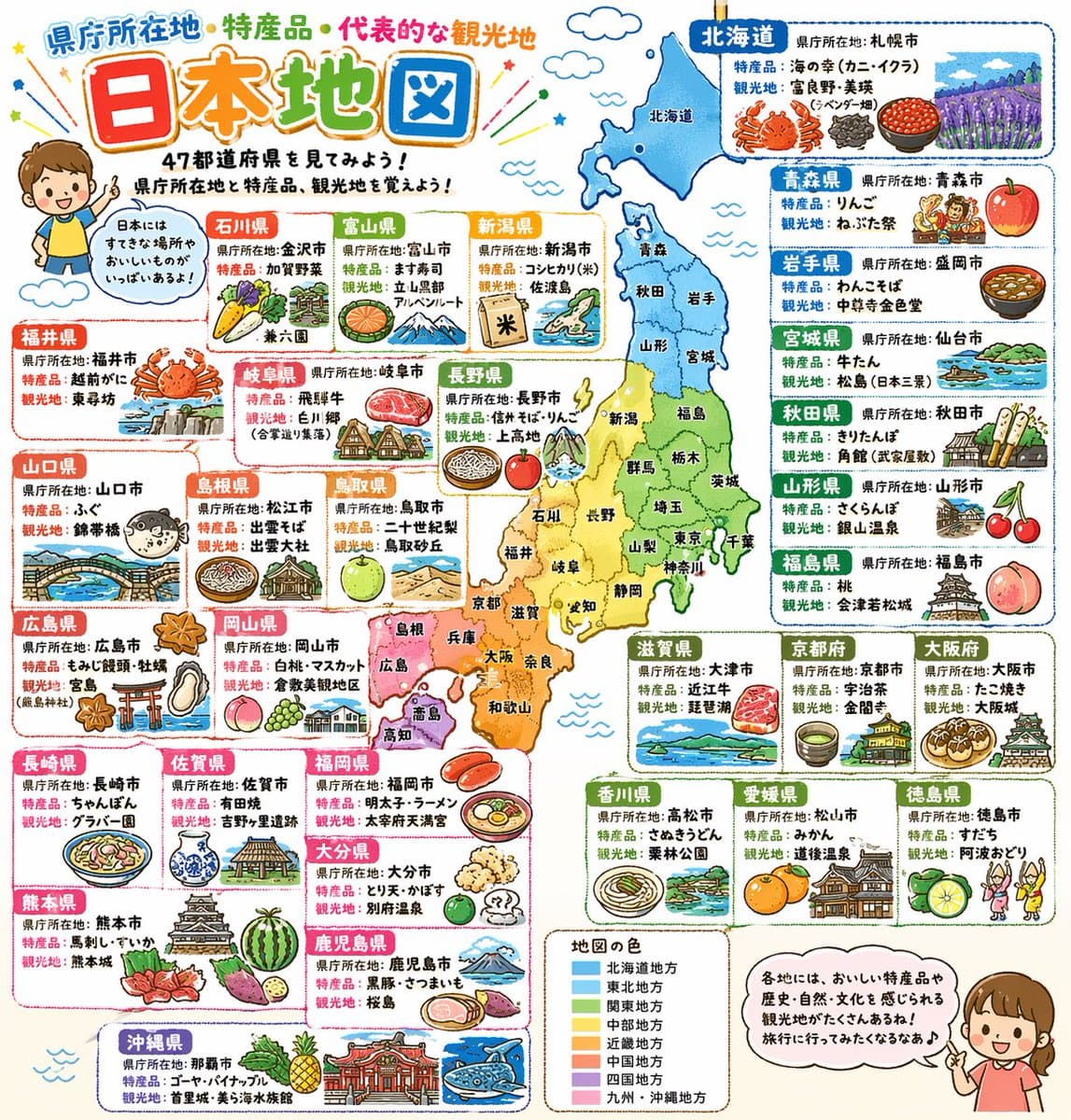
これもduct-tape-3なんだけど、ホントに凄いや… プロンプトは以下です。 詳細でポップな日本地図。県庁所在地と特産品と代表的な観光地をイラスト付きで記載。小学校高学年向け。 九州がどっか行ってたり間違った情報はあるけど、Nano banana Proから半年経たずにコレですからね。秋には完璧なのが出せるようになりそう。 これがもうすぐChatGPTで誰でも出せるようになってしまうとなると、本当にいろんな業界の前提が変わりそうだなぁ…

Education AI 图像提示词 prompt 1212
children-book-illustrationeducational-infographicpaper-craft

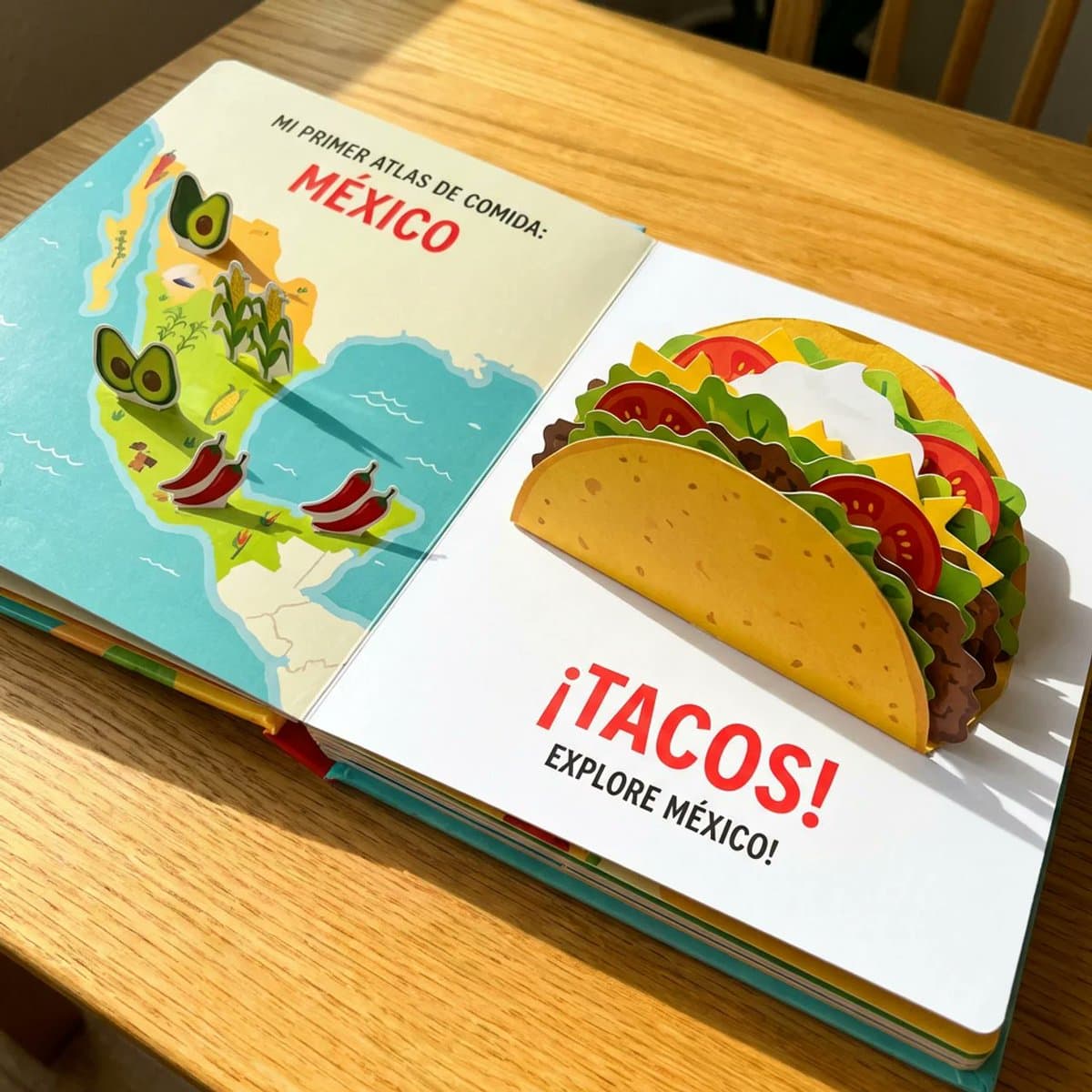
Most of my food prompts are for adults but I thought why not make one for kids. do this for a famous mexican dish <instructions> A Child's Pop-Up Cookbook: The "Atlas of Food" reimagined as a vibrant, interactive child's pop-up cookbook. The edible map elements literally pop up further, and the [food / dish] is also a pop-up, with layers of paper representing the [$dish's main ingredients]. Bright, cheerful colors and simple, bold text. Subject: Pop-up edible map, pop-up [$dish], child-like illustration. Style: Children's book illustration, pop-up book, whimsical, colorful. Environment: Open book on a bright, clean surface. Lighting: Bright, even, cheerful, as if from a sunny day. Composition: Eye-level, emphasizing the playful and interactive nature. Color palette: Vibrant primary colors, yellows, reds, greens, blues. Mood: Joyful, innocent, whimsical, charming. Details: Bold outlines, simplified textures, visible paper folds, cheerful colors. Output quality: High resolution, artistic rendering, vibrant. </instructions>

Education AI 图像提示词 prompt 1313
3d-rendereditorial-layouteducational-infographic

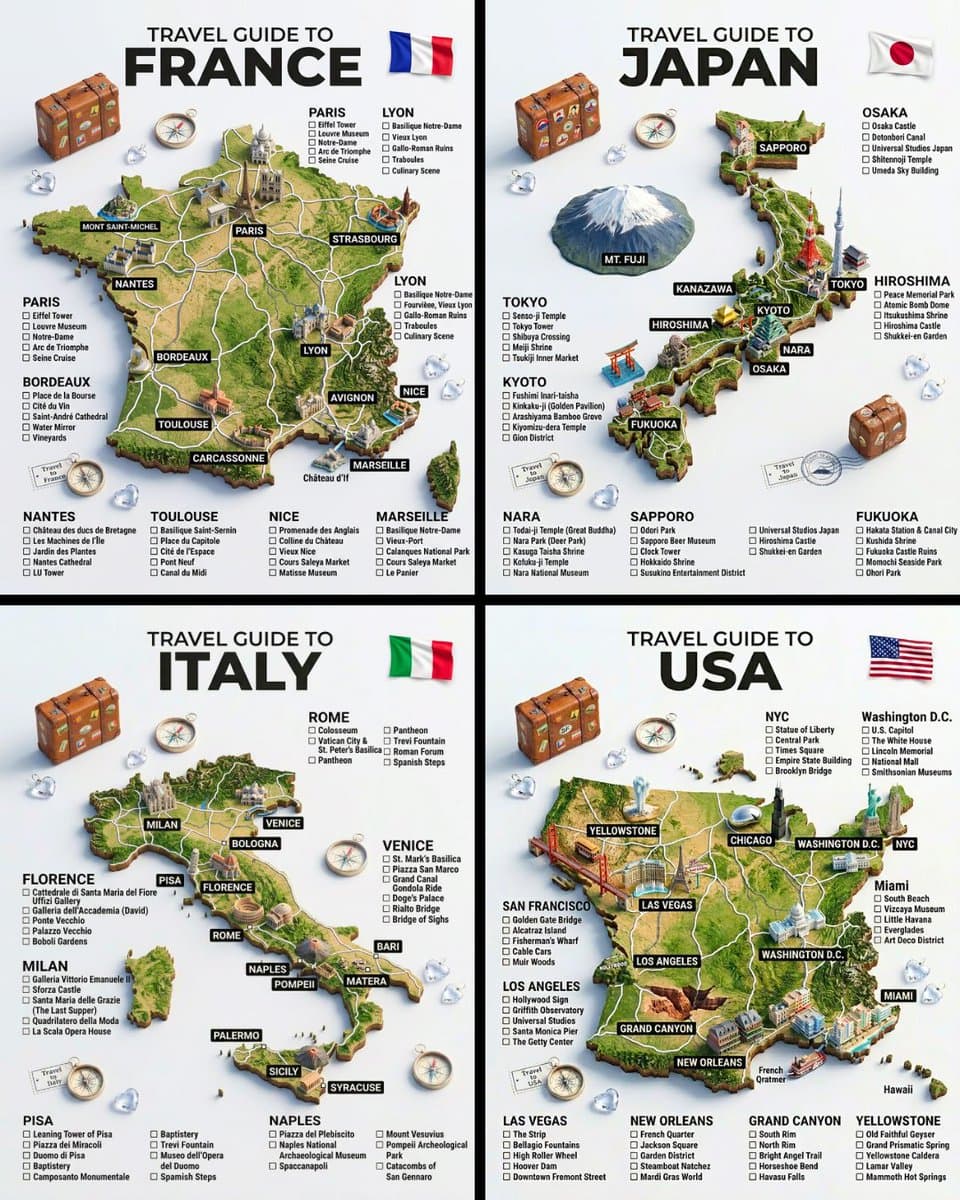
Country Travel Guides Inspired by palomaaviaja on Instagram🔥 “A hyper-realistic 3D travel guide infographic poster for [COUNTRY]. The country shape is rendered as a raised, textured terrain map floating on a clean light gray surface. Iconic landmarks are placed as miniature 3D sculpted models at their correct geographic locations across the map — each one highly detailed and photorealistic. Roads or railway lines connect key cities as white paths across the terrain. Around the map, floating 3D decorative props related to travel are scattered: a vintage leather suitcase with travel stickers, a compass rose, crystal heart charms, and a postage stamp seal reading “Travel to COUNTRY.” The national flag of [COUNTRY] is shown as a small realistic folded flag in the upper right corner. Each major city has a bold black label on the map, and beside the map, each city has a neat checklist of its top attractions in clean sans-serif typography. A large bold title at the top reads: “TRAVEL GUIDE TO “COUNTRY”” in black uppercase typography with the word [COUNTRY] in heavy bold. The overall aesthetic is premium editorial travel content — soft studio lighting, photorealistic 3D render, white/light gray background, clean layout.”

从参考到成图

三步开始,不必从空白画布想起。

  1. 01

    选择参考

    先按构图、色彩和用途选择最接近目标的样片。

  2. 02

    调整细节

    进入生成器后修改主题、文案、风格和画面比例。

  3. 03

    生成成图

    保留预填参考图,一键生成,再针对结果继续微调。

没有完全合适的样片?

从空白提示词开始,自由定义主题、构图、文字和画面比例。

从零创作
使用说明

让第一次生成更接近成品。

01

Education 提示词适合做什么

Education 提示词用于围绕特定风格、主体、媒介或摄影用途组织视觉创意,公开示例会随内容发布持续更新。

02

怎样写好 Education 提示词

先写明主要主体,再补充构图、环境、灯光、配色、材质、镜头或渲染方式、画面比例与最终用途。

03

如何继续优化生成结果

删除互相冲突的风格要求,保持一个清晰的视觉方向,并在发布前检查结构、文字、标志、透视和分类相关细节。

常见问题

开始前,你可能还想知道。

Education AI 图像提示词是什么?

这是归入 Education 分类的可复用视觉简报,可根据不同主体、参考图、构图和输出尺寸进行修改。

Education 示例是如何加入这个合集的?

当已发布提示词的主体、风格或用途与 Education 分类匹配时,它们会被归入这个合集。

这些 Education 提示词可以修改吗?

可以。替换主体和场景后,再根据项目调整灯光、配色、材质、镜头或渲染方式、画面比例和细节程度。