
 01
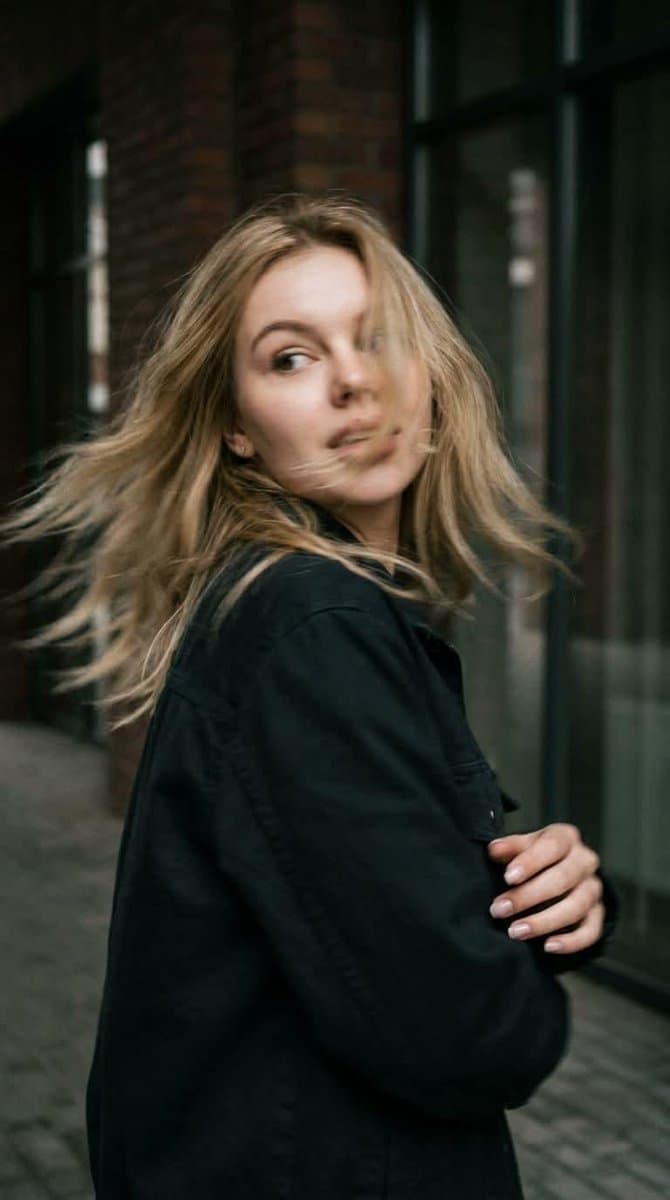
01GPT Image 2 — Refined Prompt Preserve the subject’s identity and appearance with maximum accuracy. Do not change or reinterpret her facial features, facial proportions, eye shape, nose, lips, jawline, bone structure, skin texture, hair color, hair length, hair density, or natural hair texture. Maintain a highly faithful resemblance to the reference image throughout the scene. Create a photorealistic candid photograph captured in the middle of natural movement. Use a close-up, waist-up composition. The woman is standing with her back partially toward the camera at the exact moment she quickly turns her head over her shoulder. Her gaze is directed naturally toward something off to the side, as if she has just noticed something behind her. Her expression should feel spontaneous and authentic, not posed or intentionally modeled for the camera. Natural Motion & Sharpness The sudden head movement creates realistic, subtle motion blur. Apply gentle blur across the moving face, hair, and individual curls, with slightly softened silhouette edges caused by the speed of the movement. Keep the face sufficiently recognizable and preserve the subject’s defining facial characteristics. Her curls naturally sweep outward with the movement, creating a believable dynamic trail. The motion should feel like a genuine photograph captured by a real camera with a slightly slower shutter speed—not an artificial blur effect. Body Language & Composition Maintain a relaxed, natural posture with subtle asymmetry. The shoulders, neck, and upper body should show believable movement caused by the quick head turn. Avoid fashion-model posing, exaggerated gestures, or stiff studio positioning. Lighting & Environment Use cinematic directional lighting with soft, realistic shadows and atmospheric depth. Place the subject in a textured, believable environment with natural visual details. Preserve realistic skin with visible pores, fine texture, and subtle natural imperfections rather than overly smooth or plastic-looking skin. Camera & Film Aesthetic Make the image feel as though it was captured on a real 35mm film camera. Include pronounced but natural film grain, subtle optical imperfections, gentle lens characteristics, realistic depth of field, and authentic photographic texture. Use a muted, low-saturation cinematic color palette with natural tones and restrained contrast. The final image should look like a genuine candid photograph taken in real life—organic, imperfect, cinematic, and completely photorealistic.