Photo Enhancement 提示词分类

Photo Enhancement AI 图像提示词

浏览 Photo Enhancement 相关示例与可复用的 AI 图像提示词方向,用于规划主体、构图、灯光、色彩、材质和视觉风格。

该合集依据 PromptPlum 的 Photo Enhancement 分类整理。可将这些参考方向改写为适合自身主体、尺寸与视觉目标的提示词。

视觉参考组
photo enhancement
内容规模
3 个公开提示词
视觉参考组04 / REF
Photo Enhancement AI 图像提示词 reference 101
Photo Enhancement AI 图像提示词 reference 202
Photo Enhancement AI 图像提示词 reference 303
Photo Enhancement AI 图像提示词 reference 404
VEYVIA / PHOTO-ENHANCEMENT已整理
提示词画廊

选择一个最接近的画面。

打开任意样片查看完整提示词,或直接带着参考图与画面比例进入生成器。

3 个公开提示词
Photo Enhancement AI 图像提示词 prompt 101
ai retouchingai-retouchingold-photo-restoration

🎨 Prompt Gemini : Restoration photography ⚙️ This photo is Fictional- Generated by Gemini Restore this old black-and-white family photo with high realism and respect for the original image. Sharpen the photo, reduce noise and grain, remove minor damage, stains and blur, and improve overall clarity while preserving natural facial features, expressions, clothing details and the original composition. Colorize the image accurately and tastefully in a way that fits the historical period, likely late 1970s to early 1980s. Use realistic, slightly muted vintage tones typical of that era, with natural skin tones, believable hair colors, and period-appropriate colors for clothing and background. Keep the result authentic, subtle and historically plausible — not overly saturated, not too modern-looking, and not artificially beautified. Maintain the original proportions, group arrangement and photographic feel of a vintage family portrait. Final result should look like a professionally restored archival photo: clean, sharp, denoised and naturally colorized. #aiart #digitalart #ai #gemini #photography #photographyrestoration #PhotoRestoration #OldPhotoRestoration #PhotoColorization #VintagePhotography #RestoredPhoto #FamilyHistory #HistoricalPhotos #BeforeAndAfter #PhotoEnhancement #MemoriesRestored

Photo Enhancement AI 图像提示词 prompt 202
photo-enhancementphoto enhancementai image prompts

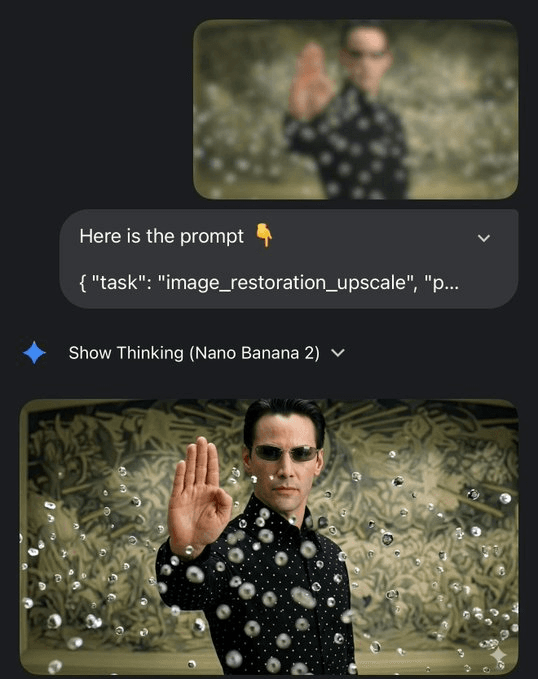
Restore and enhance the provided image while preserving the original identity, facial structure, proportions, and composition. Produce a high-fidelity natural photographic result with realistic skin texture, accurate fine details, balanced cinematic lighting, subtle depth, professional color grading, and sharp but believable focus. Remove blur, noise, compression artifacts, and damage without changing the subject or visual style. Avoid creative reinterpretation, face reshaping, plastic skin, excessive sharpening, washed-out color, anatomy errors, or painterly effects. Output at clean 4K quality.

Photo Enhancement AI 图像提示词 prompt 303
twitterai-photo-editingai-retouching

I still find this very impressive Nano Banana Pro Prompt 🍌 'Restore this damaged discoloured photo' 'And do not change any details' Exploring @GeminiApp

从参考到成图

三步开始,不必从空白画布想起。

  1. 01

    选择参考

    先按构图、色彩和用途选择最接近目标的样片。

  2. 02

    调整细节

    进入生成器后修改主题、文案、风格和画面比例。

  3. 03

    生成成图

    保留预填参考图,一键生成,再针对结果继续微调。

没有完全合适的样片?

从空白提示词开始,自由定义主题、构图、文字和画面比例。

从零创作
使用说明

让第一次生成更接近成品。

01

Photo Enhancement 提示词适合做什么

Photo Enhancement 提示词用于围绕特定风格、主体、媒介或摄影用途组织视觉创意,公开示例会随内容发布持续更新。

02

怎样写好 Photo Enhancement 提示词

先写明主要主体,再补充构图、环境、灯光、配色、材质、镜头或渲染方式、画面比例与最终用途。

03

如何继续优化生成结果

删除互相冲突的风格要求,保持一个清晰的视觉方向,并在发布前检查结构、文字、标志、透视和分类相关细节。

常见问题

开始前,你可能还想知道。

Photo Enhancement AI 图像提示词是什么?

这是归入 Photo Enhancement 分类的可复用视觉简报,可根据不同主体、参考图、构图和输出尺寸进行修改。

Photo Enhancement 示例是如何加入这个合集的?

当已发布提示词的主体、风格或用途与 Photo Enhancement 分类匹配时,它们会被归入这个合集。

这些 Photo Enhancement 提示词可以修改吗?

可以。替换主体和场景后,再根据项目调整灯光、配色、材质、镜头或渲染方式、画面比例和细节程度。