Saree 提示词分类

Saree AI 图像提示词

浏览 Saree 相关示例与可复用的 AI 图像提示词方向,用于规划主体、构图、灯光、色彩、材质和视觉风格。

该合集依据 PromptPlum 的 Saree 分类整理。可将这些参考方向改写为适合自身主体、尺寸与视觉目标的提示词。

视觉参考组
saree
内容规模
4 个公开提示词
视觉参考组04 / REF
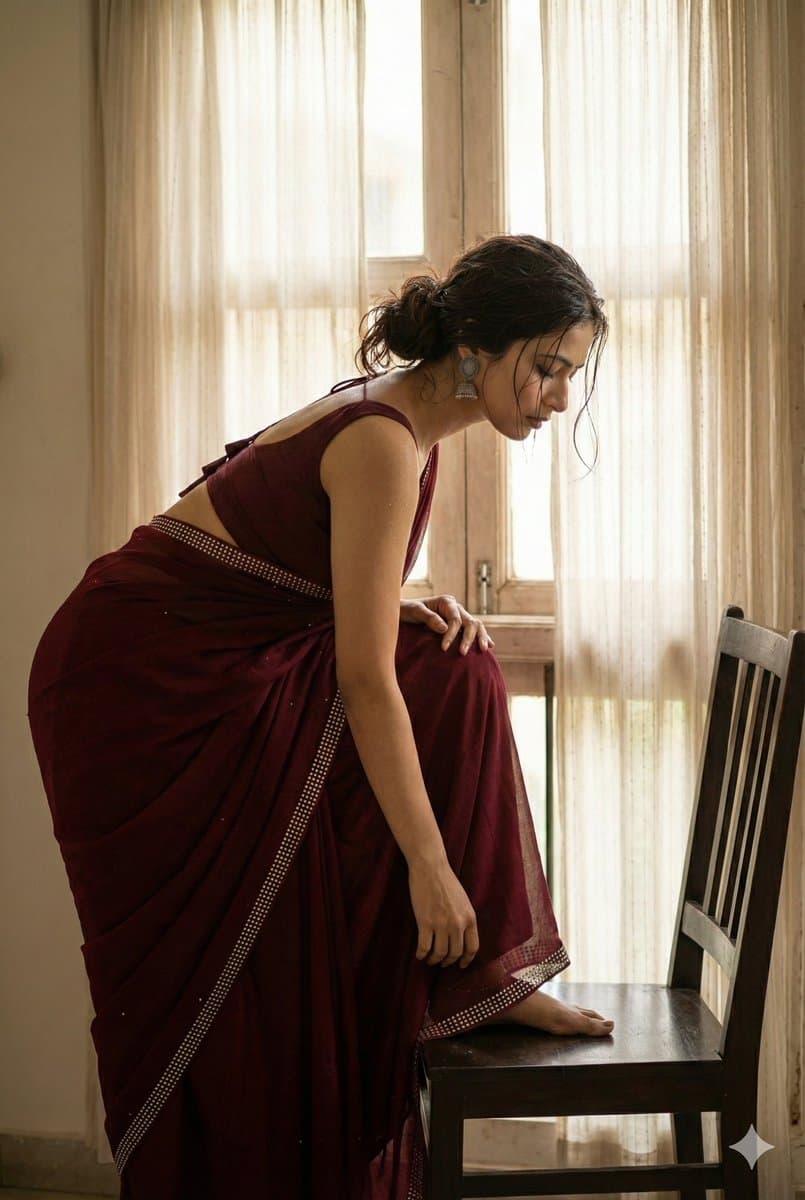
Saree AI 图像提示词 reference 101
Saree AI 图像提示词 reference 202
Saree AI 图像提示词 reference 303
Saree AI 图像提示词 reference 404
VEYVIA / SAREE已整理
提示词画廊

选择一个最接近的画面。

打开任意样片查看完整提示词,或直接带着参考图与画面比例进入生成器。

4 个公开提示词
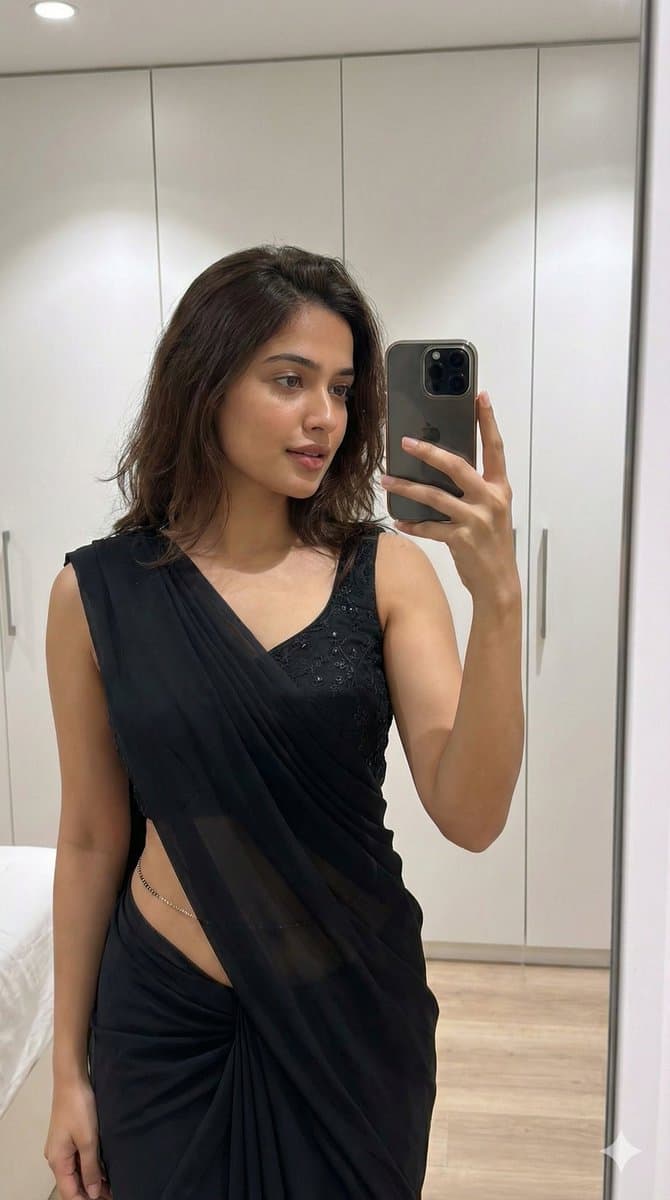
Saree AI 图像提示词 prompt 101
outfit transferoutfit-transfersaree

Built on a ChatGPT AI prompt, brought to life with Gemini Nano Banana Pro 🍌 The level of detail and realism here is seriously next level. Prompt ⤵️ { "type": "image_generation", "model_style": "ultra_photorealistic", "aspect_ratio": "9:16", "resolution": "8K", "quality": "high_detail_realism", "identity_reference": { "use_reference_image": true, "face_preservation": "exact", "body_preservation": "exact", "no_facial_changes": true, "no_body_modification": true }, "subject": { "gender": "female", "age": "young adult", "expression": "soft confident gaze, natural lips slightly parted", "pose": "slightly angled mirror selfie pose, relaxed shoulders, natural posture", "hair": { "color": "dark brown", "style": "loose, natural volume, middle part", "texture": "smooth and realistic" }, "skin": { "tone": "warm natural complexion", "detail": "visible skin texture, realistic highlights, no plastic look" } }, "outfit": { "style": "black saree with modern blouse", "blouse": "black sleeveless blouse with subtle shimmer embroidery", "saree": "black draped saree with soft fabric folds and realistic fabric physics", "accessories": [ "delicate waist chain", "minimal jewelry" ] }, "environment": { "location": "indoor modern bedroom or dressing area", "background": "clean white wardrobe cabinets", "lighting": { "type": "soft indoor lighting", "source": "overhead ceiling light", "effect": "natural shadows, balanced highlights" } }, "camera": { "device": "smartphone", "lens": "natural portrait lens", "angle": "slightly above eye level", "focus": "sharp focus on subject, mild background softness", "depth_of_field": "realistic" }, "rendering_rules": { "no_cartoon": true, "no_ai_artifacts": true, "no_over_smoothing": true, "no_extra_limbs": true, "no_distorted_hands": true, "no_text_or_watermark": true }, "final_look": "looks like a real candid photo, ultra-realistic, editorial yet natural" }

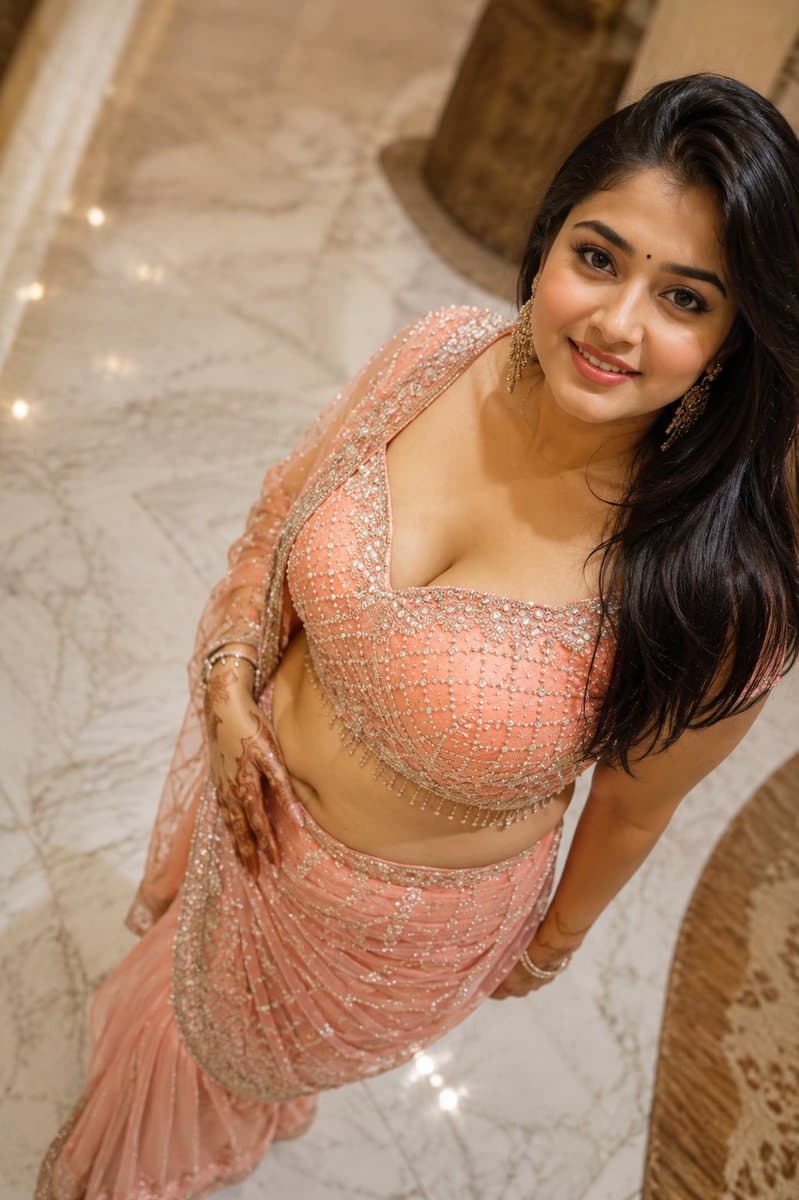
Saree AI 图像提示词 prompt 202
ai image promptsprompt librarysaree

Built on a ChatGPT AI prompt, brought to life with Gemini Nano Banana Pro 🍌 The level of detail and realism here is seriously next level. Prompt ⤵️ { "type": "image_generation", "model_style": "ultra_photorealistic", "aspect_ratio": "9:16", "resolution": "8K", "quality": "high_detail_realism", "identity_reference": { "use_reference_image": true, "face_preservation": "exact", "body_preservation": "exact", "no_facial_changes": true, "no_body_modification": true }, "subject": { "gender": "female", "age": "young adult", "expression": "soft confident gaze, natural lips slightly parted", "pose": "slightly angled mirror selfie pose, relaxed shoulders, natural posture", "hair": { "color": "dark brown", "style": "loose, natural volume, middle part", "texture": "smooth and realistic" }, "skin": { "tone": "warm natural complexion", "detail": "visible skin texture, realistic highlights, no plastic look" } }, "outfit": { "style": "black saree with modern blouse", "blouse": "black sleeveless blouse with subtle shimmer embroidery", "saree": "black draped saree with soft fabric folds and realistic fabric physics", "accessories": [ "delicate waist chain", "minimal jewelry" ] }, "environment": { "location": "indoor modern bedroom or dressing area", "background": "clean white wardrobe cabinets", "lighting": { "type": "soft indoor lighting", "source": "overhead ceiling light", "effect": "natural shadows, balanced highlights" } }, "camera": { "device": "smartphone", "lens": "natural portrait lens", "angle": "slightly above eye level", "focus": "sharp focus on subject, mild background softness", "depth_of_field": "realistic" }, "rendering_rules": { "no_cartoon": true, "no_ai_artifacts": true, "no_over_smoothing": true, "no_extra_limbs": true, "no_distorted_hands": true, "no_text_or_watermark": true }, "final_look": "looks like a real candid photo, ultra-realistic, editorial yet natural" }

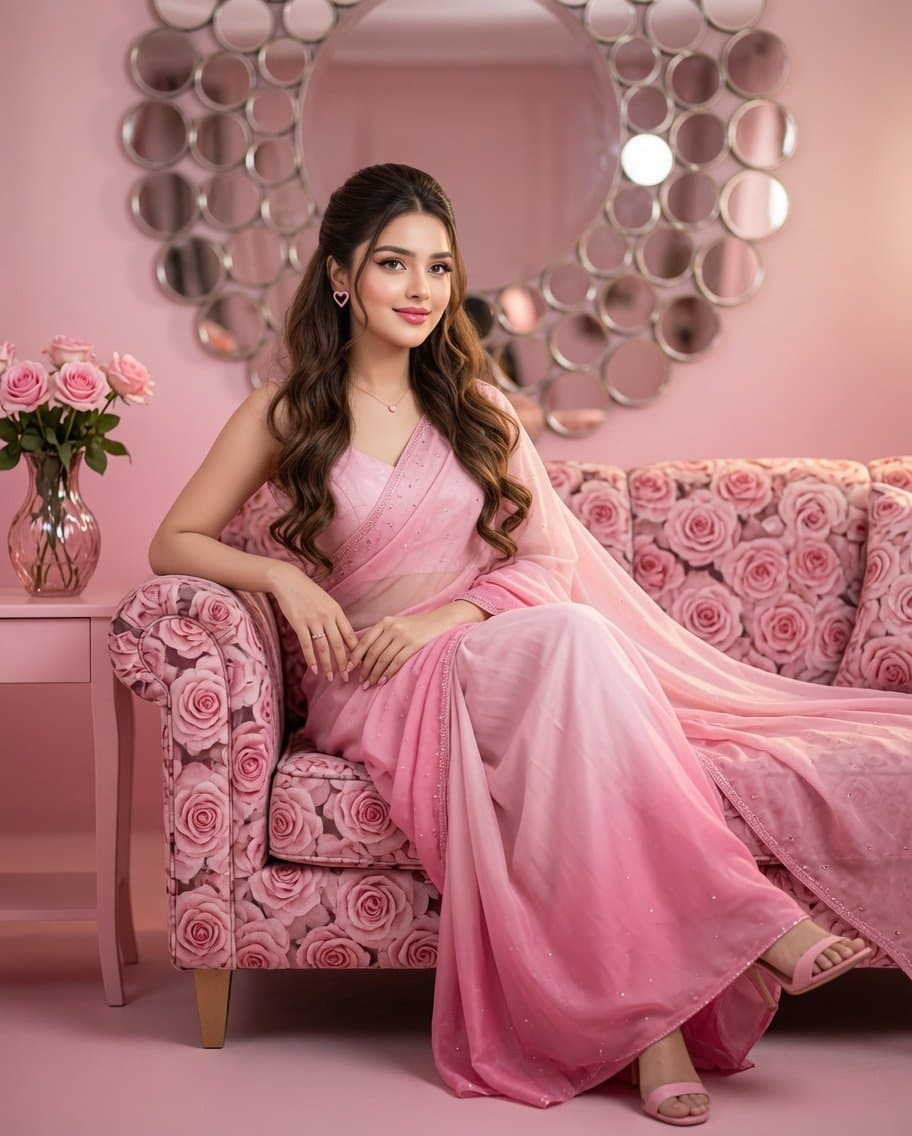
Saree AI 图像提示词 prompt 303
pre wedding photoshootai image promptsprompt library

Prompt for couple photoshoot : Cinematic, realistic romantic scene, vintage wooden door with stone walls, man and woman leaning on opposite sides. Woman in creamy cotton saree with pink border, pink jacket, open hair flowing in breeze, 5 pink bangles both hands, large black hoop earrings, shy smile at man. Man in white linen shirt and trousers, brown shoes, silver watch, gold chain, kada bracelet, one hand on waist, other raised on door, soft smile at woman. Faces exactly like reference photo, warm cinematic lighting, realistic photography, dreamy romantic atmosphere.

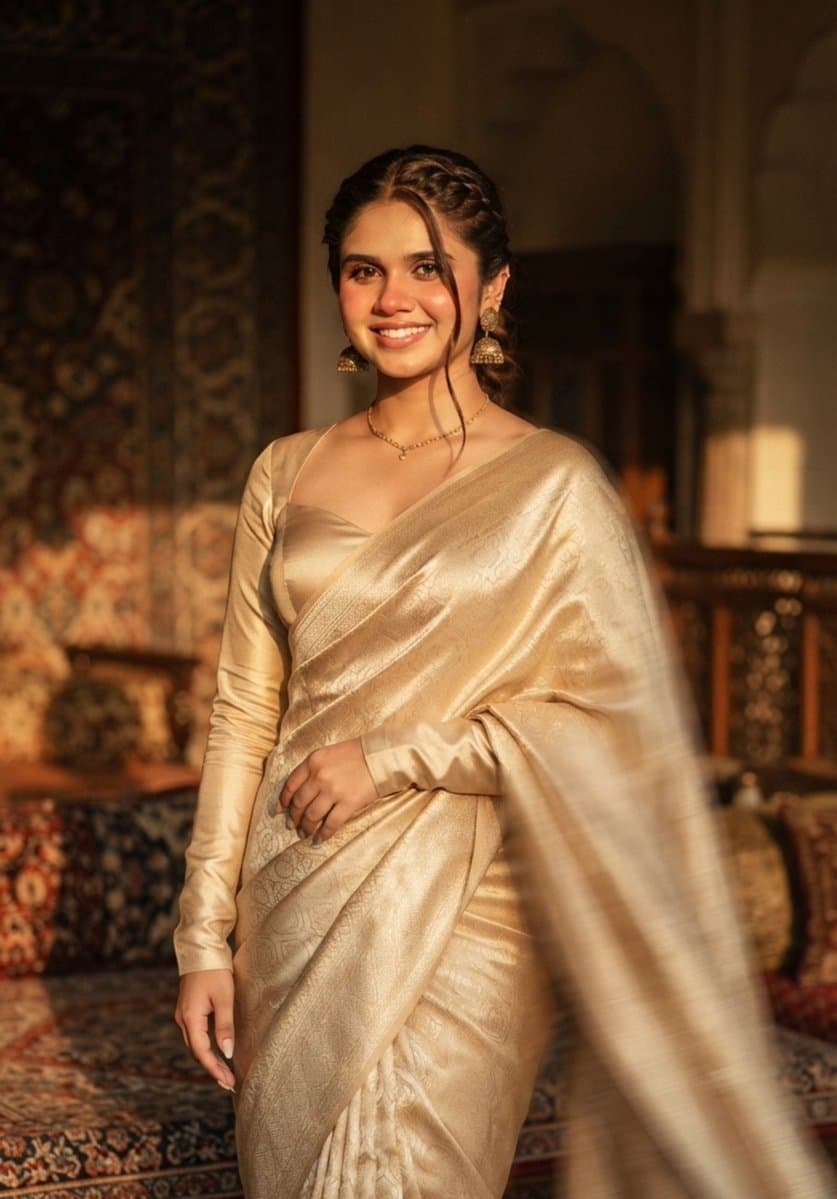
Saree AI 图像提示词 prompt 404
ai image promptsprompt librarysaree

Use the uploaded image as the only facial reference. Preserve the face with 99.9% identity accuracy (facial features, skin tone, smile, hairline, expression). Create an ultra-realistic Vogue India editorial portrait with subtle cinematic motion blur affecting only the hair, saree, and background. Dress her in a champagne-gold Banarasi silk saree with a full-sleeve sweetheart blouse, antique gold jhumkas, and a loose braided low bun with one face-framing strand. Golden-hour side lighting, luxury interior bokeh, Sony A7R V, 85mm f/1.4, HDR RAW, 8K, hyper-realistic, 9:16, face perfectly sharp.

从参考到成图

三步开始,不必从空白画布想起。

  1. 01

    选择参考

    先按构图、色彩和用途选择最接近目标的样片。

  2. 02

    调整细节

    进入生成器后修改主题、文案、风格和画面比例。

  3. 03

    生成成图

    保留预填参考图,一键生成,再针对结果继续微调。

没有完全合适的样片?

从空白提示词开始,自由定义主题、构图、文字和画面比例。

从零创作
使用说明

让第一次生成更接近成品。

01

Saree 提示词适合做什么

Saree 提示词用于围绕特定风格、主体、媒介或摄影用途组织视觉创意,公开示例会随内容发布持续更新。

02

怎样写好 Saree 提示词

先写明主要主体,再补充构图、环境、灯光、配色、材质、镜头或渲染方式、画面比例与最终用途。

03

如何继续优化生成结果

删除互相冲突的风格要求,保持一个清晰的视觉方向,并在发布前检查结构、文字、标志、透视和分类相关细节。

常见问题

开始前,你可能还想知道。

Saree AI 图像提示词是什么?

这是归入 Saree 分类的可复用视觉简报,可根据不同主体、参考图、构图和输出尺寸进行修改。

Saree 示例是如何加入这个合集的?

当已发布提示词的主体、风格或用途与 Saree 分类匹配时,它们会被归入这个合集。

这些 Saree 提示词可以修改吗?

可以。替换主体和场景后,再根据项目调整灯光、配色、材质、镜头或渲染方式、画面比例和细节程度。