Fully local processingYour images stay in the browser. Compression, resizing, and downloads all run on your device.
No uploads, no sign-up, local processing only.
Batch Image Compressor
Supports common image formats including PNG, JPG/JPEG, WebP, GIF, SVG, and AVIF. Drop in multiple images, compress them by max width, and download them instantly in your browser.
Local image workbench
Local compression Batch processing ZIP download included
Built for batch cleanupDrop in multiple images, apply a shared max width, and quickly prepare lighter files for web or content publishing.
Flexible download flowDownload each result one by one or export the whole batch as a ZIP file when everything is ready.
Core capabilities
Compress multiple images online
This batch image compressor is designed for quickly reducing image dimensions and file sizes. You can drag in multiple images at once, apply one shared max width, or fine-tune the width for each image individually. Everything runs locally in the browser, which makes it useful for web asset cleanup, social media image prep, and lightweight delivery files.
- Prepare lighter image assets for landing pages, blogs, and websites before uploading them.
- Batch-resize images for social posts, editorial graphics, or content publishing workflows.
- Create a cleaner handoff package with more consistent image widths and smaller files before sharing.
Example PreviewVeyvia / Compress
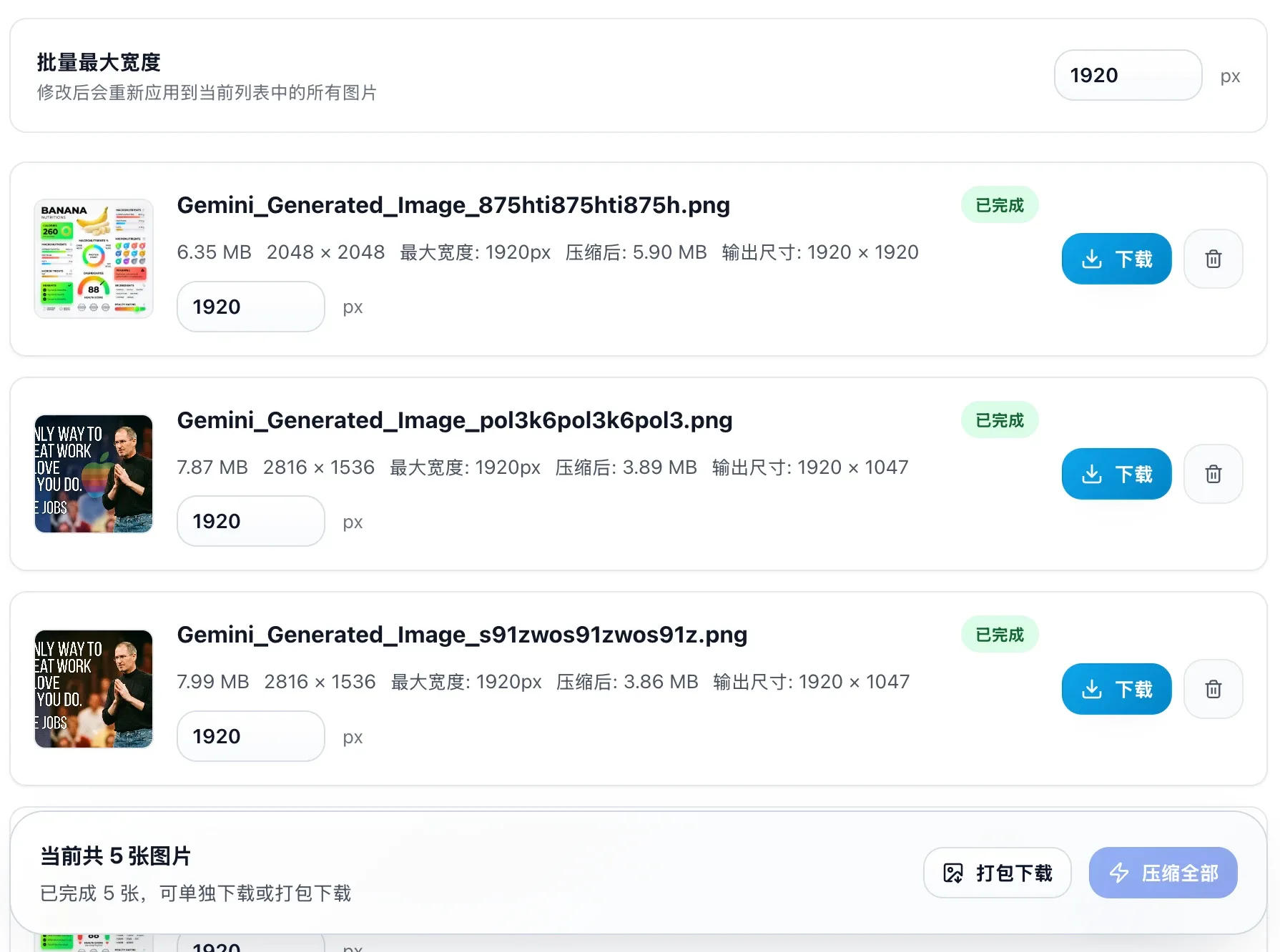
Four-step workflow
How to use it
Upload multiple images
Drag in several JPG, PNG, or WebP files at once, or click the uploader to choose them in bulk.
Set the max width
Apply one global width for the whole batch or set a custom width for each image in the list.
Run compression
Compress one image at a time or process the whole batch. The tool resizes each image based on the current width setting.
Download the results
Once processing is done, download files individually or export the whole set as a ZIP file.
Core Compression Features
Common use cases
Batch Multi-Image Compression
Drag and drop multiple images at once. Easily process small or large batches concurrently in your browser, saving substantial time.
Format Conversion Support
Convert images to different output formats during compression (e.g., converting PNG to WebP can yield a compression rate of over 90%), allowing you to easily match platform-specific requirements.
PNG → WebP · JPG → WebP · WebP → JPGResize while Compressing
Scale down the maximum width of your images while optimizing file size. Proportional scaling keeps the original aspect ratio.
FAQ
Frequently asked questions
No. The current compression flow runs locally in the browser, so your images stay on your device.