Artwork prompt library

Artwork AI Image Prompts

Browse artwork examples and reusable AI image prompts for composition, lighting, color, materials, and style.

Browse a focused artwork category based on the PromptPlum taxonomy. Use the references as starting points, then rewrite each prompt for your own subject, format, and visual goal.

Visual reference set
artwork
Library size
2 public prompts
Visual reference set04 / REF
Artwork AI Image Prompts reference 101
Artwork AI Image Prompts reference 202
Artwork AI Image Prompts reference 303
Artwork AI Image Prompts reference 404
VEYVIA / ARTWORKCURATED
Prompt library

Choose the closest frame to begin.

Open any reference to inspect the full prompt, or take its image and aspect ratio straight into the generator.

2 public prompts
Artwork AI Image Prompts prompt 101
twitterillustrationbabies-children

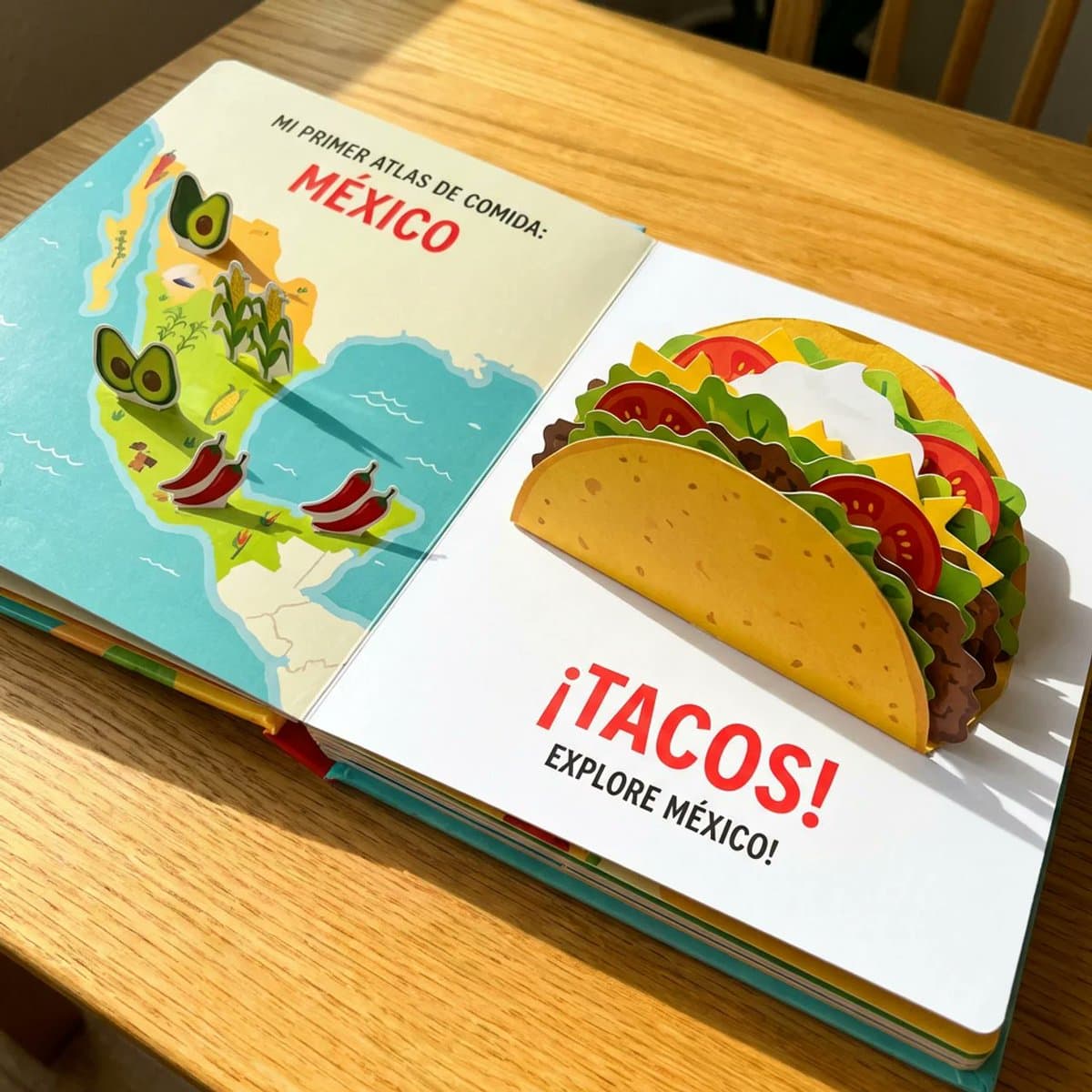
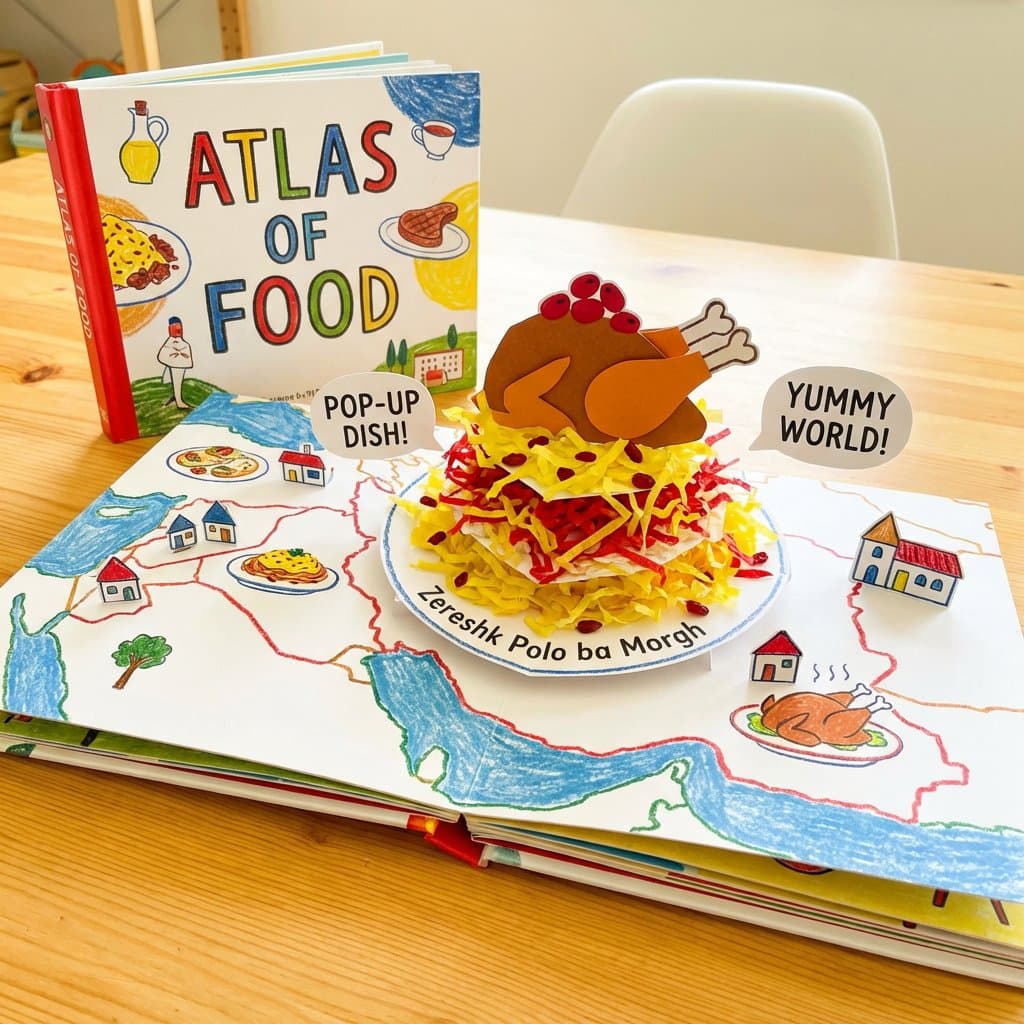
Most of my food prompts are for adults but I thought why not make one for kids. do this for a famous mexican dish <instructions> A Child's Pop-Up Cookbook: The "Atlas of Food" reimagined as a vibrant, interactive child's pop-up cookbook. The edible map elements literally pop up further, and the [food / dish] is also a pop-up, with layers of paper representing the [$dish's main ingredients]. Bright, cheerful colors and simple, bold text. Subject: Pop-up edible map, pop-up [$dish], child-like illustration. Style: Children's book illustration, pop-up book, whimsical, colorful. Environment: Open book on a bright, clean surface. Lighting: Bright, even, cheerful, as if from a sunny day. Composition: Eye-level, emphasizing the playful and interactive nature. Color palette: Vibrant primary colors, yellows, reds, greens, blues. Mood: Joyful, innocent, whimsical, charming. Details: Bold outlines, simplified textures, visible paper folds, cheerful colors. Output quality: High resolution, artistic rendering, vibrant. </instructions>

Artwork AI Image Prompts prompt 202
twittermixed-media-artdigital-art

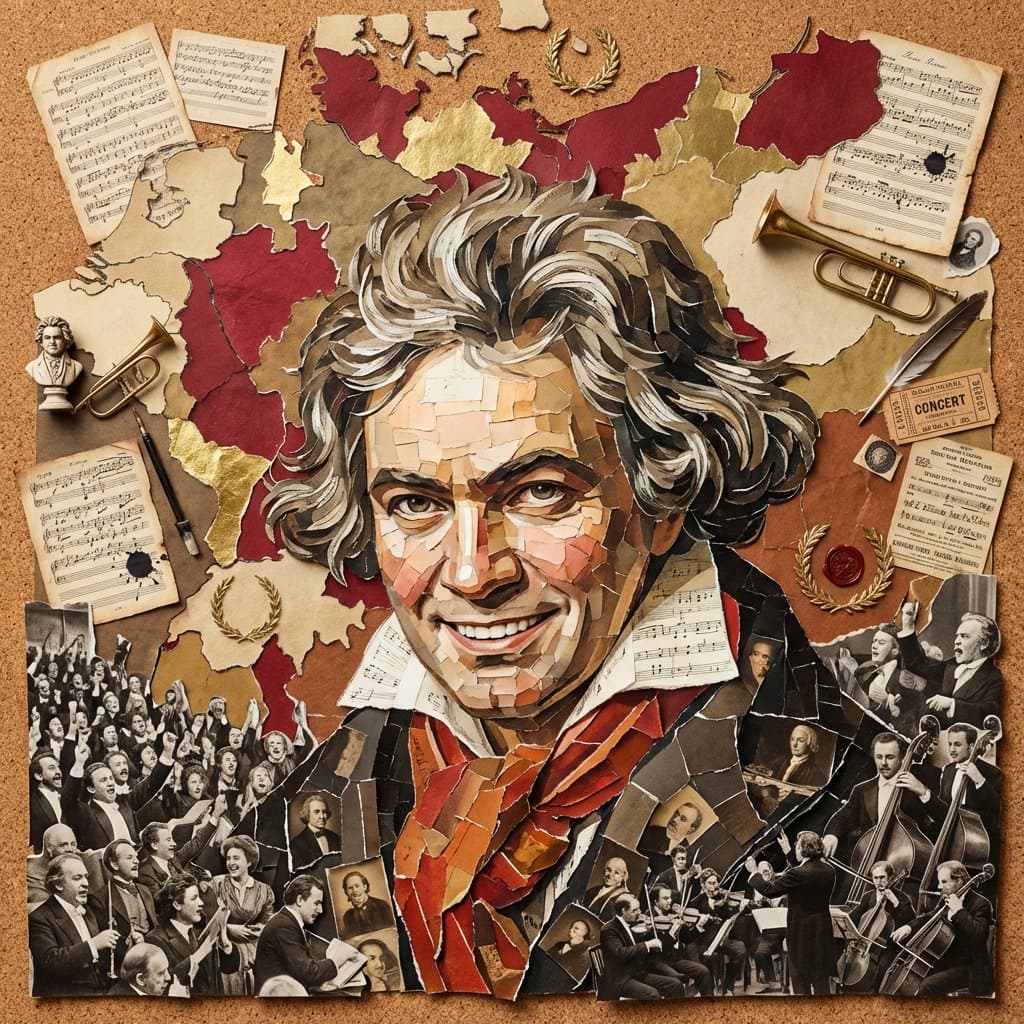
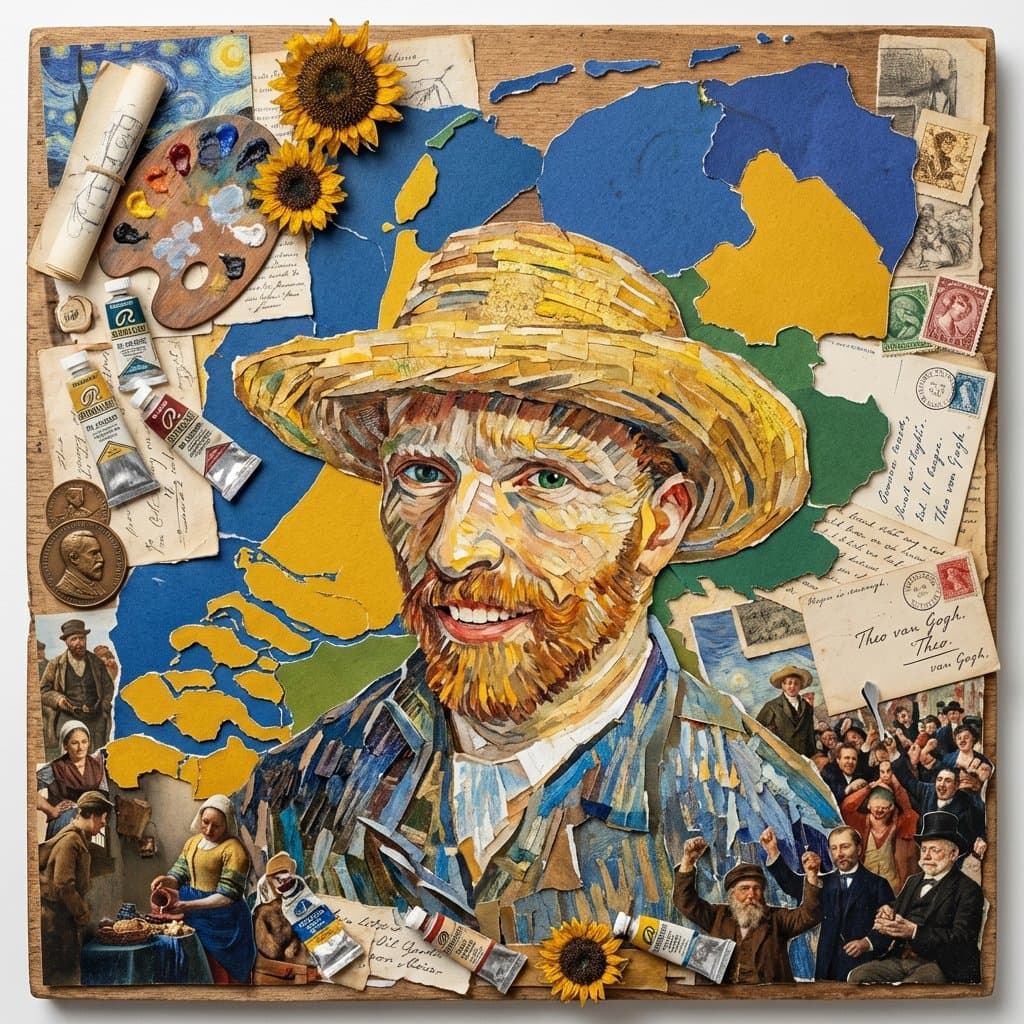
I modified my Pele prompt, so it now works for any famous person. Do this for beethoven: <instruction> 1. Inference Engine Input A is a Globally Recognized Figure (e.g., Pelé, Muhammad Ali, Frida Kahlo, Winston Churchill). Deconstruct the figure's legacy into 4 Collage Assets : The Anchor (The Portrait): Identify a recognizable, smiling, front-facing portrait of the individual. The Terrain (The Map): Identify the outline of their home country or most significant region. (e.g., Pelé -> Brazil. Churchill -> United Kingdom. Kahlo -> Mexico). The Colors (The Theme): Identify the dominant colors associated with their nation or profession. (e.g., Pelé -> Yellow, Green, Blue. Kahlo -> Vibrant primary colors and earth tones). The Ephemera (The Clutter): Identify specific historical objects related to their career. (e.g., Pelé -> Tiny World Cup trophies, old match tickets, cheering fans. Churchill -> Telegraphs, medals, cigars). 2. Container (The Collage Board): Goal: A "Mixed-Media Mosaic" Flat Lay. The Base: A square piece of heavy cardboard, corkboard, or rough wood lying flat. The Technique: The entire image is a densely packed physical collage made of torn paper, vintage photographs, ticket stubs, and small 3D objects glued to the board. 3. The Mosaic Portrait The Construction: The portrait (Input A) dominates the center of the frame. The Illusion: The face is NOT a single painted image. It is a "Photo Mosaic" created by hundreds of tiny, distinct, overlapping rectangular and torn pieces of paper (e.g., tiny faces, skin-toned paper scraps, historical photos). Detail: The viewer must be able to see the individual paper edges and overlapping corners making up the eyes, smile, and hair. 4. The Background The Map: Behind the portrait, the outline of the "Terrain" (Step 1) is constructed using larger, torn pieces of solid-colored paper matching the "Theme" colors (e.g., Green and Yellow paper forming Brazil). The Crowd: The bottom corners and edges are filled with cut-out photos of cheering crowds, teammates, or relevant historical figures reacting to the main subject. The Detritus: The remaining empty space is jammed with the "Ephemera" (vintage tickets, logos, handwritten notes, small 3D pins/trophies glued to the surface). 5. Lighting & Atmosphere: Lighting: Flat Studio Copy-Stand Lighting. Even, bright illumination from above that casts very tiny, sharp drop shadows underneath the curled edges of the torn paper and 3D objects, emphasizing the physical, layered texture of the collage. Texture: High fidelity. The grain of the paper, the glossy sheen of the tiny photos, and the glue marks should be visible. Output: ONE image, 1:1 Aspect Ratio, Macro Photography of Mixed Media Art, "Scrapbook Mosaic" aesthetic, Horror Vacui (no empty space). </instruction>
Reference to result

Three steps forward, without starting from a blank canvas.

  1. 01

    Pick a reference

    Choose the frame closest to your goal in composition, color, and purpose.

  2. 02

    Adjust the details

    Change the subject, copy, style, and image ratio in the generator.

  3. 03

    Generate the image

    Keep the prefilled reference, generate, then refine from the result.

Nothing quite fits?

Start with a blank prompt and define the subject, composition, typography, and aspect ratio yourself.

Create from scratch
Working notes

Get closer to a finished image on the first pass.

01

About Artwork prompts

Artwork prompts help organize visual ideas around a specific style, subject, medium, or photography use case. Published examples may change as the collection grows.

02

How to write a stronger Artwork prompt

Name the main subject first, then define composition, environment, lighting, palette, materials, camera or rendering technique, aspect ratio, and the intended output.

03

How to refine the generated result

Remove conflicting style instructions, keep one clear visual direction, and review anatomy, text, logos, perspective, and important category-specific details before publishing.

Common questions

A few things to know before you begin.

What are Artwork AI image prompts?

They are reusable visual briefs grouped under the Artwork category. Each brief can be adapted to a different subject, reference image, composition, or output size.

How are Artwork examples selected for this collection?

Published prompts are assigned to this collection when their subject, style, or intended use matches the Artwork category.

Can I customize these Artwork prompts?

Yes. Replace the subject and context, then adjust the lighting, palette, materials, lens or rendering method, aspect ratio, and detail level for your project.