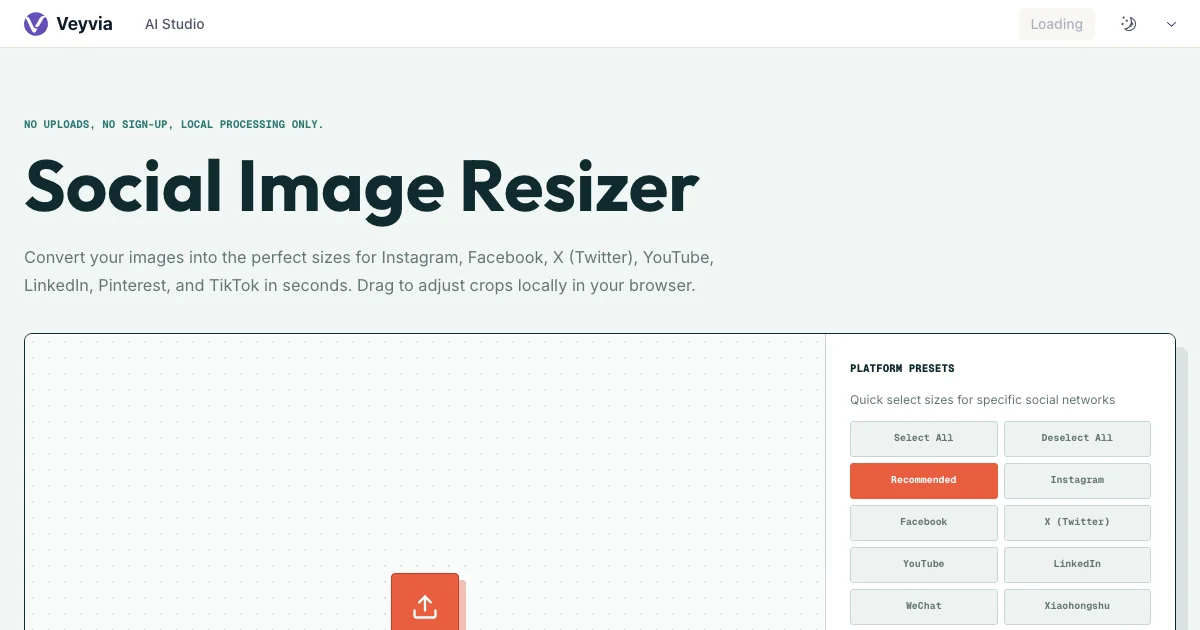
Social Image Resizer
Convert your images into the perfect sizes for Instagram, Facebook, X (Twitter), YouTube, LinkedIn, Pinterest, and TikTok in seconds. Drag to adjust crops locally in your browser.
No uploads, no sign-up, local processing only.
Drag an image here
Or click to upload an image to resize
Interactive Resizer Preview
Select platforms and drag the images within their cards to center the subject before downloading.
Avoid stretch blur with AI generation
Stretching or cropping images to resize them often ruins the composition. Why not use our AI Creative Studio to generate high-resolution images in the exact aspect ratio you need from the very beginning?
Resize images for all social media
This free social media resizer is designed for content creators, designers, and marketers who need to quickly adapt standard photos into platform-compliant sizes. You can drag and drop an image, select the social platforms you need, drag to center the subjects in each cropping boundary, and download them individually or as a ZIP package. Everything is calculated in the browser.
Core capabilities
Multi-Platform Export
Convert a single upload into Instagram, X, Facebook, LinkedIn, YouTube, TikTok, and Pinterest sizes simultaneously.
Precise Re-centering
Drag previews to pan the image within the crop boundaries. Ensure key subjects remain visible in every aspect ratio.
Dimmed Blur Backgrounds
For contain mode, use the premium blurred background effect to fill blank margins with a matching aesthetic.
Choose the right social media image ratio
Each social network places images inside a different frame. A square post, a vertical story, and a wide channel banner can all start from the same master image, but they need separate crops to keep faces, products, and headlines visible. Select only the outputs you need, then review every preview instead of assuming that one centered crop will work everywhere. The resizer keeps each platform's pixel dimensions attached to its preview so you can confirm the final shape before downloading.
Square and portrait feed posts
Use 1:1 crops for flexible feed graphics and profile-friendly compositions. Choose 4:5 portrait outputs when you want an Instagram or Xiaohongshu post to occupy more vertical screen space. Keep important faces, logos, and short headlines away from the outer edges because feed interfaces may add controls or slightly crop thumbnails in grid views.
Stories, Reels, and vertical covers
The 9:16 format is intended for full-screen mobile placements such as Instagram Stories, Reels, Facebook Stories, TikTok, and similar vertical experiences. Reposition the crop so the subject remains near the center and leave breathing room at the top and bottom for captions, account information, and interface controls that platforms overlay during playback.
Thumbnails, posts, and channel banners
Wide formats cover several different jobs: 16:9 works well for YouTube thumbnails and X images, while extra-wide ratios are used for profile headers and channel art. Preview these outputs individually because a crop that works for a thumbnail may hide key content in a narrow banner. Contain mode is useful when preserving the complete composition matters more than filling every pixel.
Protect image quality and composition
Resizing is more than changing width and height. The output format, compression level, crop position, and background treatment all affect how professional the final asset looks. Start with the largest clean source available, inspect each selected ratio, and export only after the subject is positioned correctly. The tool performs these operations locally with browser canvas APIs, so you can compare options without sending private campaign files or client photography to a remote conversion service.
Select PNG, WebP, JPG, or original
Keep the original format when you need a predictable conversion with minimal decisions. Choose JPG for photographs where smaller files matter, WebP for modern web delivery with a useful quality-to-size balance, or PNG for graphics that need lossless edges or transparency. The quality control applies to JPG and WebP exports; PNG remains lossless and ignores that setting.
Crop deliberately instead of stretching
Crop mode fills the target frame without distortion, but parts of the original may fall outside the visible area. Drag each preview to protect the focal point rather than stretching the image and changing its proportions. When the complete image must remain visible, switch to Contain mode and use a solid, transparent, or blurred background to fill the unused space.
Review and export locally
Uploaded files are opened from your device and processed in the current browser session. Crop calculations, resampling, format conversion, and ZIP creation happen locally rather than through an image-upload API. This makes the workflow suitable for drafts, client assets, unpublished campaigns, and personal photos. Very large batches still depend on the memory and processing power available on your device, so export in smaller groups if the browser becomes slow.
How to use it
Upload your photo
Drag and drop your JPEG, PNG, or WebP image into the uploader.
Select social platforms
Check the boxes for the sizes you want (e.g. Instagram Square, YouTube Thumbnail, Facebook Cover).
Adjust crop position
For cropped sizes, click and drag directly on the preview cards to align the photo subject perfectly.
Download ZIP
Click the download button on any card or export all sizes together in one convenient ZIP archive.
Common use cases
- Adapt marketing banners and headshots into profiles and banners for LinkedIn, X, and Facebook.
- Ensure Instagram stories and posts don't cut out important faces or titles.
- Instantly export full sets of creative materials for campaigns in all required specifications.
Frequently asked questions
No. The entire process runs locally in your web browser using HTML5 Canvas. Your image is never transmitted over the internet.