Supported URL formats
Paste direct HTTP or HTTPS image links that point to JPG, PNG, WebP, GIF, SVG, or other browser-readable image files. Lists can be separated by new lines or commas.
Download multiple images from a list of URLs in bulk. Process them in parallel and pack them into a ZIP archive instantly.
All URLs are parsed and loaded in your browser. Bypasses CORS constraints using a secure server-side proxy.
Supports standard image links (JPG, PNG, WebP, GIF, SVG, etc.). Paste one per line, separated by spaces, or as a quoted array.
Paste direct image links, fetch details, and download them in a packaged ZIP folder.
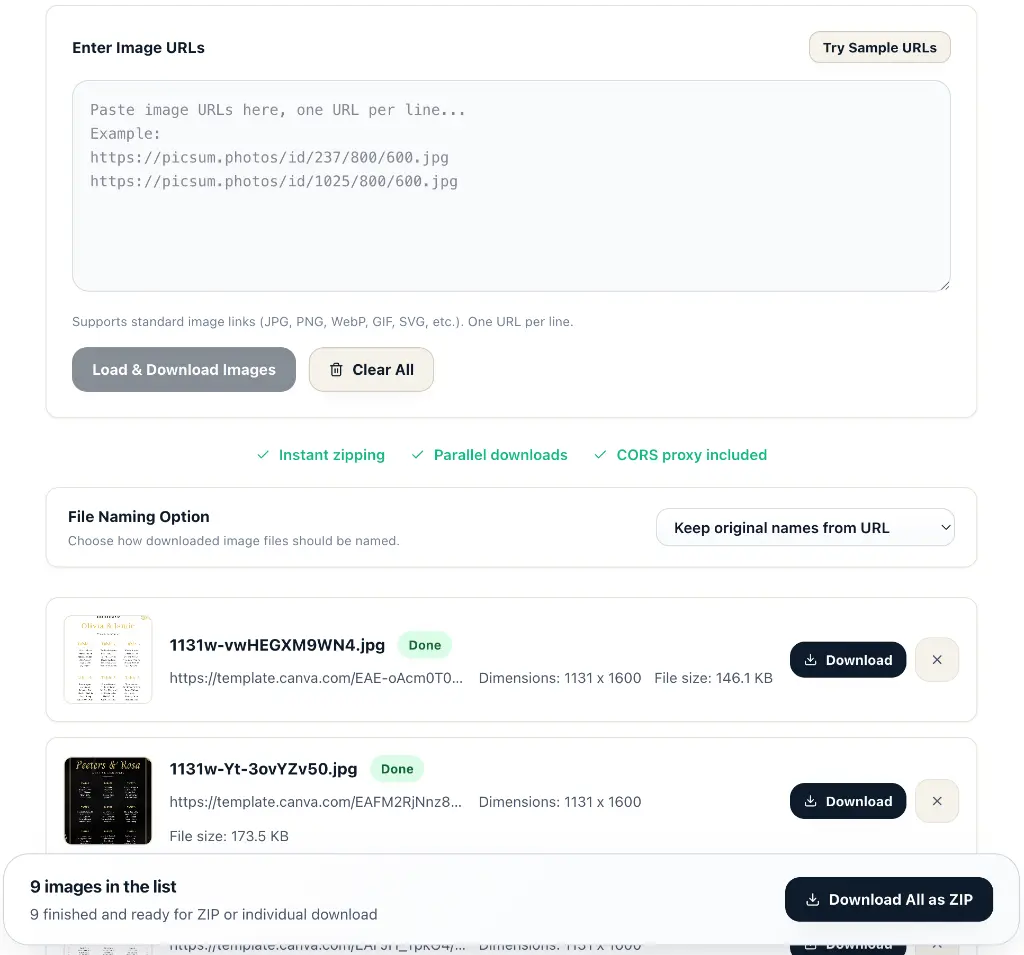
Built-in image proxy retrieves images securely even if target servers restrict direct browser download (CORS).
Fetches and processes multiple image URLs simultaneously to minimize wait time.
Compress all successfully retrieved images into a single ZIP file, saving you from clicking dozens of times.
Keep the original image format or convert the entire batch to PNG, WebP, or JPG before download.
Set a maximum output width to resize large images proportionally while preserving their aspect ratio.
This bulk image downloader allows you to fetch multiple image files from a list of URLs in one go. Simply paste a list of direct links, and the tool will fetch and preview the images. You can customize the exported filenames and pack everything into a single ZIP file. Perfect for web developers, content creators, researchers, and anyone who needs to download online image batches efficiently.
You can use mainstream desktop browsers such as Google Chrome, Microsoft Edge, Mozilla Firefox, and Apple Safari. Open developer tools on the webpage containing the images, select their container using JS Path or XPath, and extract its image URLs. The steps below use Chrome / Edge menu names; available copy options vary by browser. Choose either method below.
Replace the entire document.querySelector("main section.gallery") expression with your copied JS Path expression.
{
  // Find the target container using its path
  const target = document.querySelector("main section.gallery");

  if (!target) throw new Error("Target element not found. Check the path.");

  // Get images inside the container, preferring the resource selected by the browser
  const imgs = target.querySelectorAll("img");
  const links = [...new Set([...imgs].map(img => img.currentSrc || img.src).filter(Boolean))];

  // Output one URL per line
  console.log(links.join("\n"));
  // copy(links.join("\n"));
}Replace /html/body/div[1]/main/section[5]/div with your copied XPath, keeping the surrounding quotes.
{
  // Find the target container using its path
  const target = document.evaluate(
    "/html/body/div[1]/main/section[5]/div",
    document,
    null,
    XPathResult.FIRST_ORDERED_NODE_TYPE,
    null
  ).singleNodeValue;

  if (!target) throw new Error("Target element not found. Check the path.");

  // Get images inside the container, preferring the resource selected by the browser
  const imgs = target.querySelectorAll("img");
  const links = [...new Set([...imgs].map(img => img.currentSrc || img.src).filter(Boolean))];

  // Output one URL per line
  console.log(links.join("\n"));
  // copy(links.join("\n"));
}
Copy the URLs printed in the console and paste them into the input above to download in bulk. In the Chrome / Edge console, you can also uncomment the last line to copy the URLs directly with copy().
Scroll the webpage first so lazy-loaded images can load. These snippets extract img elements inside the selected container, excluding CSS backgrounds. currentSrc gives the currently displayed resource, which may not be the original full-size image. This downloader needs HTTP / HTTPS URLs; blob: or data: URLs cannot be used directly for batch downloads.
Paste direct HTTP or HTTPS image links that point to JPG, PNG, WebP, GIF, SVG, or other browser-readable image files. Lists can be separated by new lines or commas.
This batch image downloader has no fixed server-side URL cap, but very large queues use more bandwidth and memory. For steady results, process 50 to 100 image links at a time.
The secure proxy retrieves images only to avoid CORS blocks. Files are streamed back for preview and ZIP packaging, and Veyvia does not keep downloaded images on the server.
Download images individually or package successful files into one ZIP. Keep original filenames, rename sequentially, convert to PNG, WebP, or JPG, and resize large images before export.
Invalid URLs, expired links, blocked hosts, and server timeouts are marked as failed. Remove bad entries or retry them after checking the original image link.
Input direct image URLs into the textbox. Make sure there is one URL per line.
Click 'Load & Download'. The tool will download and display live previews, along with file sizes and dimensions.
Keep the original filenames from URLs or specify a custom prefix to automatically number files.
Once files are downloaded, download them one by one or export the entire batch in a single ZIP.