Conceptual Photography prompt library

Conceptual Photography AI Image Prompts

Browse conceptual photography examples and reusable AI image prompts for composition, lighting, color, materials, and style.

Browse a focused conceptual photography category based on the PromptPlum taxonomy. Use the references as starting points, then rewrite each prompt for your own subject, format, and visual goal.

Visual reference set
conceptual photography
Library size
4 public prompts
Visual reference set04 / REF
Conceptual Photography AI Image Prompts reference 101
Conceptual Photography AI Image Prompts reference 202
Conceptual Photography AI Image Prompts reference 303
Conceptual Photography AI Image Prompts reference 404
VEYVIA / CONCEPTUAL-PHOTOGRAPHYCURATED
Prompt library

Choose the closest frame to begin.

Open any reference to inspect the full prompt, or take its image and aspect ratio straight into the generator.

4 public prompts
Conceptual Photography AI Image Prompts prompt 101
twitterconceptual-photographyphotorealistic

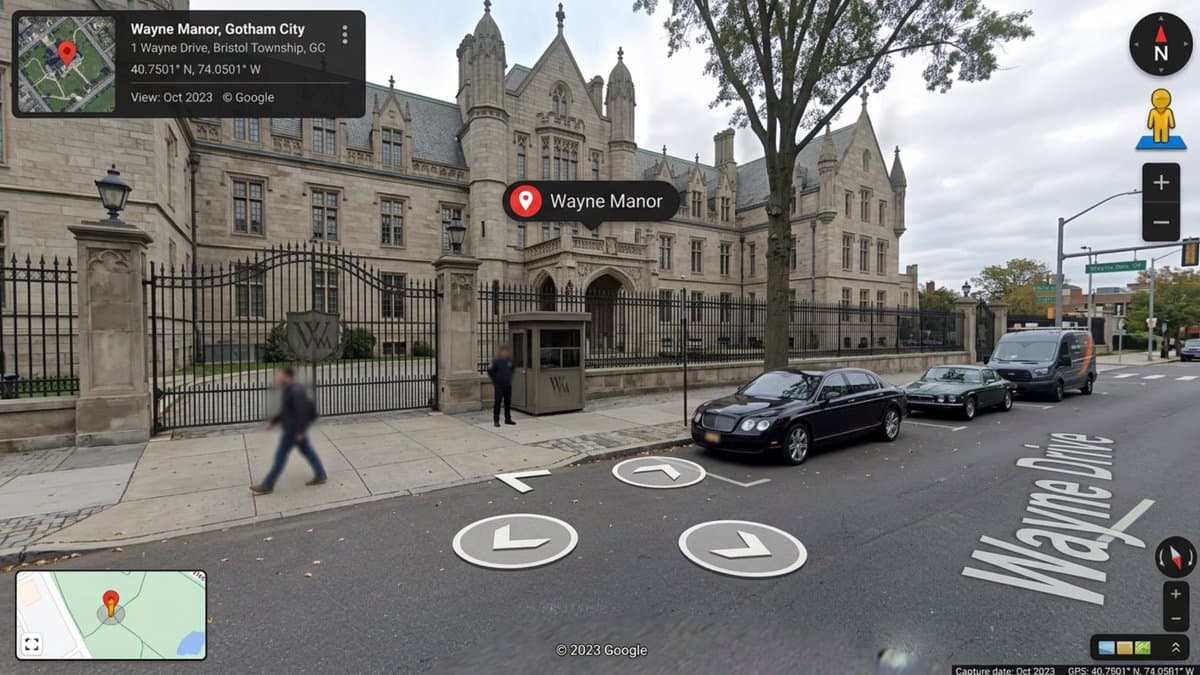
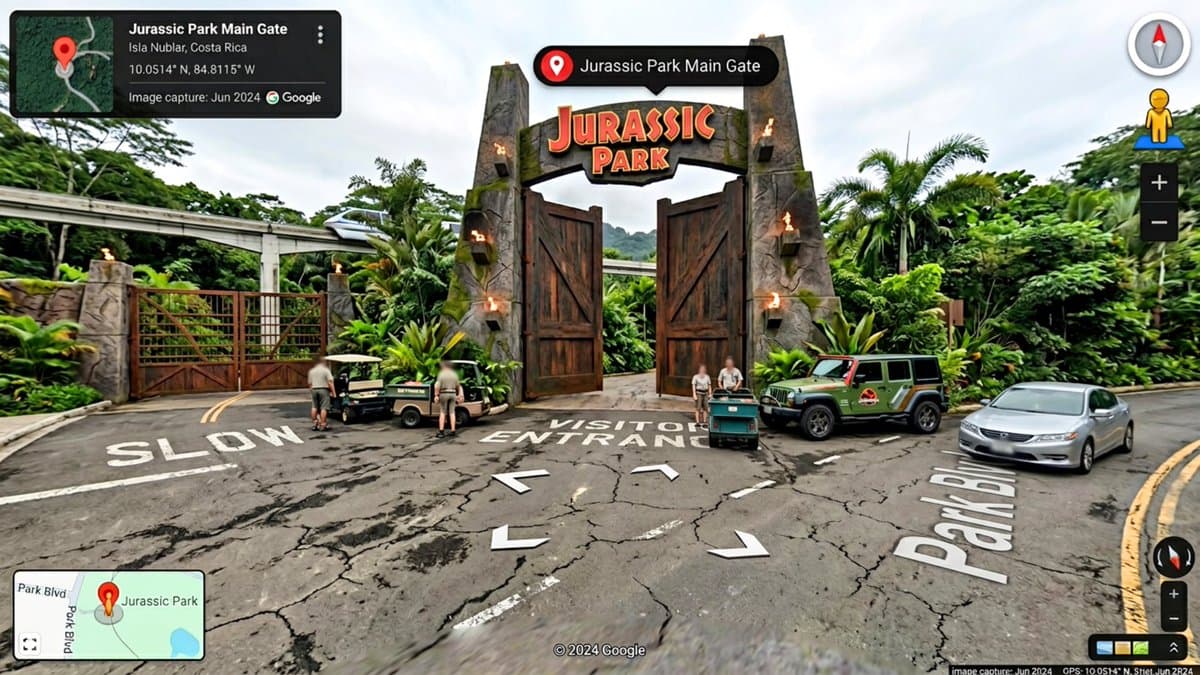
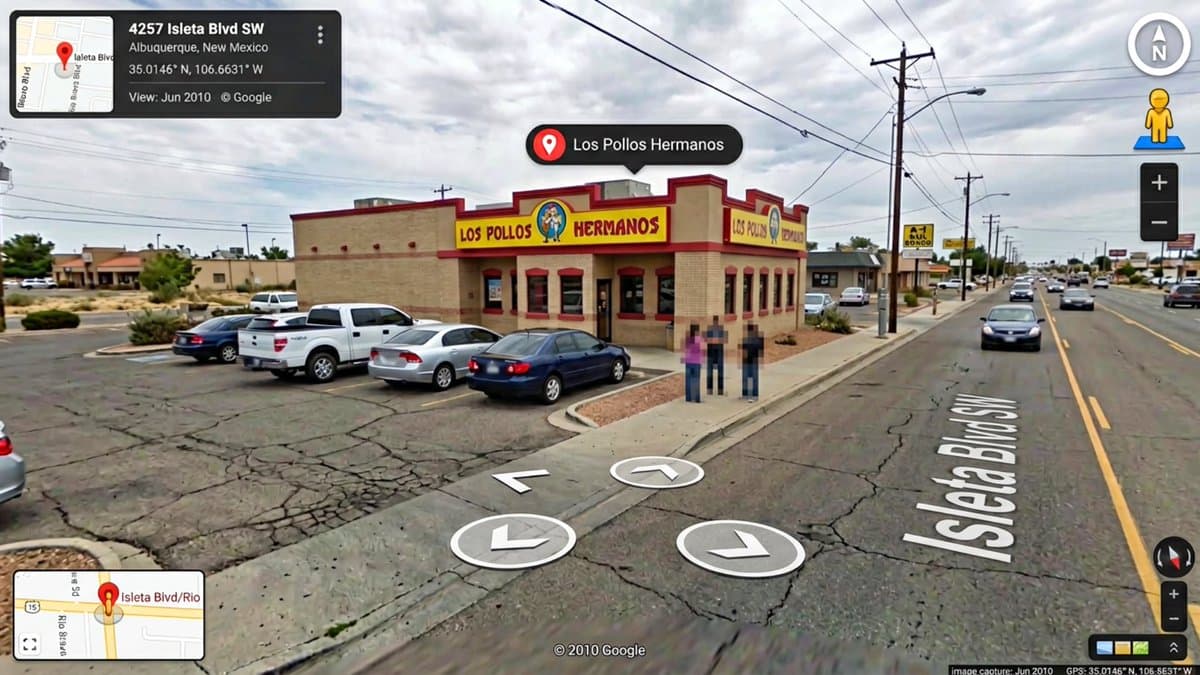
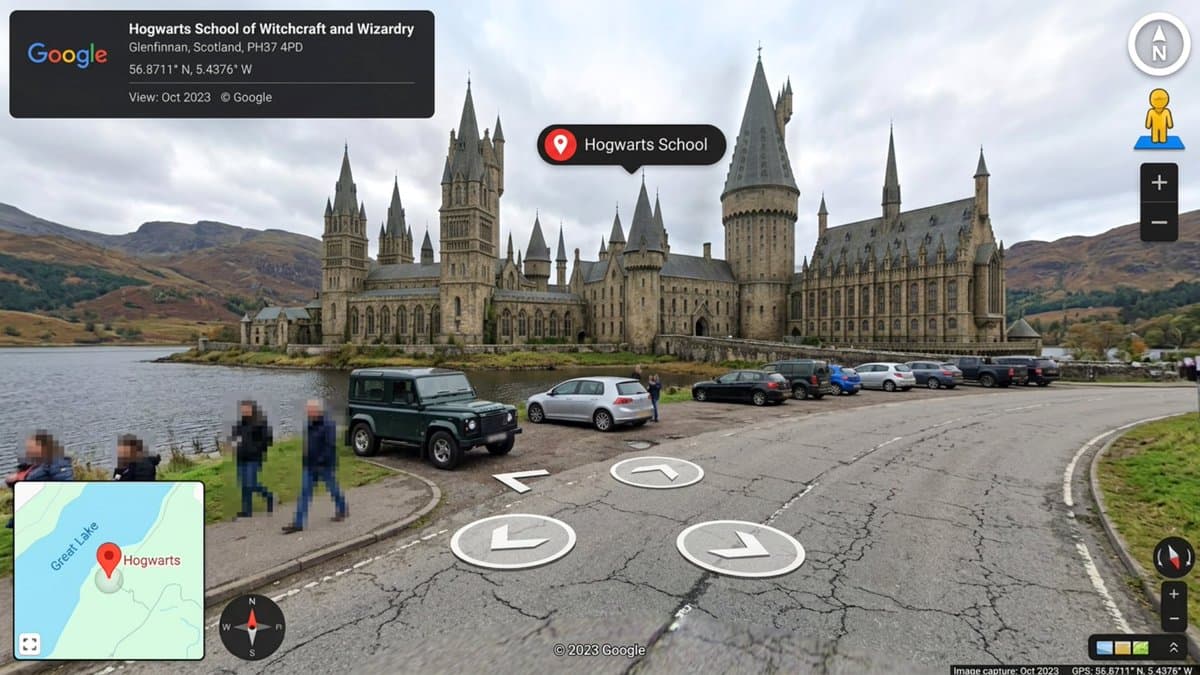
Google Maps but Fictional by Nano Banana 2 Prompt👇🏻 “Hyper-realistic Google Street View screenshot of [LOCATION], exact modern Google Street View UI, dark info panel top-left showing location name and coordinates, white circular navigation arrows on the road surface, compass and pegman icon top-right, zoom controls, Google watermark bottom center, GPS coordinates bottom-right, floating black pill-shaped location label with pin icon on the building, blurred pedestrian faces, subtle fisheye barrel lens distortion, camera mounted at 2.5m height on car roof POV, overcast natural daylight, parked cars, ultra-detailed environment matching the fictional world, photorealistic. 16:9 dimension.”

Conceptual Photography AI Image Prompts prompt 202
twitterdouble-exposurecinematic-portraiture

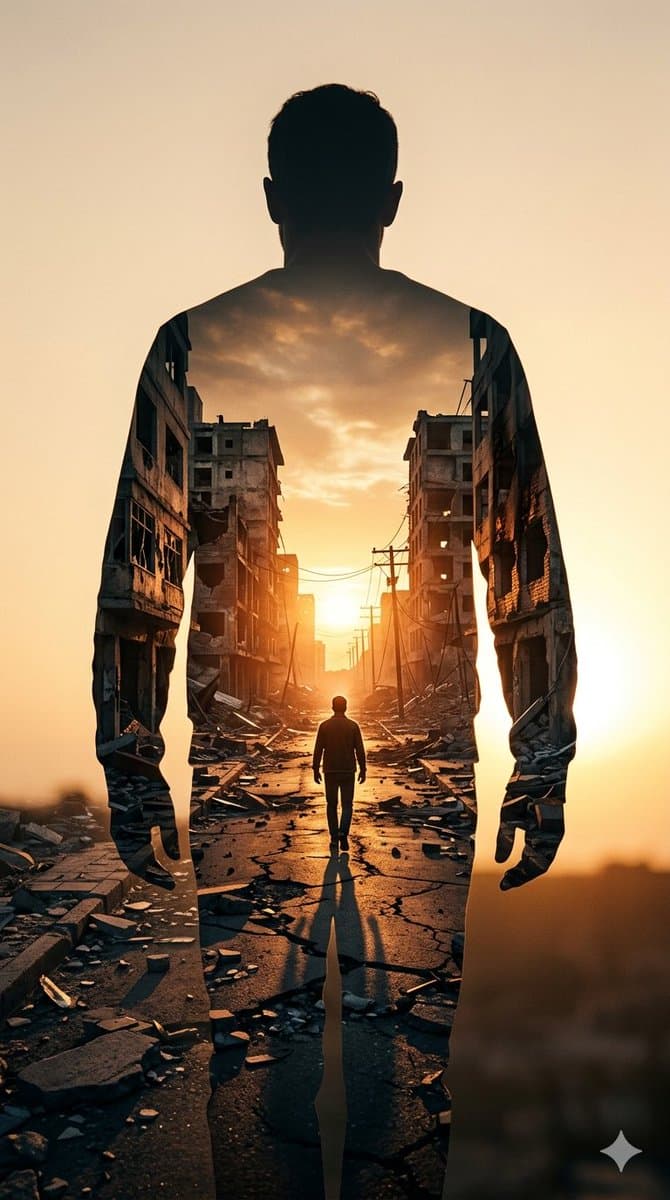
Image on Gemini Nano Banana Prompt: ​A high-contrast double exposure photograph. The primary silhouette is the back of a man standing still, facing away from the camera. Inside his silhouette, a secondary scene is revealed: a narrow, war-torn city street at sunset. The street is lined with crumbling, hollowed-out concrete apartment buildings and scattered rubble. A smaller, lone figure walks down the center of the cracked road toward a bright, glowing sun on the horizon. The color palette is dominated by warm ambers, burnt oranges, and deep shadows, creating a somber yet hopeful atmosphere. Hyper-realistic textures, cinematic lighting, 8k resolution.

Conceptual Photography AI Image Prompts prompt 303
twitterartistic-portraitureconceptual-photography

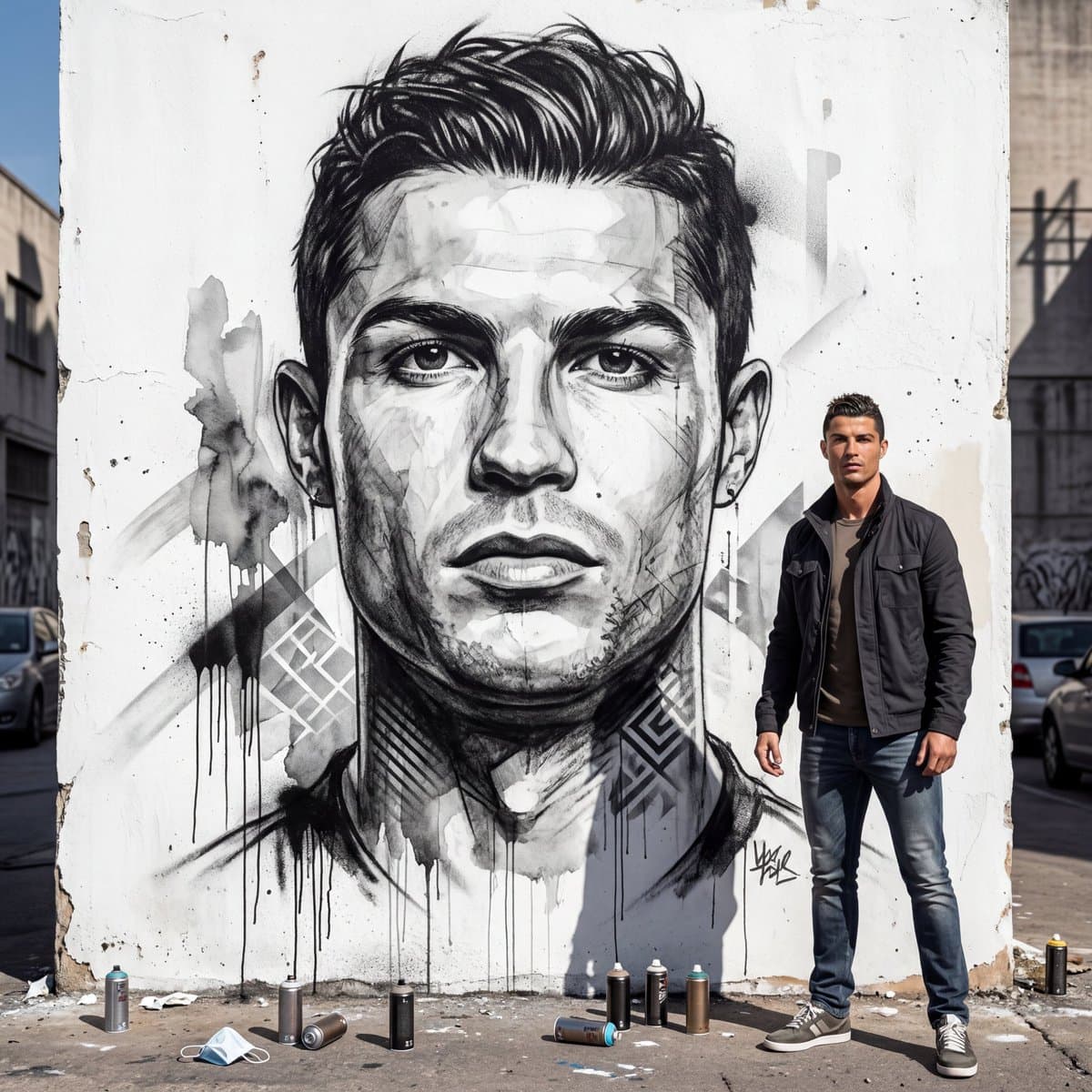
Nano Banana 2 Prompt: Full-body portrait of a person using the provided photo as a strict facial reference, ensuring a 100% identity match with no alteration to facial features, proportions, or skin texture. The person is standing in a relaxed, natural pose in an urban outdoor environment, positioned slightly to the right side of the frame following the rule of thirds, clearly not centered. The full body is visible from head to toe, with natural posture and grounded stance. The setting features a large white, slightly weathered wall. In the background, a massive black-and-white mural of the same person’s face dominates the wall, centrally positioned and significantly larger than the subject. The mural is rendered in a hyper-realistic watercolor and charcoal street art style, with highly detailed facial expression, strong depth, and artistic realism. The artwork includes spray paint splashes, dripping paint effects, soft geometric shapes, and subtle vintage textures that blend naturally into the wall surface, creating an authentic urban street art aesthetic. On the ground near the subject, scattered spray paint cans and a protective face mask are visible, reinforcing the street artist environment. The surrounding area includes subtle urban elements such as faint shadows of nearby buildings or parked cars, adding depth without distracting from the main composition. The lighting is natural midday daylight, evenly balanced with soft, realistic shadows. The textures of the wall, mural, and subject’s clothing and skin are clearly visible and sharply defined. The camera is positioned at eye level with a wide framing that captures both the full body of the subject and the entire mural behind them. The composition follows the rule of thirds, with the subject offset to the right and the mural centered as the dominant background element. Both the subject and mural are in sharp focus, with a slight depth of field that maintains clarity across the scene. The visual style is hyper-realistic, cinematic, and photographic, with ultra-high resolution (8K quality). The color palette is neutral and grounded, emphasizing black, white, and natural urban tones. The overall atmosphere is modern, creative, and visually striking, blending realism with contemporary street art expression. Avoid centered composition, avoid cropping any part of the body, avoid facial distortion, and ensure the mural aligns accurately with the subject’s identity.
Conceptual Photography AI Image Prompts prompt 404
twitterluxury-brandingcommercial-photography

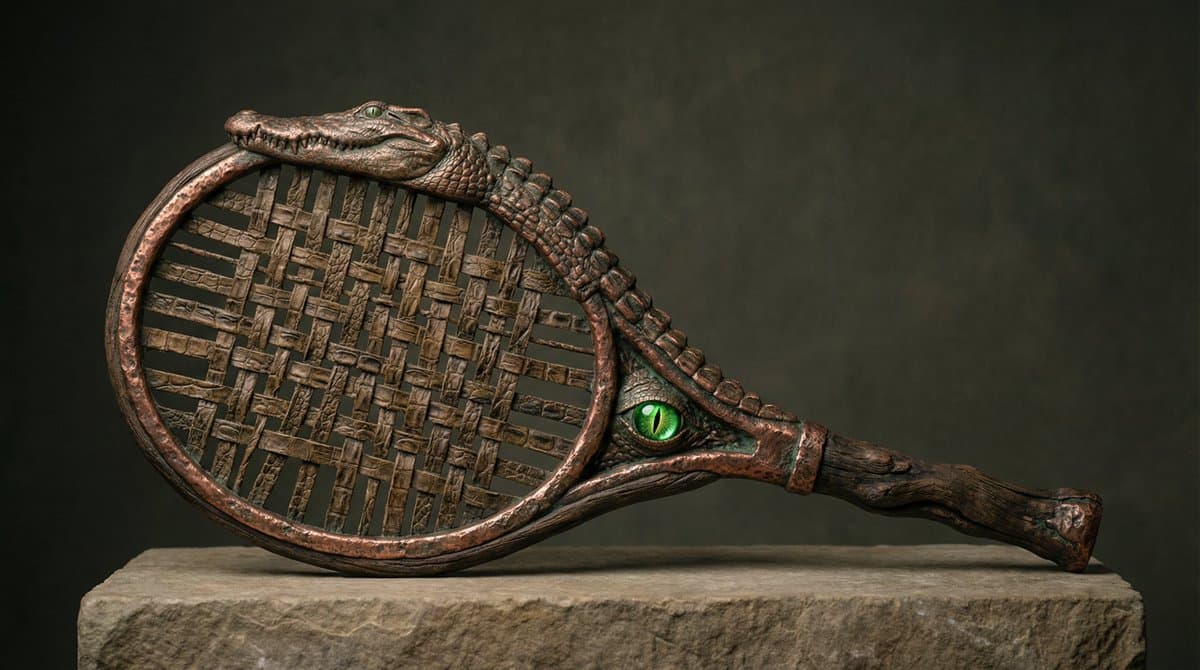
Nano Banana smart prompt Prompt 👇 A hyperrealistic product photograph of a [BRAND] sports artifact. Randomly select one sports object. The object has been PHYSICALLY TRANSFORMED by BRAND's soul — not decorated, not branded — reborn in a different material reality. BRAND's most iconic element becomes the object's new substance: its signature material replaces rubber and plastic entirely, its cultural universe rewrites what the object is made of — fur, porcelain, raw iron, woven gold, cracked earth, molten glass, feathers, scales, carved bone, oxidized copper, volcanic stone. The object must feel like it was always made this way. Like BRAND invented this sport in another dimension and these are the artifacts that survived. One impossible detail that makes no physical sense but looks completely real. Shot as a luxury editorial product photo. Perfect studio lighting — hard single source or soft diffused. Neutral background or one that adds context without distraction. Macro details visible. Material weight feels real. No CGI shine. No clean gradients. Tactile. Heavy. Alive. Medium format film. 8K.

Reference to result

Three steps forward, without starting from a blank canvas.

  1. 01

    Pick a reference

    Choose the frame closest to your goal in composition, color, and purpose.

  2. 02

    Adjust the details

    Change the subject, copy, style, and image ratio in the generator.

  3. 03

    Generate the image

    Keep the prefilled reference, generate, then refine from the result.

Nothing quite fits?

Start with a blank prompt and define the subject, composition, typography, and aspect ratio yourself.

Create from scratch
Working notes

Get closer to a finished image on the first pass.

01

About Conceptual Photography prompts

Conceptual Photography prompts help organize visual ideas around a specific style, subject, medium, or photography use case. Published examples may change as the collection grows.

02

How to write a stronger Conceptual Photography prompt

Name the main subject first, then define composition, environment, lighting, palette, materials, camera or rendering technique, aspect ratio, and the intended output.

03

How to refine the generated result

Remove conflicting style instructions, keep one clear visual direction, and review anatomy, text, logos, perspective, and important category-specific details before publishing.

Common questions

A few things to know before you begin.

What are Conceptual Photography AI image prompts?

They are reusable visual briefs grouped under the Conceptual Photography category. Each brief can be adapted to a different subject, reference image, composition, or output size.

How are Conceptual Photography examples selected for this collection?

Published prompts are assigned to this collection when their subject, style, or intended use matches the Conceptual Photography category.

Can I customize these Conceptual Photography prompts?

Yes. Replace the subject and context, then adjust the lighting, palette, materials, lens or rendering method, aspect ratio, and detail level for your project.