Emoji & Sticker prompt library

Emoji & Sticker AI Image Prompts

Browse emoji & sticker examples and reusable AI image prompts for composition, lighting, color, materials, and style.

Browse a focused emoji & sticker category based on the PromptPlum taxonomy. Use the references as starting points, then rewrite each prompt for your own subject, format, and visual goal.

Visual reference set
emoji sticker
Library size
5 public prompts
Visual reference set04 / REF
Emoji & Sticker AI Image Prompts reference 101
Emoji & Sticker AI Image Prompts reference 202
Emoji & Sticker AI Image Prompts reference 303
Emoji & Sticker AI Image Prompts reference 404
VEYVIA / EMOJI-STICKERCURATED
Prompt library

Choose the closest frame to begin.

Open any reference to inspect the full prompt, or take its image and aspect ratio straight into the generator.

5 public prompts
Emoji & Sticker AI Image Prompts prompt 101
pixar-style artai image promptsprompt library

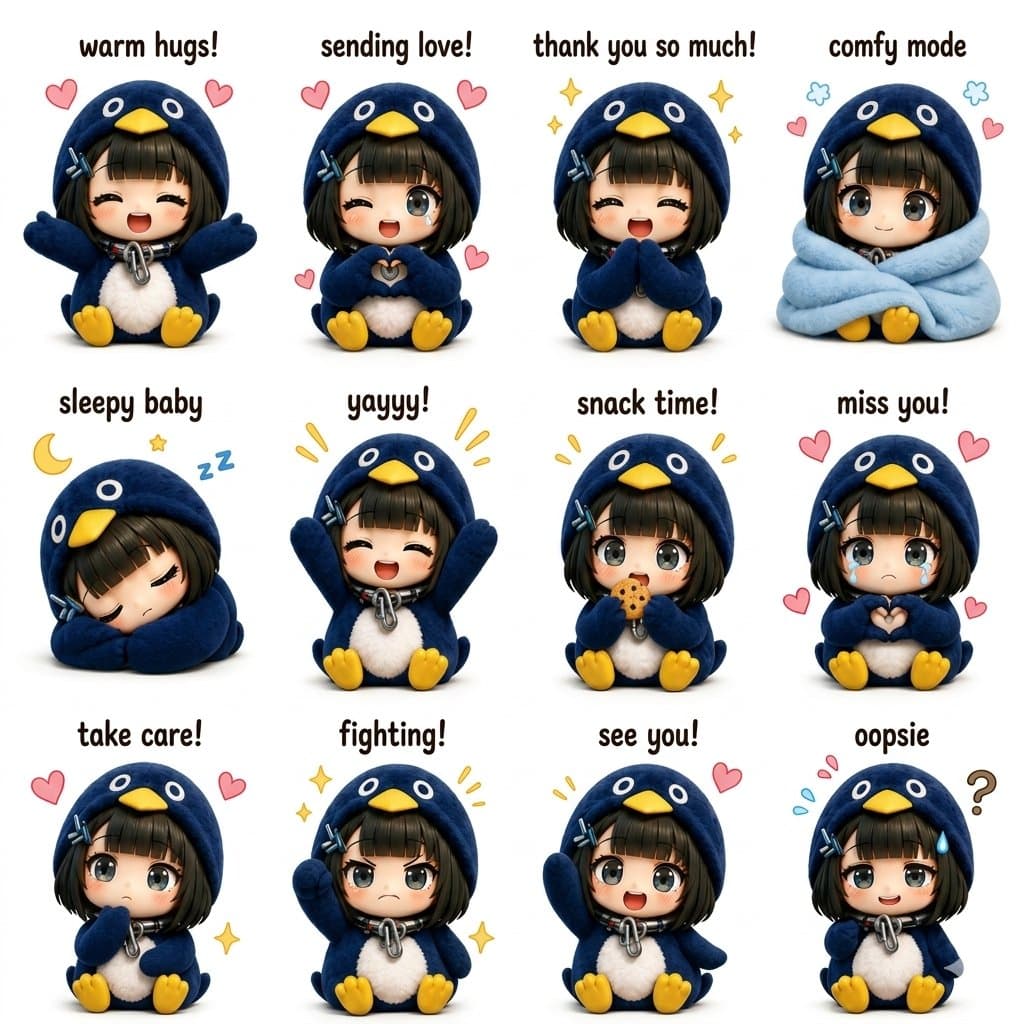
Ultra-cute kawaii chibi sticker sheet featuring a tiny anime girl in an oversized fluffy blue penguin hoodie costume with yellow penguin beak hood, soft plush texture, tiny yellow feet, short black bob haircut with bangs and blue hairclips, huge sparkling anime eyes, sitting pose, pastel aesthetic, clean white background, adorable emotional expressions, 3D toy-like rendering, ultra detailed fur fabric, glossy eyes, soft studio lighting, Instagram sticker pack style. Create a 4x3 grid of different poses and emotions with cute handwritten captions above each character such as “warm hugs!”, “sending love!”, “sleepy baby”, “yayyy!”, “snack time!”, “miss you!”, “comfy mode”, “aww!”, “take care!”, “fighting!”, “see you!”, “thank you!”. Each panel should have: Different hand gestures and facial expressions Tiny floating hearts, stars, sparkles, sleepy symbols, or cute doodles Chibi proportions with oversized head and tiny body Plush penguin hoodie with fluffy white belly texture Soft pastel kawaii color palette Consistent character design across all panels Highly polished 3D cartoon render style similar to premium kawaii Instagram sticker packs Symmetrical layout with clean spacing Cute rounded typography above every pose Cozy wholesome mood, collectible sticker aesthetic Style references: kawaii Japanese mascot stickers, Sanrio-inspired, ultra detailed 3D chibi art, Pixar-quality shading, soft shadows, toy-like textures, social media viral sticker sheet aesthetic, high resolution, centered composition.
Emoji & Sticker AI Image Prompts prompt 202
ai image promptsprompt librarygirls

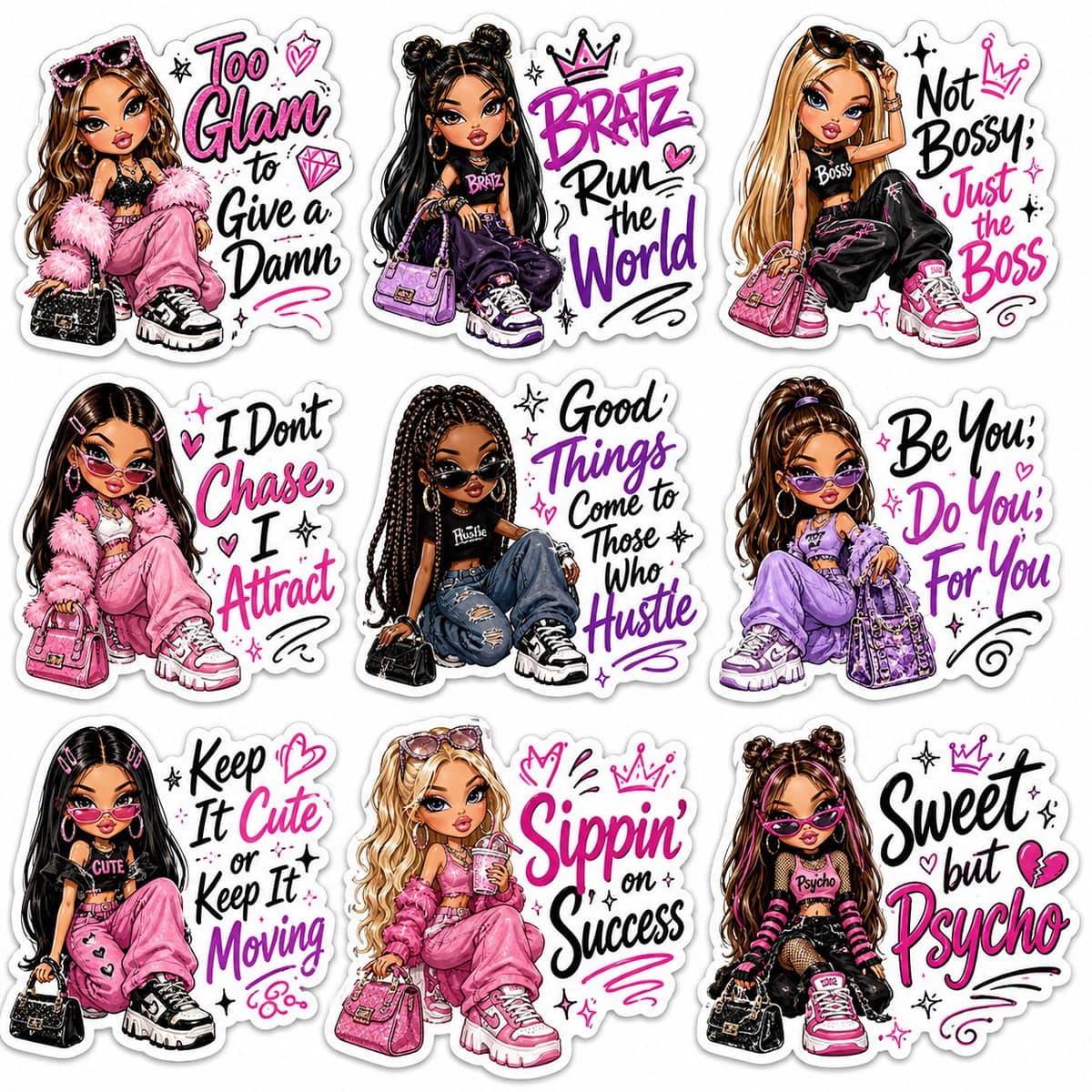
A premium sticker sheet featuring 9 Bratz-inspired fashion dolls in a glamorous Y2K aesthetic. Each character has oversized expressive eyes, glossy pouty lips, flawless makeup, long lashes, stylish hairstyles, trendy streetwear, handbags, sunglasses, chunky sneakers, and confident poses. Every sticker has a thick white die-cut border and includes bold hand-lettered motivational quotes in black, pink, and purple typography with doodle hearts, stars, sparkles, crowns, and swirls. Quotes: "Too Glam to Give a Damn", "Bratz Run the World", "Not Bossy, Just the Boss", "I Don't Chase, I Attract", "Good Things Come to Those Who Hustle", "Be You, Do You, For You", "Keep It Cute or Keep It Moving", "Sippin' on Success", "Sweet but Psycho". Vibrant colors, glossy vinyl sticker style, kawaii fashion illustration, ultra-detailed, high resolution, clean white background, print-ready, 4K.

Emoji & Sticker AI Image Prompts prompt 303
partyecardvector

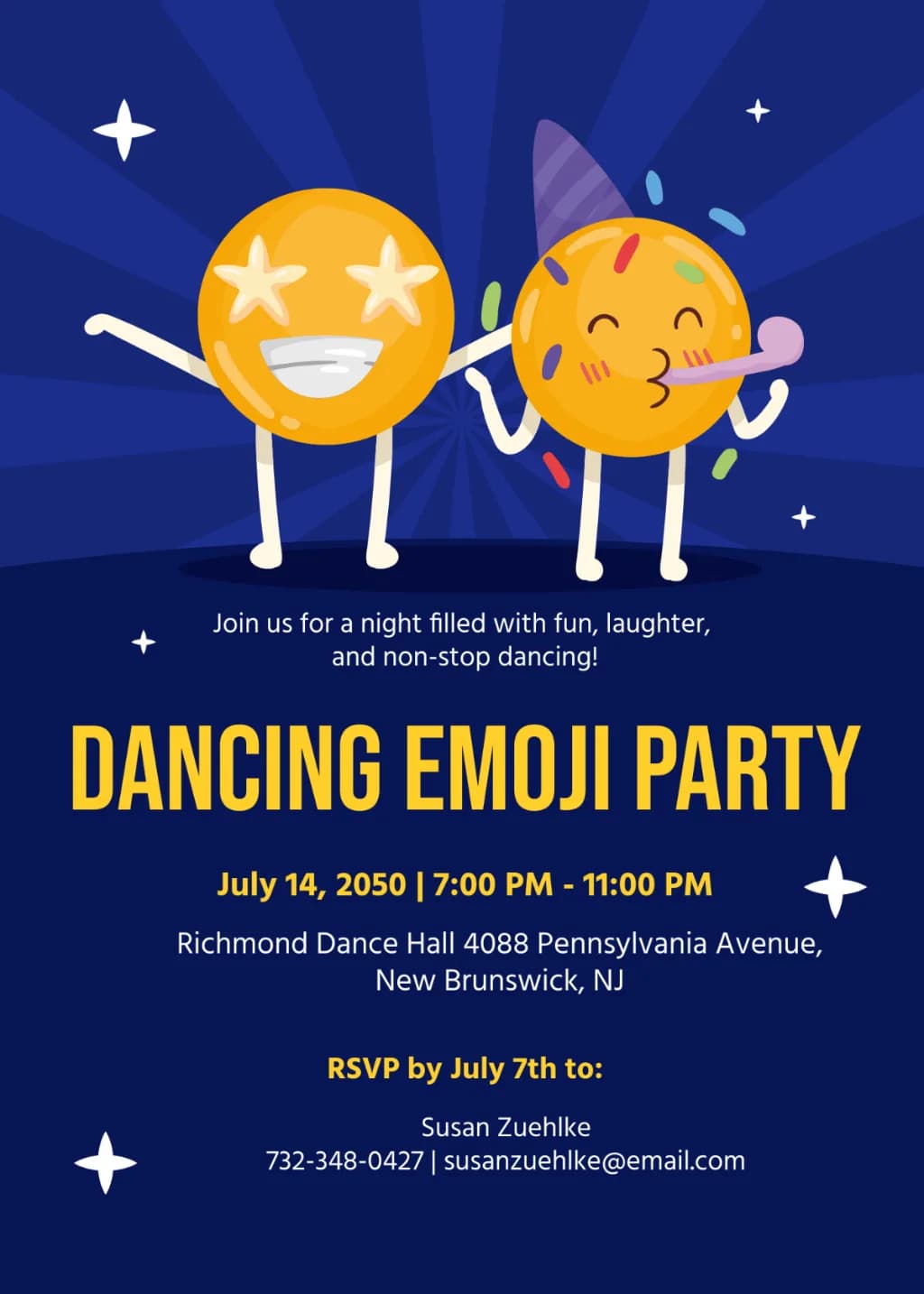
Vector party invitation template. Upper section features two anthropomorphic yellow emojis with star eyes and party accessories on a dark blue sunburst background. Lower section displays bold yellow and white sans-serif typography for event details. Flat graphic style, high contrast, and decorative white stars.

Emoji & Sticker AI Image Prompts prompt 404
partyecardflyer

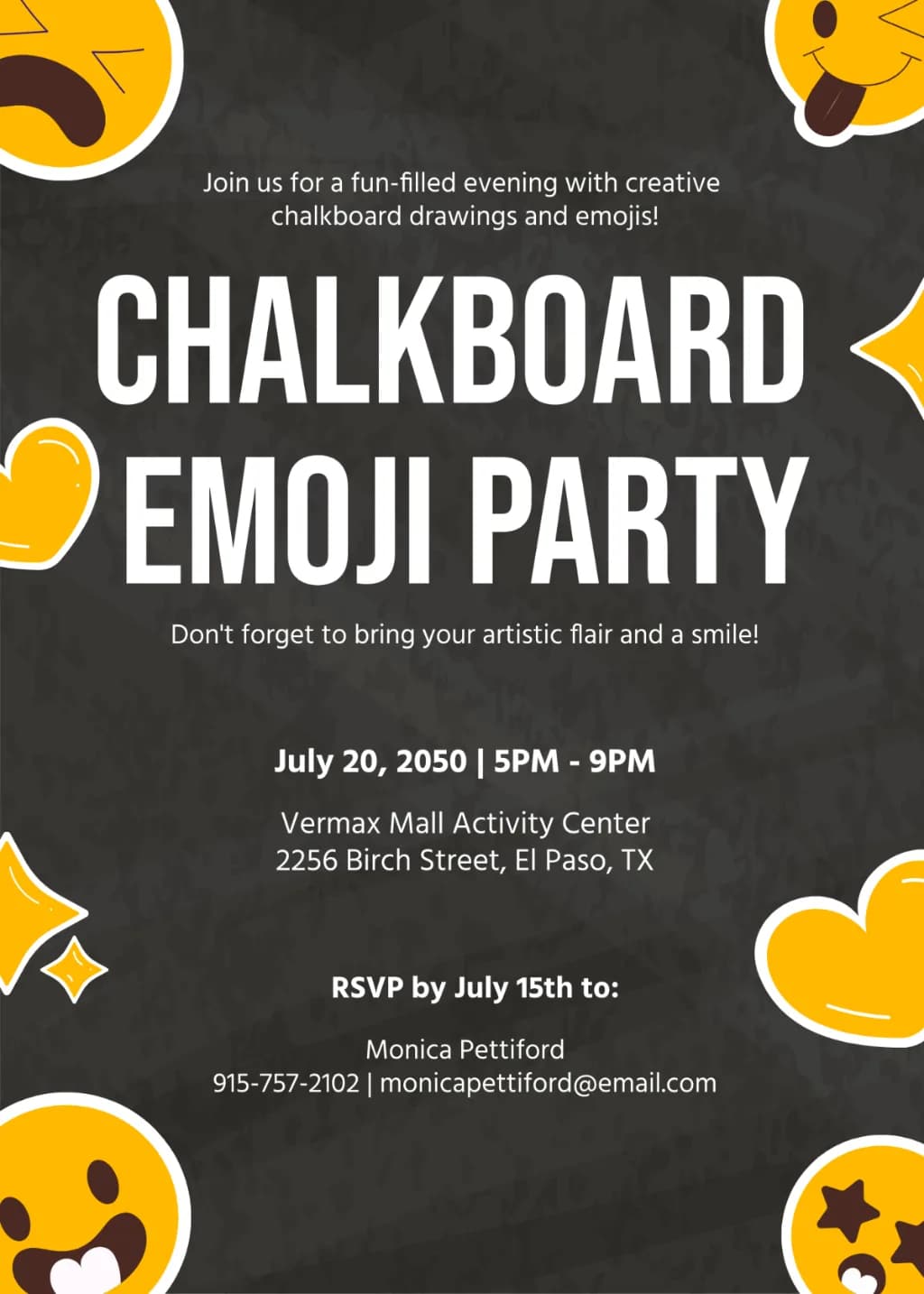
An event flyer design on a dark charcoal chalkboard texture. Large, bold white sans-serif typography is centered. Vibrant yellow emoji characters with thick white outlines frame the borders. High-contrast color palette of black, white, and yellow. Minimalist layout with structured text hierarchy and subtle chalk smudges.

Emoji & Sticker AI Image Prompts prompt 505
twittergraphic-designvector-illustration

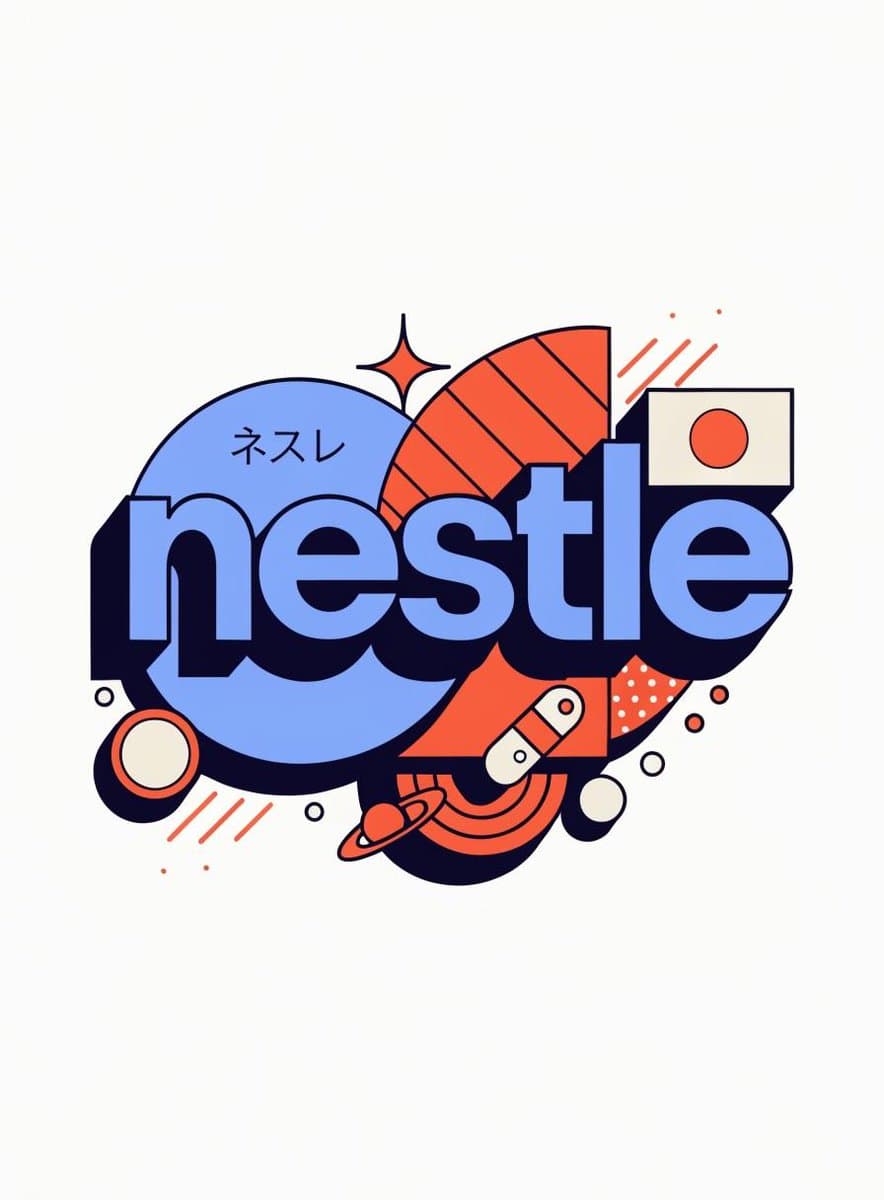
Gemini Nano Banana Pro Prompt: { "role": "Senior Vector Graphic Designer — Y2K Japanese streetwear badge specialist", "vibe": "Tokyo Harajuku bootleg remix, retro-futuristic sticker art, clean Illustrator vector — flat, graphic, sticker-ready. Structure invented fresh per brand — never templated.", "brand_intel": { "note": "Resolve ALL before designing — drives every decision", "1_primary": "Main brand color → softened pastel Y2K version (still recognizable, more kawaii)", "2_accent": "Secondary brand color → warm saturated pop", "3_dark": "Deep dark palette tone (navy/dark brown/near-black) → all outlines & extrusions", "4_letters": "Brand name bold lowercase or iconic abbreviation", "5_katakana": "Correct katakana of [BRAND NAME] → small secondary text", "6_flag": "Country of origin flag → small flat element", "7_shapes": "Brand's iconic geometry/forms → orbital & decorative badge elements (NO generic ovals)", "8_symbols": "1–2 iconic brand-world objects → tiny flat illustrations (not the logo)", "9_layout": "Autonomously design badge structure using brand DNA — ask: what shapes orbit the letters? What geometry feels native to this brand?" }, "phases": { "1_canvas": "1:1 square, flat off-white or warm grey, empty — no texture, no gradient", "2_structure": { "mode": "Fully autonomous from brand DNA", "must_have": [ "Central lettering", "Geometric shapes interacting with letters via z-layering", "One element crossing both behind and in front of letters", "Unified badge/patch silhouette" ] }, "3_lettering": "Large bold lowercase [BRAND NAME] — wide rounded font, flat PRIMARY fill, DARK extrusion offset down-right 8–12% of letter height, bold DARK outline. No gradients.", "4_y2k_dna": { "speed_lines": "Parallel/radial lines in ACCENT COLOR — energy and motion", "star": "One 4-point sharp sparkle near letters — thin, DARK COLOR", "katakana": "Small brand transliteration tucked in composition — DARK COLOR", "flag": "Small flat accurate origin flag placed naturally", "symbol": "1–2 cultural brand objects as tiny flat illustrations" } }, "rules": { "forbidden": ["gradients", "effects", "blur", "rendering"], "max_colors": 4, "palette": ["PRIMARY pastel", "ACCENT saturated", "DARK outline", "off-white"], "shapes": "Always from brand geometry — never reuse another brand's structure", "feel": "Collectible sticker or embroidered patch", "mood": "Tokyo designer obsessively fan-remixing [BRAND NAME] into a badge, stayed up all night" } }

Reference to result

Three steps forward, without starting from a blank canvas.

  1. 01

    Pick a reference

    Choose the frame closest to your goal in composition, color, and purpose.

  2. 02

    Adjust the details

    Change the subject, copy, style, and image ratio in the generator.

  3. 03

    Generate the image

    Keep the prefilled reference, generate, then refine from the result.

Nothing quite fits?

Start with a blank prompt and define the subject, composition, typography, and aspect ratio yourself.

Create from scratch
Working notes

Get closer to a finished image on the first pass.

01

About Emoji & Sticker prompts

Emoji & Sticker prompts help organize visual ideas around a specific style, subject, medium, or photography use case. Published examples may change as the collection grows.

02

How to write a stronger Emoji & Sticker prompt

Name the main subject first, then define composition, environment, lighting, palette, materials, camera or rendering technique, aspect ratio, and the intended output.

03

How to refine the generated result

Remove conflicting style instructions, keep one clear visual direction, and review anatomy, text, logos, perspective, and important category-specific details before publishing.

Common questions

A few things to know before you begin.

What are Emoji & Sticker AI image prompts?

They are reusable visual briefs grouped under the Emoji & Sticker category. Each brief can be adapted to a different subject, reference image, composition, or output size.

How are Emoji & Sticker examples selected for this collection?

Published prompts are assigned to this collection when their subject, style, or intended use matches the Emoji & Sticker category.

Can I customize these Emoji & Sticker prompts?

Yes. Replace the subject and context, then adjust the lighting, palette, materials, lens or rendering method, aspect ratio, and detail level for your project.