Gaming prompt library

Gaming AI Image Prompts

Browse gaming examples and reusable AI image prompts for composition, lighting, color, materials, and style.

Browse a focused gaming category based on the PromptPlum taxonomy. Use the references as starting points, then rewrite each prompt for your own subject, format, and visual goal.

Visual reference set
gaming
Library size
6 public prompts
Visual reference set04 / REF
Gaming AI Image Prompts reference 101
Gaming AI Image Prompts reference 202
Gaming AI Image Prompts reference 303
Gaming AI Image Prompts reference 404
VEYVIA / GAMINGCURATED
Prompt library

Choose the closest frame to begin.

Open any reference to inspect the full prompt, or take its image and aspect ratio straight into the generator.

6 public prompts
Gaming AI Image Prompts prompt 101
cgi-artgaming3d-render

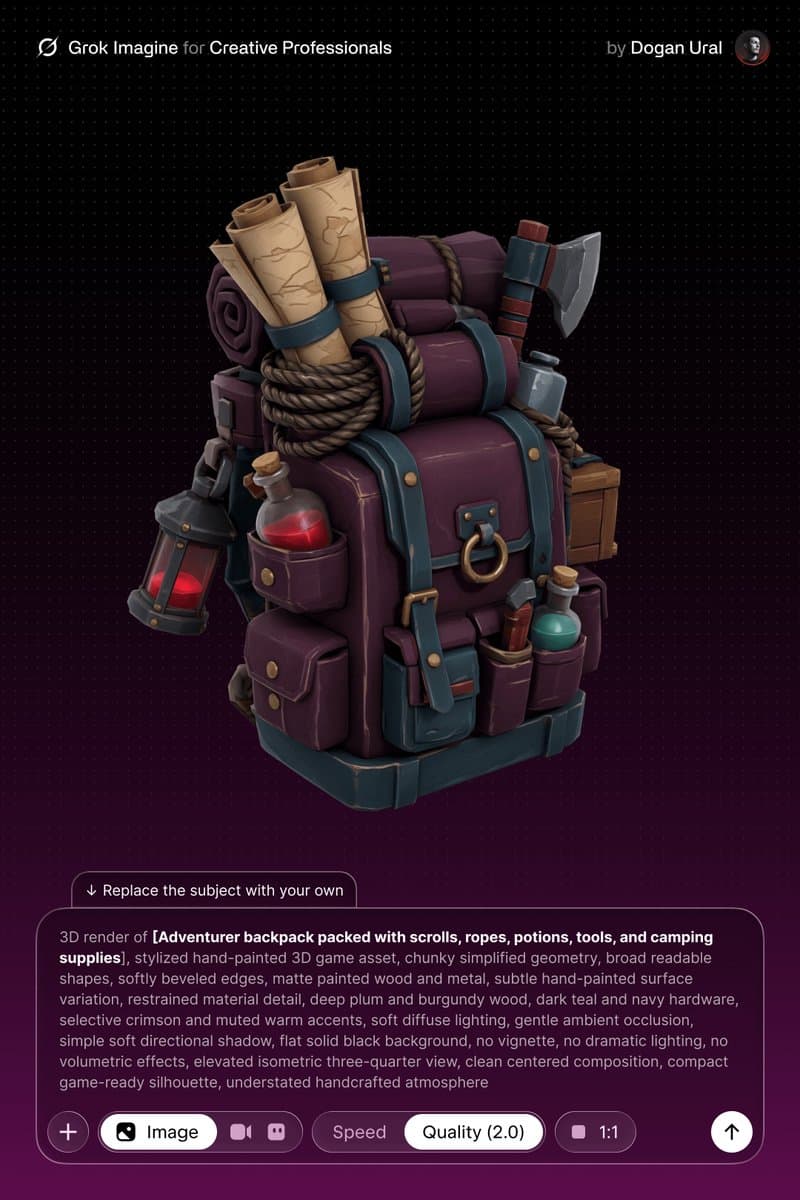
3D render of [SUBJECT] as a stylized hand-painted game asset. Use chunky simplified geometry, broad readable shapes, softly beveled edges, matte painted wood and metal, and subtle hand-painted surface variation. Palette: deep plum and burgundy wood, dark teal and navy hardware, selective crimson and muted warm accents. Soft diffuse lighting, gentle ambient occlusion, simple directional shadow, solid black background, elevated isometric three-quarter view, centered compact game-ready silhouette, no dramatic effects or clutter.

Gaming AI Image Prompts prompt 202
esportsgaming3d-render

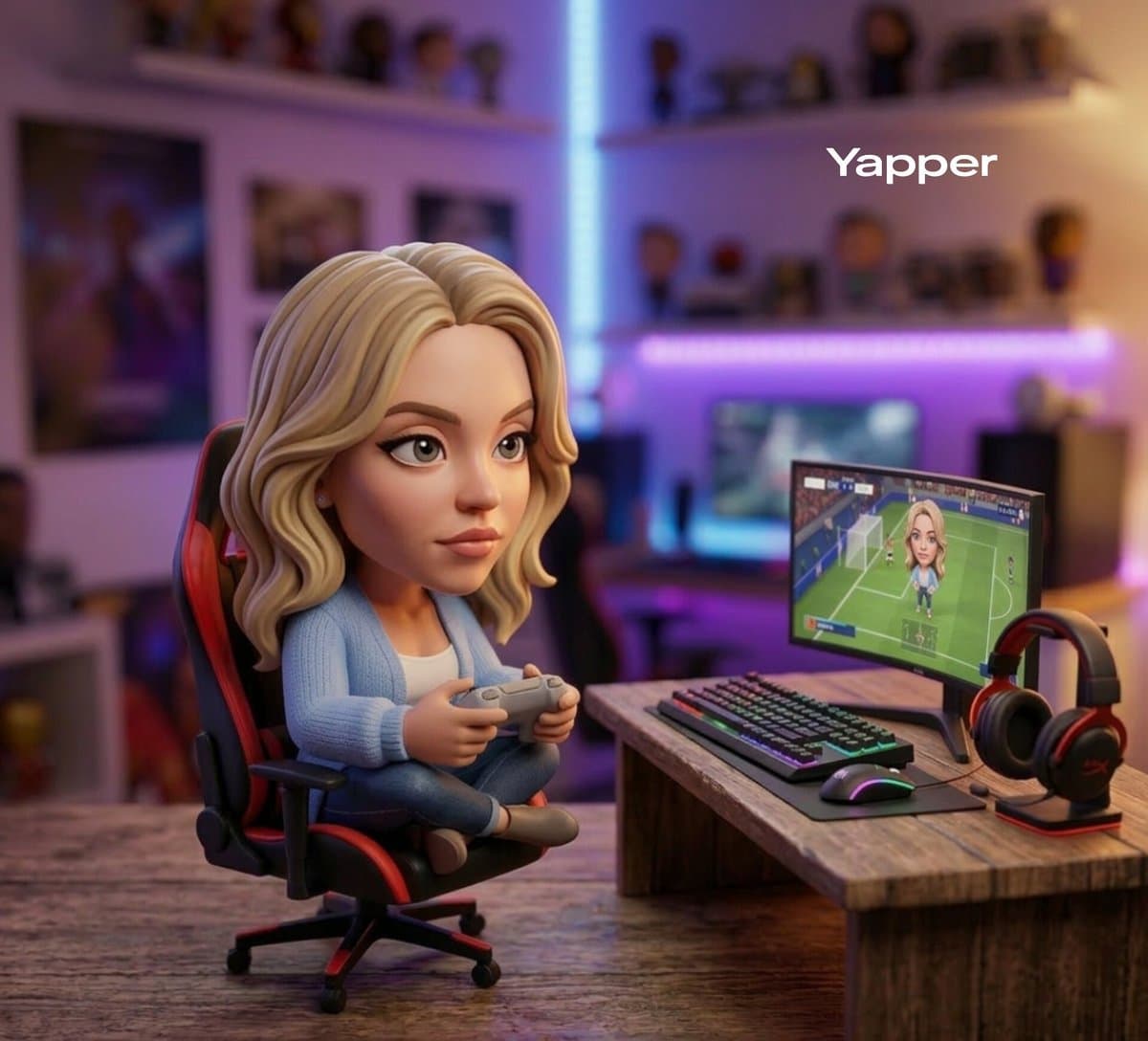
Cute stylized 3D collectible figurine inspired by a football star, with stylized hair and a sporty outfit, sitting casually on a tiny gaming chair holding a game controller. A small gaming setup with RGB keyboard, monitor, and headphones sits beside him. The scene is arranged on a wooden desk with warm ambient lighting, shallow depth of field, cozy gamer room background with blurred neon lights, Pixar-style 3D render, glossy collectible toy finish, cinematic lighting, ultra-detailed designer toy photography.

Gaming AI Image Prompts prompt 303
invitationvirtual partyvibrant

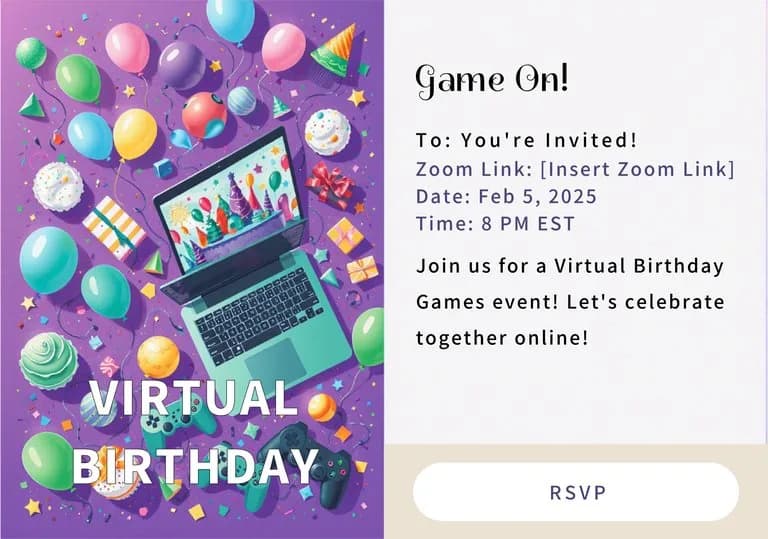
Split-screen birthday invitation template. Left: vibrant purple layout featuring a 3D laptop, game controllers, colorful balloons, cupcakes, and confetti. Right: clean white text space with modern typography and an RSVP button. Cheerful, high-resolution graphic design with bright festive accents.

Gaming AI Image Prompts prompt 404
invitationvibranttemplate

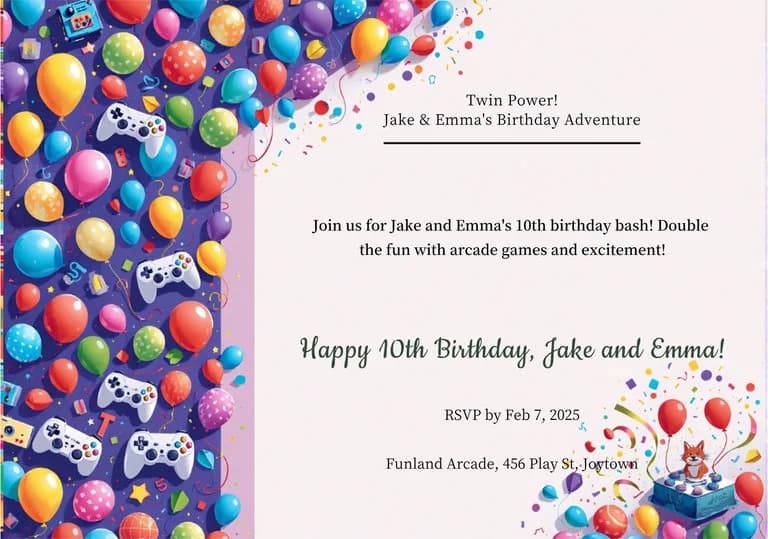
Modern birthday invitation template. Left side features a dense vertical border of colorful 3D balloons and white game controllers on a purple background. Main area is clean off-white for text. Bottom right corner shows a small blue cake, fox mascot, and confetti. Bright, festive aesthetic with a professional graphic layout.

Gaming AI Image Prompts prompt 505
twittergamingdigital-illustration

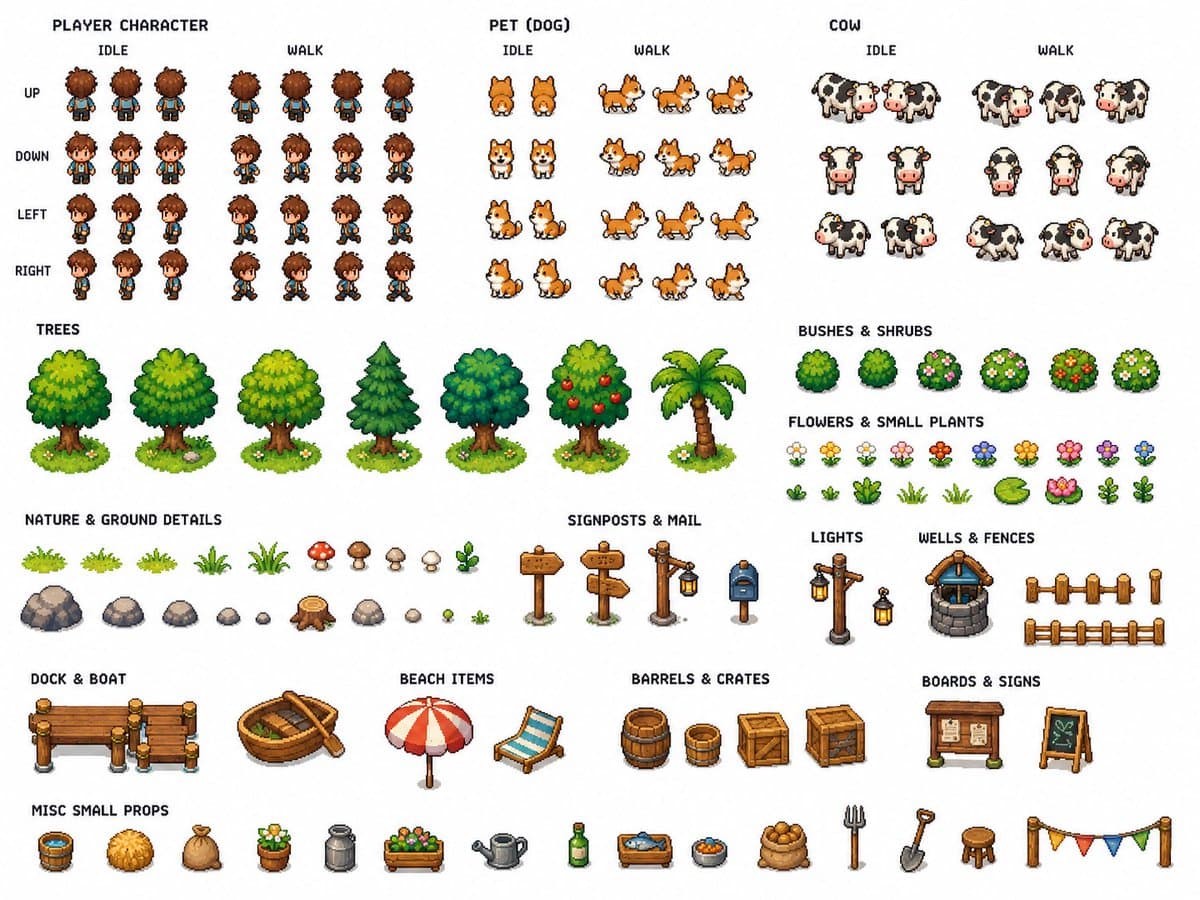
for create Tilesets: Use the provided reference image as Image A. Create 3 separate technical pixel art tileset sheets based on this cozy top-down island farming RPG scene. Keep the exact same art direction, soft pastel palette, cute farming village mood, clean readable top-down pixel art style, and handcrafted retro RPG aesthetic. This is not a scene illustration. This must be a production-ready technical asset sheet set for building the full game environment. Global requirements for all 3 sheets: - pure white background - all assets fully separated - enough spacing between every asset for easy cropping and reuse - consistent scale - high readability - clean organization by category - optimized quality for each asset - no overlapping objects - no mockup presentation - no UI - no extra scene composition - no realistic rendering - clean top-down 2D pixel art only Sheet 1: Terrain / Water / Paths / Bridges Include: - grass tiles - island edge tiles - cliff / dirt edge variants - sand tiles - sand to grass transition tiles - water tiles - shoreline tiles - water corner tiles - animated-looking water variants - dirt path tiles: horizontal, vertical, corners, T junctions, crossroads, end caps - wooden bridge tiles: horizontal, vertical, entrances, ends - dock tiles: straight segments, corners, ends, posts - fence tiles: horizontal, vertical, corners, gates - small terrain decorations: flowers, bushes, stones, grass tufts, lily pads Sheet 2: Buildings / Props / Nature Include: - cute houses with colorful roofs - one small shop - one barn - farm plot pieces - crop field soil tiles - watered soil - dry soil - several trees - one palm tree - bushes - flowers - logs - stumps - beach props: umbrella, towel or beach chair, shells, starfish - village props: signpost, mailbox, crate, barrel, sack, flower pot, bench, lantern, well, basket, market props - farm props: hay bale, trough, barn accessories Sheet 3: Characters / Animals / Crops Include: - one small player character - 4-direction idle sprites: front, back, left, right - 4-direction walking sprites with multiple frames - one tiny pet companion with idle and walking sprites - one cow with idle and simple movement frames - optional small extra farm animal - crop growth stages: - empty soil - planted seed - small sprout - medium growth - mature crop - harvested version Make the result look like a clean professional technical tileset pack for a cozy pixel art farming RPG, fully reusable for game production.
Gaming AI Image Prompts prompt 606
twittercinematicgaming

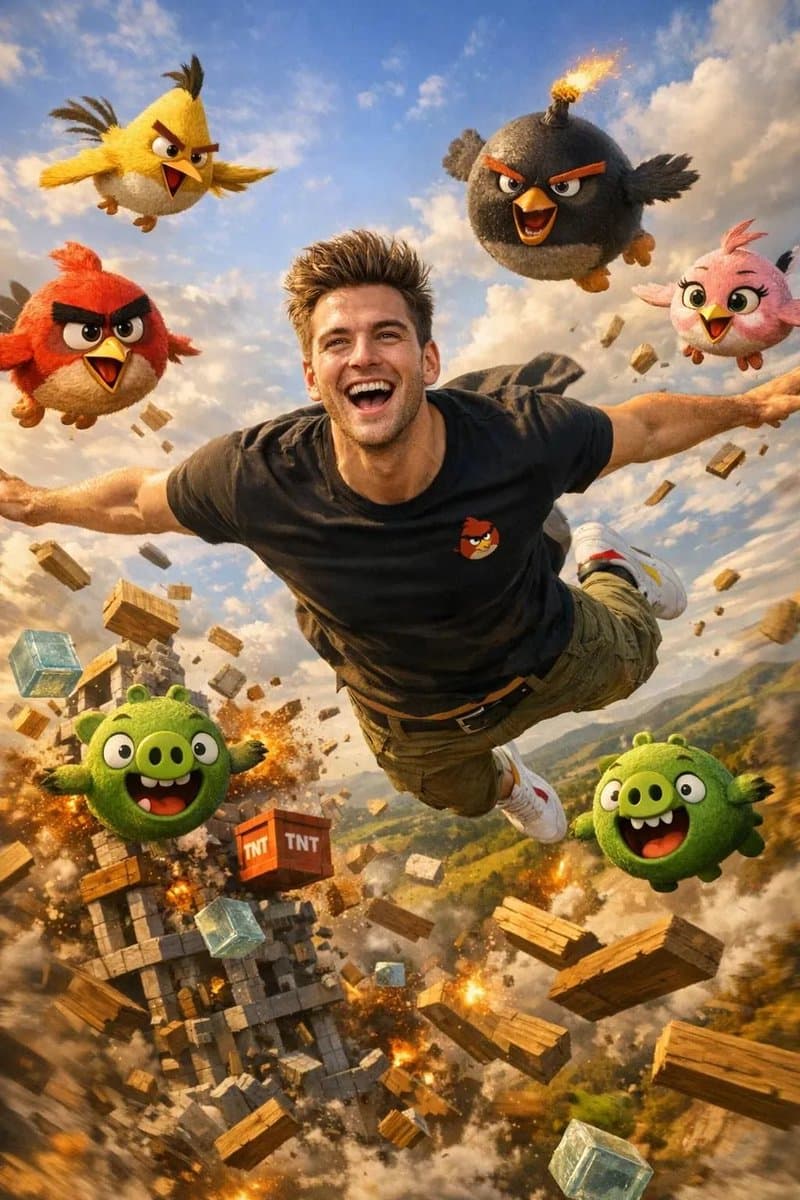
Flying with Birds Cinematic [Prompt]⤵️ Prompt: Flying with the Birds Create a completely new ultra realistic Instagram vertical 4:5 image for Gemini 3 Pro Nano Banana of the same handsome, youthful, physically fit man with identical facial features to the selfie, now soaring through the Angry Birds sky mid flight. Red, Chuck, Bomb, Stella, and several pigs are flying around him in chaotic joyful formation. The man is launched from a giant slingshot, arms spread, laughing as wind rushes past his hair and shirt. His outfit: fitted black gamer T-shirt with a tiny red bird icon, olive green cargo pants, white sneakers with red and yellow touches. Below him: floating wooden planks, glass blocks, TNT boxes, and collapsing pig towers. Characters look fully realistic with detailed feathers, natural color transitions, and glossy expressive eyes. Lighting is bright golden afternoon sun highlighting feathers and skin, with dynamic motion blur on background hills and blocks. Cinematic movie-like style with rich game colors and slight film grain, captured with a 20 mm lens for dramatic aerial depth.

Reference to result

Three steps forward, without starting from a blank canvas.

  1. 01

    Pick a reference

    Choose the frame closest to your goal in composition, color, and purpose.

  2. 02

    Adjust the details

    Change the subject, copy, style, and image ratio in the generator.

  3. 03

    Generate the image

    Keep the prefilled reference, generate, then refine from the result.

Nothing quite fits?

Start with a blank prompt and define the subject, composition, typography, and aspect ratio yourself.

Create from scratch
Working notes

Get closer to a finished image on the first pass.

01

About Gaming prompts

Gaming prompts help organize visual ideas around a specific style, subject, medium, or photography use case. Published examples may change as the collection grows.

02

How to write a stronger Gaming prompt

Name the main subject first, then define composition, environment, lighting, palette, materials, camera or rendering technique, aspect ratio, and the intended output.

03

How to refine the generated result

Remove conflicting style instructions, keep one clear visual direction, and review anatomy, text, logos, perspective, and important category-specific details before publishing.

Common questions

A few things to know before you begin.

What are Gaming AI image prompts?

They are reusable visual briefs grouped under the Gaming category. Each brief can be adapted to a different subject, reference image, composition, or output size.

How are Gaming examples selected for this collection?

Published prompts are assigned to this collection when their subject, style, or intended use matches the Gaming category.

Can I customize these Gaming prompts?

Yes. Replace the subject and context, then adjust the lighting, palette, materials, lens or rendering method, aspect ratio, and detail level for your project.