AI Bachelor Party Invitations

AI Bachelor Party Invitations

Getting ready for the groom’s big night? Our free bachelor party invitation cards are the perfect way to announce the ultimate pre‑wedding celebration. Whether you’re planning a wild night out, a weekend adventure, or a relaxed gathering with close friends, these invitations set the right tone and make sure everyone is in on the fun.

Pick a reference style, then generate a new image with the prompt, reference image, and aspect ratio prefilled.

Visual reference set
bachelor party invitation
Library size
2 public prompts
Visual reference set03 / REF
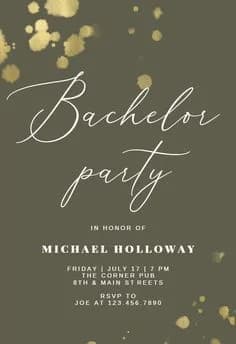
AI Bachelor Party Invitations reference 101
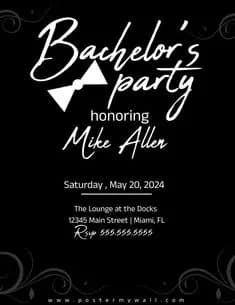
AI Bachelor Party Invitations reference 202
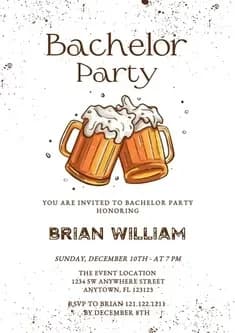
AI Bachelor Party Invitations reference 303
VEYVIA / BACHELOR-PARTY-INVITATIONCURATED
Prompt library

Choose the closest frame to begin.

Open any reference to inspect the full prompt, or take its image and aspect ratio straight into the generator.

2 public prompts
AI Bachelor Party Invitations prompt 101
bachelor-party-invitationformal-invitationhand-drawn-invitation

Vertical invitation layout on splattered white paper. Center illustration shows two clinking beer mugs with frothy foam. 'Bachelor Party' text in elegant serif above; clean typography for details below. Rustic, hand-drawn style using amber and dark brown accents.

AI Bachelor Party Invitations prompt 202
bachelor-party-invitationminimalist-invitationformal-invitation

Formal bachelor party invitation, solid black background. White elegant script for main headings. Simple white bow tie icon. Centered sans-serif event details. Subtle grey corner flourishes. High contrast, minimalist composition.

Reference to result

Three steps forward, without starting from a blank canvas.

  1. 01

    Pick a reference

    Choose the frame closest to your goal in composition, color, and purpose.

  2. 02

    Adjust the details

    Change the subject, copy, style, and image ratio in the generator.

  3. 03

    Generate the image

    Keep the prefilled reference, generate, then refine from the result.

Nothing quite fits?

Start with a blank prompt and define the subject, composition, typography, and aspect ratio yourself.

Create from scratch
Working notes

Get closer to a finished image on the first pass.

01

How to use these templates

Pick a reference style, then generate a new image with the prompt, reference image, and aspect ratio prefilled.

02

What to prepare before generating

Prepare the theme, names, layout details, and any color palette notes before generating the final image.

03

How to refine the result

After opening the generator, adjust the prompt with style, format, typography, and composition details.

Common questions

A few things to know before you begin.

Are these editable templates?

No. They are AI prompt templates and visual references for generating new images.

What happens when I click a template?

Veyvia opens the image generation page with the selected prompt, reference image, and closest aspect ratio already filled in.

Can I use the generated image for printing?

You can use it as a visual draft or poster image. Before printing, review text clarity, final dimensions, and final content.