Christmas prompt library

Christmas AI Image Prompts

Browse christmas examples and reusable AI image prompts for composition, lighting, color, materials, and style.

Browse a focused christmas category based on the PromptPlum taxonomy. Use the references as starting points, then rewrite each prompt for your own subject, format, and visual goal.
Visual reference set
christmas
Library size
2 public prompts
Visual reference set02 / REF
Christmas AI Image Prompts reference 101
Christmas AI Image Prompts reference 202
VEYVIA / CHRISTMASCURATED
Prompt library

Choose the closest frame to begin.

Open any reference to inspect the full prompt, or take its image and aspect ratio straight into the generator.

2 public prompts
Christmas AI Image Prompts prompt 101
ai image promptsprompt librarychristmas

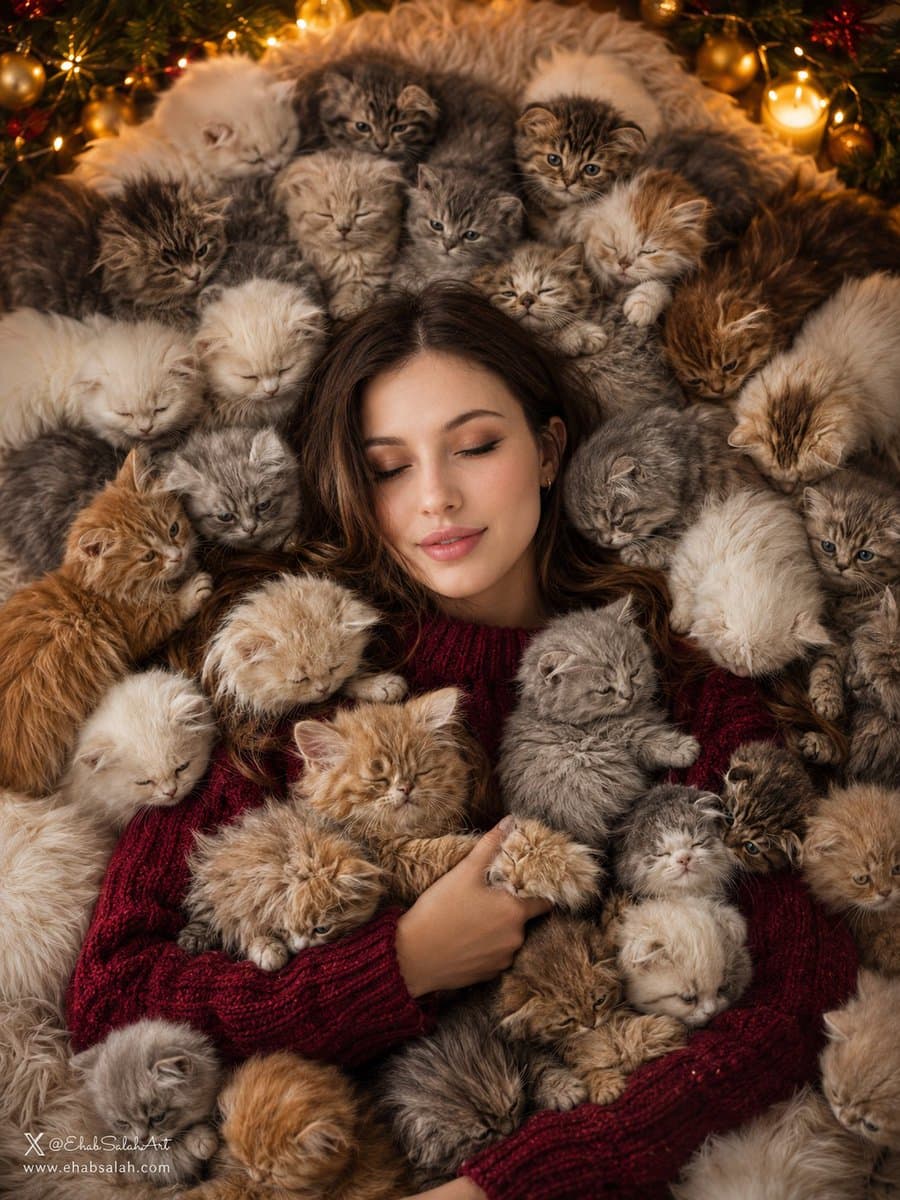
Use the uploaded image as the only identity reference and preserve the subject's exact facial structure, proportions, skin tone, hairstyle, expression, age, eyewear, and recognizable features. Create an ultra-realistic cozy Christmas editorial portrait from a perfectly centered top-down perspective. The subject lies peacefully on a luxurious cream faux-fur blanket with eyes gently closed and a soft relaxed smile, wearing an oversized deep-burgundy knitted sweater with premium wool texture. Surround the subject with fluffy kittens in white, cream, silver, light-gray, ginger, caramel, and smoky tones, resting naturally around the shoulders, arms, hands, and head while keeping the face visible. Add warm fireplace-style lighting, soft golden highlights, fairy lights, subtle Christmas garlands, creamy bokeh, cinematic shadows, volumetric warm light, realistic fur, shallow depth of field, symmetrical luxury magazine composition, photorealistic HDR detail, 4:5 portrait orientation, and no text, logo, signature, link, or watermark.

Christmas AI Image Prompts prompt 202
partyecardholiday

Clean Christmas party invitation design. Pale pink cardstock with a wide forest green border. Centered dark green serif typography. Flat vector Christmas trees with gold stars at top and bottom left. Minimalist layout, high-contrast palette, elegant festive aesthetic.

Reference to result

Three steps forward, without starting from a blank canvas.

  1. 01

    Pick a reference

    Choose the frame closest to your goal in composition, color, and purpose.

  2. 02

    Adjust the details

    Change the subject, copy, style, and image ratio in the generator.

  3. 03

    Generate the image

    Keep the prefilled reference, generate, then refine from the result.

Nothing quite fits?

Start with a blank prompt and define the subject, composition, typography, and aspect ratio yourself.

Create from scratch
Working notes

Get closer to a finished image on the first pass.

01

About Christmas prompts

Christmas prompts help organize visual ideas around a specific style, subject, medium, or photography use case. Published examples may change as the collection grows.

02

How to write a stronger Christmas prompt

Name the main subject first, then define composition, environment, lighting, palette, materials, camera or rendering technique, aspect ratio, and the intended output.

03

How to refine the generated result

Remove conflicting style instructions, keep one clear visual direction, and review anatomy, text, logos, perspective, and important category-specific details before publishing.

Common questions

A few things to know before you begin.

What are Christmas AI image prompts?

They are reusable visual briefs grouped under the Christmas category. Each brief can be adapted to a different subject, reference image, composition, or output size.

How are Christmas examples selected for this collection?

Published prompts are assigned to this collection when their subject, style, or intended use matches the Christmas category.

Can I customize these Christmas prompts?

Yes. Replace the subject and context, then adjust the lighting, palette, materials, lens or rendering method, aspect ratio, and detail level for your project.