Creative prompt library

Creative AI Image Prompts

Browse creative examples and reusable AI image prompts for composition, lighting, color, materials, and style.

Browse a focused creative category based on the PromptPlum taxonomy. Use the references as starting points, then rewrite each prompt for your own subject, format, and visual goal.

Visual reference set
creative
Library size
3 public prompts
Visual reference set04 / REF
Creative AI Image Prompts reference 101
Creative AI Image Prompts reference 202
Creative AI Image Prompts reference 303
Creative AI Image Prompts reference 404
VEYVIA / CREATIVECURATED
Prompt library

Choose the closest frame to begin.

Open any reference to inspect the full prompt, or take its image and aspect ratio straight into the generator.

3 public prompts
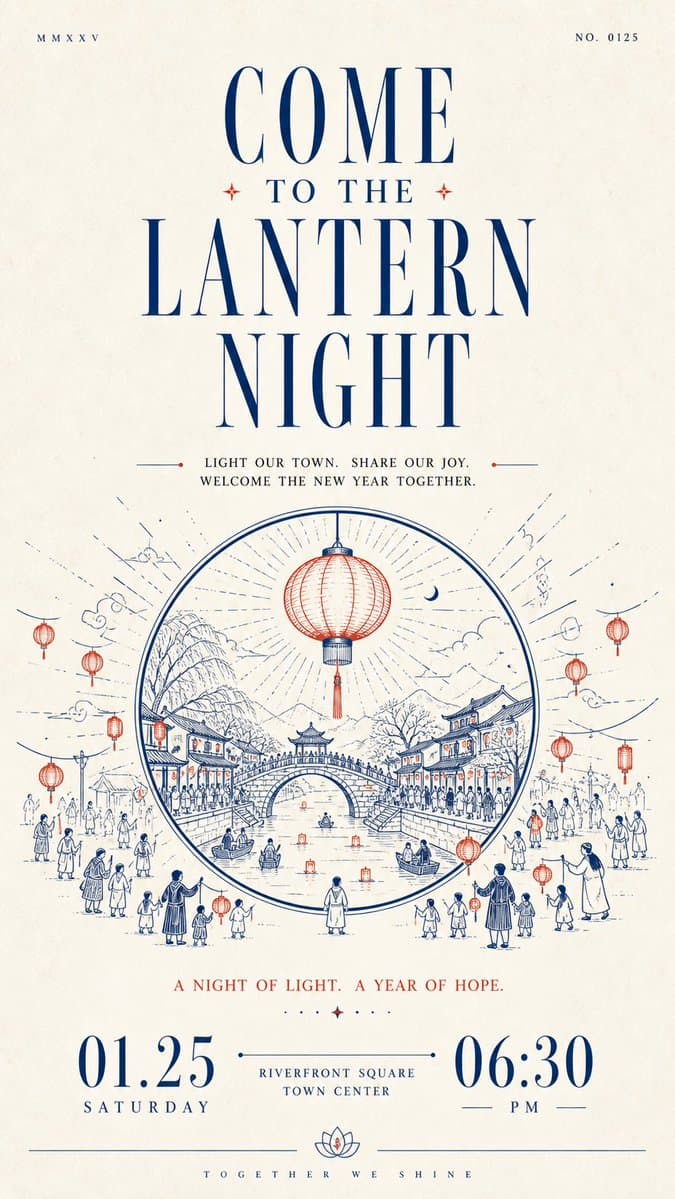
Creative AI Image Prompts prompt 101
creativegraphic-designtypography-art

Build a restrained, solemn paper-based informational design with human warmth around any chosen thematic subject: let large areas of bright white space first establish quiet order, then let a striking headline, line-drawn narrative, and bottom numerals carry the reading onward in sequence. Organize clearly differentiated modules along a single main reading axis: near the top, place one extremely small, thin, widely letterspaced auxiliary text or numbering group on each side, separated by remote spacing to create slight asymmetry; beneath them, set an oversized, high-contrast Latin serif headline extending horizontally, with strong contrast between fine hairlines and thick stems, elongated letterforms, sharp terminals, and the same accent ink as the core illustration; then add a centered group of short Chinese phrases on the theme, built on a slender Songti skeleton with generous line spacing and breathing room between characters, so the dark text block both carries the headline and builds momentum toward the illustration. Distill the thematic subject's core image and its relationship to the environment into a monochrome printmaking-style line drawing rather than reproducing fixed objects: build outward spatial movement from the center with clear outer contours, continuous arcs, layered paths, and a few flat fills; keep foreground lines longer and more open, make the middle forms the heaviest, and finish the distance with fine short strokes; alternate dense detail with large expanses of empty paper, keep the contours legible, allow slight hand-drawn variation in line weight, and preserve the soft, blunted edges created by ink absorption at corners of a printed mark, so the image has a monumental stability without feeling heavy. Place the most important short notice phrase below the illustration, then anchor the bottom visual weight with a group of oversized, high-contrast numerals or equally scaled key information, spreading the left and right information apart and connecting the center with an ultra-fine horizontal line and small text, so the extreme scale differences create the ceremony of a formal announcement; finish with a hairline rule running across the bottom edge, lifted at its center by a small symmetrical emblem derived from the theme, and set a micro Latin wordmark beneath it with extremely wide letterspacing for a quiet, precise ending. Derive the color adaptively from the theme: the theme's meaning decides the specific hue and warm/cool character of the accent, which should stay medium-high in saturation, clean, and slightly pigment-like, occupying roughly one-tenth to two-tenths of the image and concentrated in the large headline, core line drawing, and bottom fine lines; give the background a near-white, low-saturation paper color that harmonizes with the accent, lets it dominate the composition, and keeps it high in lightness; use a near-black with the same warm/cool tendency for body text and numerals, limiting it to the typographic skeleton and local contrast. Keep an asymmetric area contrast rather than an even color balance: the more vivid the accent color, the more restrained the paper and the fewer, more precise the dark areas. Render the surface as fine uncoated paper fiber with slight uniform grain and a soft scanned feel; keep the texture mainly on the blank paper and visible through thin layers of ink, allow only tiny tonal variation in solid areas, and avoid heavy stains, strong creases, gloss, dimensional shadows, or decorative gradients; the whole design should remain bright, airy, and slightly edged by the paper's ink absorption, preserving the order among white space, line drawing, typographic scale jumps, and bottom closure, while preventing the illustration from expanding and squeezing the information or the text from averaging out and losing rhythm.

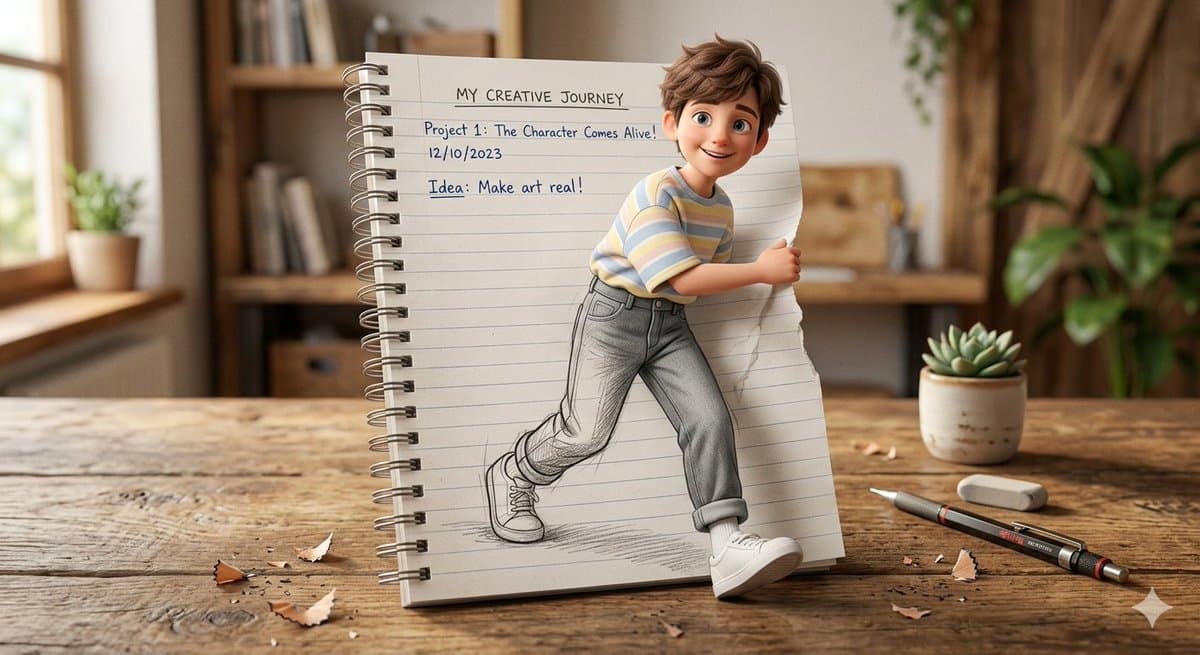
Creative AI Image Prompts prompt 202
twittermixed-media-artdigital-art

I modified my Pele prompt, so it now works for any famous person. Do this for beethoven: <instruction> 1. Inference Engine Input A is a Globally Recognized Figure (e.g., Pelรฉ, Muhammad Ali, Frida Kahlo, Winston Churchill). Deconstruct the figure's legacy into 4 Collage Assets : The Anchor (The Portrait): Identify a recognizable, smiling, front-facing portrait of the individual. The Terrain (The Map): Identify the outline of their home country or most significant region. (e.g., Pelรฉ -> Brazil. Churchill -> United Kingdom. Kahlo -> Mexico). The Colors (The Theme): Identify the dominant colors associated with their nation or profession. (e.g., Pelรฉ -> Yellow, Green, Blue. Kahlo -> Vibrant primary colors and earth tones). The Ephemera (The Clutter): Identify specific historical objects related to their career. (e.g., Pelรฉ -> Tiny World Cup trophies, old match tickets, cheering fans. Churchill -> Telegraphs, medals, cigars). 2. Container (The Collage Board): Goal: A "Mixed-Media Mosaic" Flat Lay. The Base: A square piece of heavy cardboard, corkboard, or rough wood lying flat. The Technique: The entire image is a densely packed physical collage made of torn paper, vintage photographs, ticket stubs, and small 3D objects glued to the board. 3. The Mosaic Portrait The Construction: The portrait (Input A) dominates the center of the frame. The Illusion: The face is NOT a single painted image. It is a "Photo Mosaic" created by hundreds of tiny, distinct, overlapping rectangular and torn pieces of paper (e.g., tiny faces, skin-toned paper scraps, historical photos). Detail: The viewer must be able to see the individual paper edges and overlapping corners making up the eyes, smile, and hair. 4. The Background The Map: Behind the portrait, the outline of the "Terrain" (Step 1) is constructed using larger, torn pieces of solid-colored paper matching the "Theme" colors (e.g., Green and Yellow paper forming Brazil). The Crowd: The bottom corners and edges are filled with cut-out photos of cheering crowds, teammates, or relevant historical figures reacting to the main subject. The Detritus: The remaining empty space is jammed with the "Ephemera" (vintage tickets, logos, handwritten notes, small 3D pins/trophies glued to the surface). 5. Lighting & Atmosphere: Lighting: Flat Studio Copy-Stand Lighting. Even, bright illumination from above that casts very tiny, sharp drop shadows underneath the curled edges of the torn paper and 3D objects, emphasizing the physical, layered texture of the collage. Texture: High fidelity. The grain of the paper, the glossy sheen of the tiny photos, and the glue marks should be visible. Output: ONE image, 1:1 Aspect Ratio, Macro Photography of Mixed Media Art, "Scrapbook Mosaic" aesthetic, Horror Vacui (no empty space). </instruction>

Creative AI Image Prompts prompt 303
twitterconceptual-artabstract-splash-art

Grok Imagine Image Prompt Share. Food Galaxy: A cosmic/space scene where various Indian street foods are floating in deep space as if they are planets, moons, and celestial objects in a delicious galaxy. ๐—ง๐—›๐—˜ ๐—™๐—ข๐—ข๐—— ๐—ฆ๐—ข๐—Ÿ๐—”๐—ฅ ๐—ฆ๐—ฌ๐—ฆ๐—ง๐—˜๐— : - CENTER (Sun): A massive round tandoori roti, glowing from within like a star, with charred spots resembling sunspots, radiating warm golden light outward - PLANET 1 (closest): A perfect round golgappa/pani puri โ€” crispy shell glistening, filled with spiced water visible through the opening. Tiny orbit ring of sev and chutney droplets. - PLANET 2: A round vada (medu vada) as a donut-shaped planet with a ring system made of coconut chutney - PLANET 3: A plate of round gulab jamuns as a cluster of sweet brown planets with syrup nebula around them - ASTEROID BELT: Dozens of floating samosas, pakoras, and bhel pieces scattered in a ring - PLANET 4 (gas giant): A huge round dahi vada โ€” white yogurt surface like a cloudy gas giant, with tempering (tadka) marks resembling Jupiter's storms - COMET: A kebab skewer streaking across the scene with a trail of spice smoke and sparks - MOON: A round idli orbiting the dahi vada planet - NEBULA: A colorful cloud of turmeric (yellow), chili (red), and coriander (green) powders mixing in space, forming a stunning spice nebula ๐—•๐—”๐—–๐—ž๐—š๐—ฅ๐—ข๐—จ๐—ก๐——:- Deep space black with thousands of tiny stars (mustard seeds and cumin seeds floating as stars) - Distant galaxies made of swirling masala powder - The Milky Way visible but made of a stream of white lassi/buttermilk ๐—Ÿ๐—œ๐—š๐—›๐—ง๐—œ๐—ก๐—š:- The tandoori roti "sun" provides warm orange light illuminating nearby foods - Each food item has its own subtle glow โ€” the hot items emit warm light, the cold items (lassi, curd) emit cool blue light - Dramatic space lighting: stark bright highlights, deep black shadows, no atmosphere ๐—ฆ๐—ง๐—ฌ๐—Ÿ๐—˜: Photorealistic food photography meets NASA space photography. Every food item is rendered with appetite-triggering detail โ€” crispy textures, steam, glistening oil, fresh garnishes โ€” but floating in actual outer space with real stars and cosmic phenomena. This surreal combination is the kind of image people share saying "this is the most Indian thing I've ever seen." 8K resolution. No Text labels Anywhere. Compare this with Nano Banana 2 output:

Reference to result

Three steps forward, without starting from a blank canvas.

  1. 01

    Pick a reference

    Choose the frame closest to your goal in composition, color, and purpose.

  2. 02

    Adjust the details

    Change the subject, copy, style, and image ratio in the generator.

  3. 03

    Generate the image

    Keep the prefilled reference, generate, then refine from the result.

Nothing quite fits?

Start with a blank prompt and define the subject, composition, typography, and aspect ratio yourself.

Create from scratch
Working notes

Get closer to a finished image on the first pass.

01

About Creative prompts

Creative prompts help organize visual ideas around a specific style, subject, medium, or photography use case. Published examples may change as the collection grows.

02

How to write a stronger Creative prompt

Name the main subject first, then define composition, environment, lighting, palette, materials, camera or rendering technique, aspect ratio, and the intended output.

03

How to refine the generated result

Remove conflicting style instructions, keep one clear visual direction, and review anatomy, text, logos, perspective, and important category-specific details before publishing.

Common questions

A few things to know before you begin.

What are Creative AI image prompts?

They are reusable visual briefs grouped under the Creative category. Each brief can be adapted to a different subject, reference image, composition, or output size.

How are Creative examples selected for this collection?

Published prompts are assigned to this collection when their subject, style, or intended use matches the Creative category.

Can I customize these Creative prompts?

Yes. Replace the subject and context, then adjust the lighting, palette, materials, lens or rendering method, aspect ratio, and detail level for your project.