Digital Illustration prompt library

Digital Illustration AI Image Prompts

Browse digital illustration examples and reusable AI image prompts for composition, lighting, color, materials, and style.

Browse a focused digital illustration category. Use the references as starting points, then rewrite each prompt for your own subject, format, and visual goal.

Visual reference set
digital illustration
Library size
4 public prompts
Visual reference set04 / REF
Digital Illustration AI Image Prompts reference 101
Digital Illustration AI Image Prompts reference 202
Digital Illustration AI Image Prompts reference 303
Digital Illustration AI Image Prompts reference 404
VEYVIA / DIGITAL-ILLUSTRATIONCURATED
Prompt library

Choose the closest frame to begin.

Open any reference to inspect the full prompt, or take its image and aspect ratio straight into the generator.

4 public prompts
Digital Illustration AI Image Prompts prompt 101
digital-illustrationflat-color-illustrationlimited-color-palette

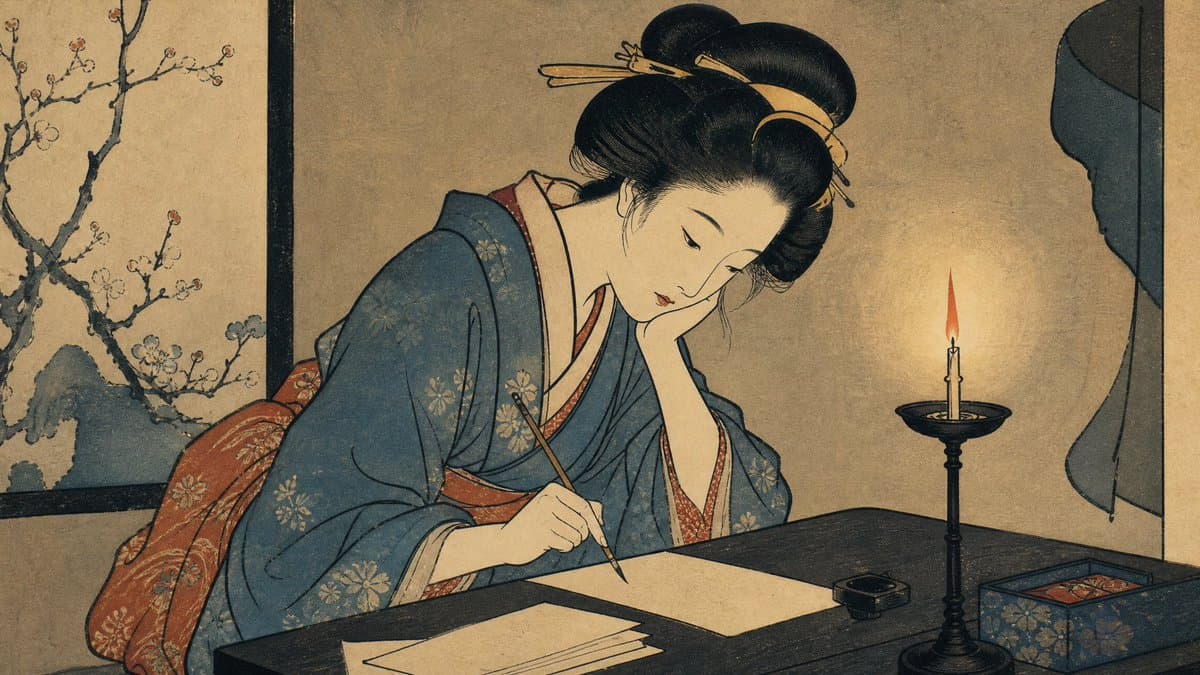
Japanese ukiyo-e-inspired illustration of [SUBJECT], composed with elegant simplified forms, expressive black outlines, and graceful negative space. Use a restrained traditional palette, flat color areas, subtle woodblock texture, slightly imperfect registration, and a handcrafted print finish. Keep the composition calm and deliberate, with no modern logos, watermarks, or unnecessary text.

Digital Illustration AI Image Prompts prompt 202
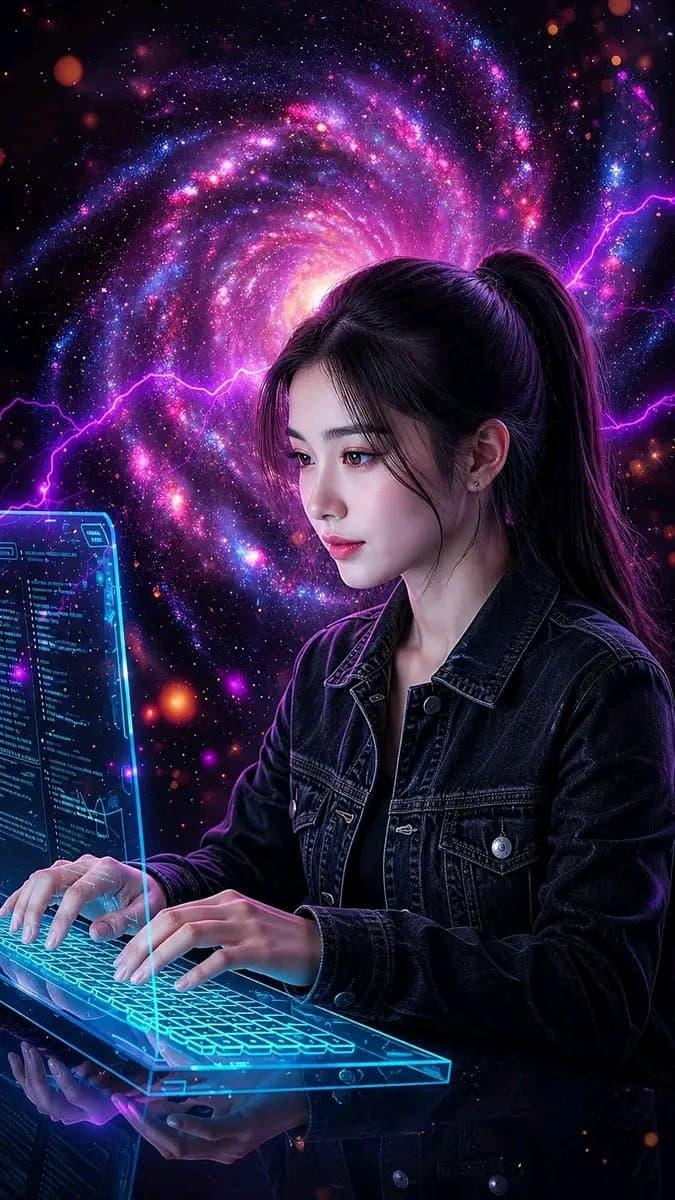
digital-illustrationfemale-portraitphotorealistic

Ultra-realistic futuristic portrait of an adult female programmer at a premium workstation. She types on a modern mechanical keyboard before a transparent holographic monitor displaying believable programming code. Style her in a dark denim jacket over a black top, with a sleek high ponytail and natural makeup. Fill the environment with restrained electric energy, digital particles, circuit patterns, and a deep galaxy-like backdrop. Blue and violet rim light, realistic hands and keyboard, photorealistic skin, cinematic volumetric depth, sharp face focus, sophisticated technology aesthetic, no logos.

Digital Illustration AI Image Prompts prompt 303
abstract-portraitcinematic-lightingdigital-illustration

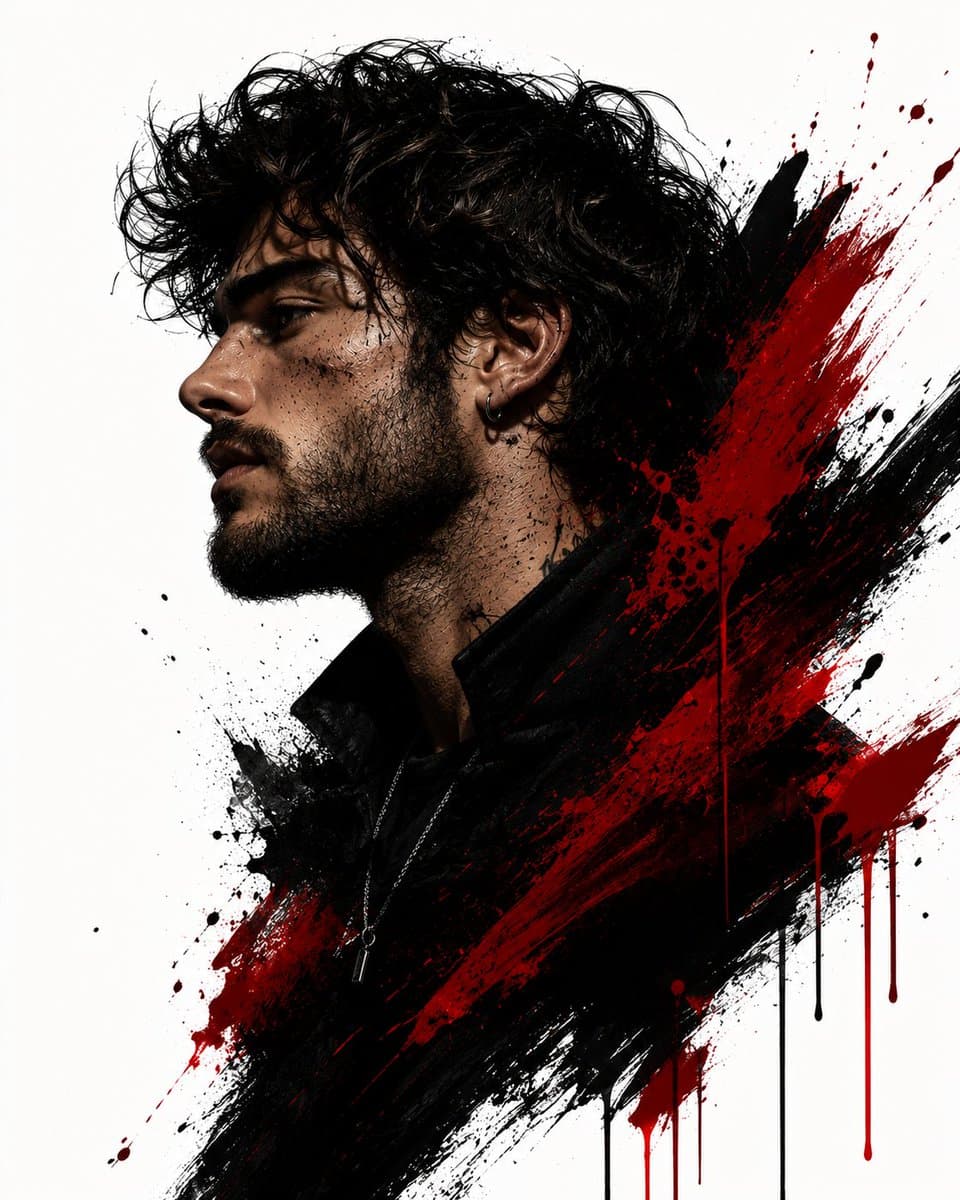
Transform the uploaded boy/man into a high-end minimalist abstract portrait inspired by modern brush-stroke wall art. Keep the man’s facial features recognizable with a rugged masculine look, thick full beard, rough skin texture, sharp jawline, intense expression, messy/wavy dark hair, and subtle imperfections for a raw cinematic feel. Change the composition to a dramatic side profile facing left. Blend the portrait into bold black and deep crimson red paint strokes with dynamic splatter effects, rough textured brush details, and elegant paint drips. Add a gritty, rough aesthetic with moody cinematic lighting, strong shadows, artistic negative space, and a clean white background for sharp contrast. Style the outfit in a black high-neck/turtleneck or dark jacket, with subtle accessories like a chain or hoop earring if suitable. Create an ultra-detailed digital illustration, luxury gallery artwork, contemporary abstract expressionism, masculine editorial vibe, premium 4K quality, intense, powerful, and visually striking.

Digital Illustration AI Image Prompts prompt 404
digital-illustrationethereal-lightingmonarch-butterfly

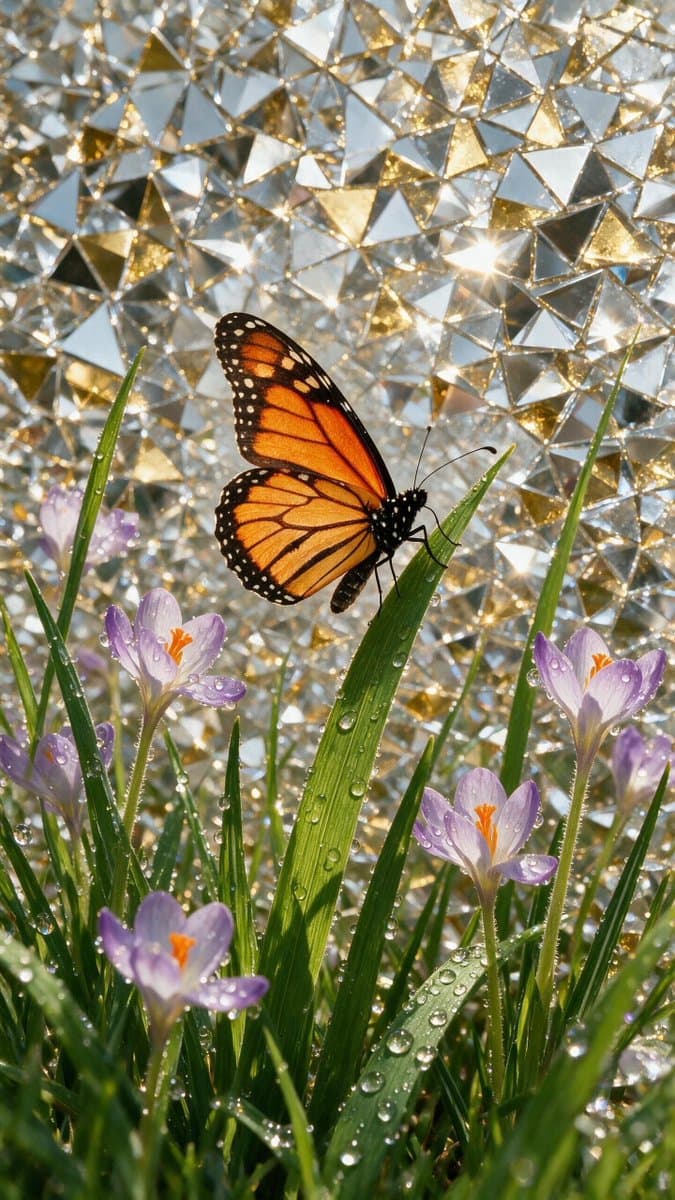
Soft wings and steaming gold. Created in @ImagineArt_X Model: Seedream V5 pro and GPT Image 2 🏞 Prompt to image 1: A stunning, highly detailed digital art piece featuring a vibrant orange monarch butterfly perched gracefully on a blade of grass. The composition is set against an intricate, shimmering background composed of mosaic-like silver and gold triangular shards, creating a brilliant reflective effect. Scattered throughout the foreground are delicate purple crocus flowers and slender green grass stalks, all adorned with crystal-clear, realistic dew drops that catch the light. The overall atmosphere is ethereal, serene, and magical, emphasizing a high-contrast aesthetic where the warm tones of the butterfly pop against the cool, fractured metallic backdrop. The style is a blend of mosaic art and macro photography, with precise light refraction through the water droplets. The lighting is bright and crisp, highlighting the textures of the butterfly's wings, the fine blades of grass, and the sharp facets of the background, creating a sense of depth and crystalline elegance, 8k resolution, artistic masterpiece 🏞 Prompt to image 2:⤵️ A faceted, low-poly style white teacup filled with steaming dark coffee sits centrally amidst a lush, triangular-geometric green grass field dotted with small, crystalline white flowers and sparkling dew drops. Behind the cup, a striking background mural displays a swirling, mosaic-inspired golden sun with textured, shimmering gold leaf details radiating outwards in concentric patterns against a stark white and silver geometric backdrop. The lighting is ethereal and magical, casting a bright, dreamlike glow over the scene. The entire composition utilizes sharp, clean polygon art aesthetics, blending nature with high-end digital design. Intricate light particles dance above the steam, reflecting a sense of tranquility and luxury. High contrast, vibrant color palette of gold, deep forest green, and crisp white, 8k resolution, stylized digital illustration with sharp edges and faceted textures, conceptual art masterpiece
Reference to result

Three steps forward, without starting from a blank canvas.

  1. 01

    Pick a reference

    Choose the frame closest to your goal in composition, color, and purpose.

  2. 02

    Adjust the details

    Change the subject, copy, style, and image ratio in the generator.

  3. 03

    Generate the image

    Keep the prefilled reference, generate, then refine from the result.

Nothing quite fits?

Start with a blank prompt and define the subject, composition, typography, and aspect ratio yourself.

Create from scratch
Working notes

Get closer to a finished image on the first pass.

01

About Digital Illustration prompts

Digital Illustration prompts help organize visual ideas around a specific style, subject, medium, or photography use case. Published examples may change as the collection grows.

02

How to write a stronger Digital Illustration prompt

Name the main subject first, then define composition, environment, lighting, palette, materials, camera or rendering technique, aspect ratio, and the intended output.

03

How to refine the generated result

Remove conflicting style instructions, keep one clear visual direction, and review anatomy, text, logos, perspective, and important category-specific details before publishing.

Common questions

A few things to know before you begin.

What are Digital Illustration AI image prompts?

They are reusable visual briefs grouped under the Digital Illustration category. Each brief can be adapted to a different subject, reference image, composition, or output size.

How are Digital Illustration examples selected for this collection?

Published prompts are assigned to this collection when their subject, style, or intended use matches the Digital Illustration category.

Can I customize these Digital Illustration prompts?

Yes. Replace the subject and context, then adjust the lighting, palette, materials, lens or rendering method, aspect ratio, and detail level for your project.