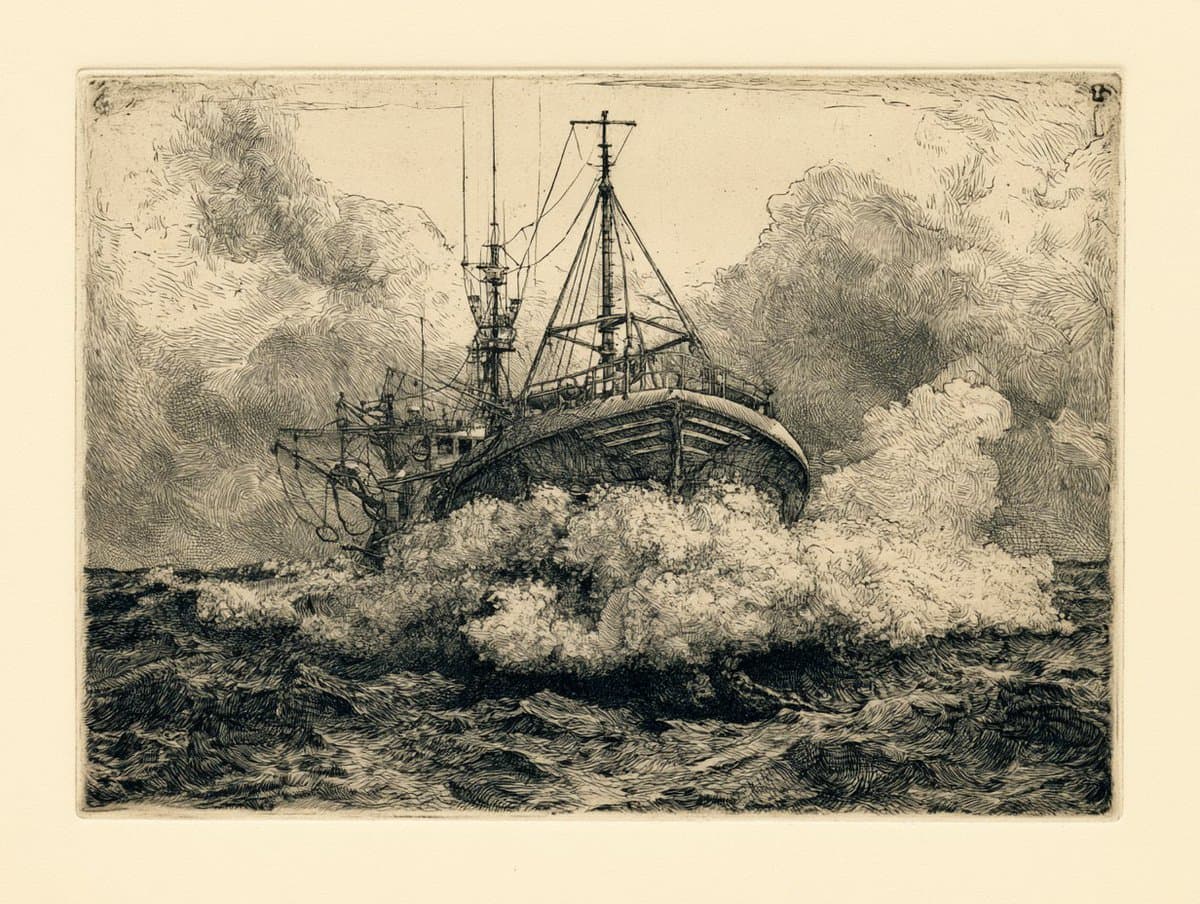
Engraving & Etching Style prompt library

Engraving & Etching Style AI Image Prompts

Browse engraving & etching style examples and reusable AI image prompts for composition, lighting, color, materials, and style.

Browse a focused engraving & etching style category based on the PromptPlum taxonomy. Use the references as starting points, then rewrite each prompt for your own subject, format, and visual goal.

Visual reference set
engraving etching style
Library size
4 public prompts
Visual reference set04 / REF
Engraving & Etching Style AI Image Prompts reference 101
Engraving & Etching Style AI Image Prompts reference 202
Engraving & Etching Style AI Image Prompts reference 303
Engraving & Etching Style AI Image Prompts reference 404
VEYVIA / ENGRAVING-ETCHING-STYLECURATED
Prompt library

Choose the closest frame to begin.

Open any reference to inspect the full prompt, or take its image and aspect ratio straight into the generator.

4 public prompts
Engraving & Etching Style AI Image Prompts prompt 101
black & whiteai image promptsprompt library

Create image. Ar 2:3. Black and white engraved portrait illustration of a person. Drawn in classic woodcut / linocut engraving style, high contrast black ink on textured off-white paper background. Fine cross-hatching and line shading to create depth and shadow, bold black ink shadows under chin and around hair, strong contour lines, traditional printmaking aesthetic. Minimal composition, centered portrait, no body visible, clean negative space, vintage editorial illustration style, ultra detailed linework, sharp crisp ink strokes, professional vector-ready engraving look, monochrome palette, dramatic contrast. Negative Prompt: color, watercolor, soft shading, blurred lines, low contrast, realistic photography, 3D render, anime style, cartoon style, messy sketch, thick uneven strokes, background objects, noisy texture, pixelated, distorted face, extra eyes, extra ears, bad anatomy, modern digital painting, glossy skin, overexposed highlights

Engraving & Etching Style AI Image Prompts prompt 202
engraving & etching styleai image promptsprompt library

Prompt Studio: Etching, Artistic Styles with Midjourney v8.1 An etching of a [subject], cross-hatched lines building tone and volume, [color] ink on warm cream paper, plate mark embossed into the sheet, Dürer density in the shadow work, printed in a small edition. See ALTs for ideas 👇

Engraving & Etching Style AI Image Prompts prompt 303
ai image promptsprompt librarycross-hatching

{ "prompt": "Ultra-detailed stylized portrait using my face as reference. Intellectual, modernist illustration style inspired by architectural blueprints and editorial line art. Face split into layered geometric sections with visible technical diagrams, city interiors, structural grids, and abstract architectural elements embedded within the facial planes. Fine ink linework, cross-hatching, and engraving-style shading. Clean white background with dense black line drawings.\n\nBold accent colors only in selected regions: deep red, muted blue, and warm yellow, applied as flat graphic blocks and translucent overlays. Sharp, thoughtful eyes with realistic highlights, wearing thin round glasses. Minimalist yet complex composition, high contrast, crisp edges, poster-grade clarity.\n\nEditorial illustration aesthetic, conceptual portrait, futuristic intellect vibe, data visualization meets human identity. Extremely sharp, ultra-high resolution, professional magazine cover quality, no blur, no distortion, balanced symmetry.", "negative_prompt": "photorealism, soft blur, painterly strokes, oil painting, low detail, messy colors, cartoonish style, exaggerated proportions", "style": [ "modernist illustration", "architectural blueprint", "editorial line art", "engraving", "conceptual portrait", "futuristic intellect" ], "color_palette": { "accent_colors": [ "deep red", "muted blue", "warm yellow" ], "base_colors": [ "black", "white" ] }, "composition": { "background": "clean white", "symmetry": "balanced", "contrast": "high", "detail_level": "ultra-detailed", "resolution": "ultra-high" }, "quality": [ "poster-grade clarity", "professional magazine cover", "extremely sharp", "no blur", "no distortion" ] }

Engraving & Etching Style AI Image Prompts prompt 404
dark aestheticai image promptsprompt library

Use the uploaded reference image as the identity source. Preserve the subject's identity with maximum accuracy. Maintain the original facial structure, facial proportions, skin tone, eye shape, nose, lips, eyebrows, age, and all unique identifying features. Do not replace, reinterpret, beautify, or alter the person's identity. Transform only the artistic style while keeping the subject instantly recognizable. Create a hyper-realistic, dramatic black-and-white neo-noir assassin portrait illustrated in an ultra-detailed ink engraving and cross-hatching style. COMPOSITION & FRAMING • Vertical 4:5 aspect ratio. • Position the subject on the far left with virtually no left margin. • The subject should occupy approximately 60–65% of the frame. • Keep the remaining 35–40% on the right as clean white negative space with no distractions. • Show approximately two-thirds of the face using a vertical crop passing near the center of one eye. • Tight cinematic close-up: - Top crop slightly through the hair. - Bottom crop just above the shoulders. • Face oriented almost directly toward the viewer with only a subtle forward angle. • The eyes must be the strongest visual focal point. HAIR (ADAPTIVE TO REFERENCE) Analyze the hairstyle from the reference image and recreate it faithfully while enhancing it with a dramatic neo-noir aesthetic. Preserve: • Overall hairstyle • Hairline • Length • Parting • Natural texture • Volume • Curl or wave pattern Enhance with: • Rich, highly detailed strand rendering • Natural thickness and density • Dynamic movement and layered flow • Slightly windswept appearance • Subtle damp or wet texture • Individual flyaway strands • Fine engraved line work • High-detail cross-hatching throughout the hair The hairstyle should remain authentic to the reference while appearing cinematic and intense. FACIAL HAIR (ADAPTIVE) Analyze the reference image and preserve the subject's natural facial-hair characteristics. If clean-shaven: • Add only subtle rugged skin texture with extremely light natural stubble. If light stubble: • Increase density slightly while maintaining realism. If a beard or mustache is present: • Preserve the original style while enhancing depth, texture, and volume using engraved strokes. Render facial hair using: • Individual hair strokes • Cross-hatched shadowing • Natural density • Strong facial contour definition • Rugged but believable appearance (For subjects without facial hair, do not add a full beard.) SKIN TEXTURE Create a battle-hardened cinematic appearance using: • Fine skin texture • Subtle scars • Light scratches • Tiny ink splatter accents • Engraved pores • Dense cross-hatching instead of smooth gradients • High-detail etched shading LIGHTING Extreme noir chiaroscuro lighting. • One side of the face illuminated dramatically. • The opposite side fades into deep shadow. • Strong directional contrast. • Shadows created entirely through dense engraved cross-hatching. • Extremely high contrast with rich blacks and bright whites. ILLUSTRATION STYLE Ultra-detailed ink engraving illustration featuring: • Dense cross-hatching • Fine line engraving • Ink scratches • Etched textures • Vintage engraving techniques • Graphic novel aesthetics • Crime-thriller poster style • Museum-quality monochrome illustration • Crisp, razor-sharp line work BACKGROUND • Pure white background. • Large clean negative space on the right. • No objects. • No patterns. • No textures. • No distractions. MOOD Dark, cinematic, mysterious, and powerful. The subject should project calm confidence, unwavering determination, and quiet intensity, resembling a legendary neo-noir protagonist while remaining unmistakably the same person as in the reference image. QUALITY Ultra-high resolution, hyper-realistic engraving detail, razor-sharp focus, exceptional micro-detail, dramatic contrast, premium editorial composition, masterpie

Reference to result

Three steps forward, without starting from a blank canvas.

  1. 01

    Pick a reference

    Choose the frame closest to your goal in composition, color, and purpose.

  2. 02

    Adjust the details

    Change the subject, copy, style, and image ratio in the generator.

  3. 03

    Generate the image

    Keep the prefilled reference, generate, then refine from the result.

Nothing quite fits?

Start with a blank prompt and define the subject, composition, typography, and aspect ratio yourself.

Create from scratch
Working notes

Get closer to a finished image on the first pass.

01

About Engraving & Etching Style prompts

Engraving & Etching Style prompts help organize visual ideas around a specific style, subject, medium, or photography use case. Published examples may change as the collection grows.

02

How to write a stronger Engraving & Etching Style prompt

Name the main subject first, then define composition, environment, lighting, palette, materials, camera or rendering technique, aspect ratio, and the intended output.

03

How to refine the generated result

Remove conflicting style instructions, keep one clear visual direction, and review anatomy, text, logos, perspective, and important category-specific details before publishing.

Common questions

A few things to know before you begin.

What are Engraving & Etching Style AI image prompts?

They are reusable visual briefs grouped under the Engraving & Etching Style category. Each brief can be adapted to a different subject, reference image, composition, or output size.

How are Engraving & Etching Style examples selected for this collection?

Published prompts are assigned to this collection when their subject, style, or intended use matches the Engraving & Etching Style category.

Can I customize these Engraving & Etching Style prompts?

Yes. Replace the subject and context, then adjust the lighting, palette, materials, lens or rendering method, aspect ratio, and detail level for your project.