Girls prompt library

Girls AI Image Prompts

Browse girls examples and reusable AI image prompts for composition, lighting, color, materials, and style.

Browse a focused girls category based on the PromptPlum taxonomy. Use the references as starting points, then rewrite each prompt for your own subject, format, and visual goal.
Visual reference set
girls
Library size
2 public prompts
Visual reference set02 / REF
Girls AI Image Prompts reference 101
Girls AI Image Prompts reference 202
VEYVIA / GIRLSCURATED
Prompt library

Choose the closest frame to begin.

Open any reference to inspect the full prompt, or take its image and aspect ratio straight into the generator.

2 public prompts
Girls AI Image Prompts prompt 101
girlsai image promptsprompt library

Aesthetic scrapbook collage featuring six Polaroid-style portraits of the same beautiful anime/K-pop-inspired girl in different hairstyles and expressions. One with a pink bob and hair clip, one with long wavy pink hair, one with a high ponytail, one with a messy bun, one with a short black bob, and one with twin braids. Cute poses with peace signs, winks, and soft smiles. Stylish black leather dress, layered silver necklaces, soft pastel makeup, glowing skin, watercolor paper texture, vintage masking tape holding each Polaroid, clean white background, dreamy lighting, ultra-detailed, soft pastel color palette, high quality, masterpiece, 8K illustration.

Girls AI Image Prompts prompt 202
ai image promptsprompt librarygirls

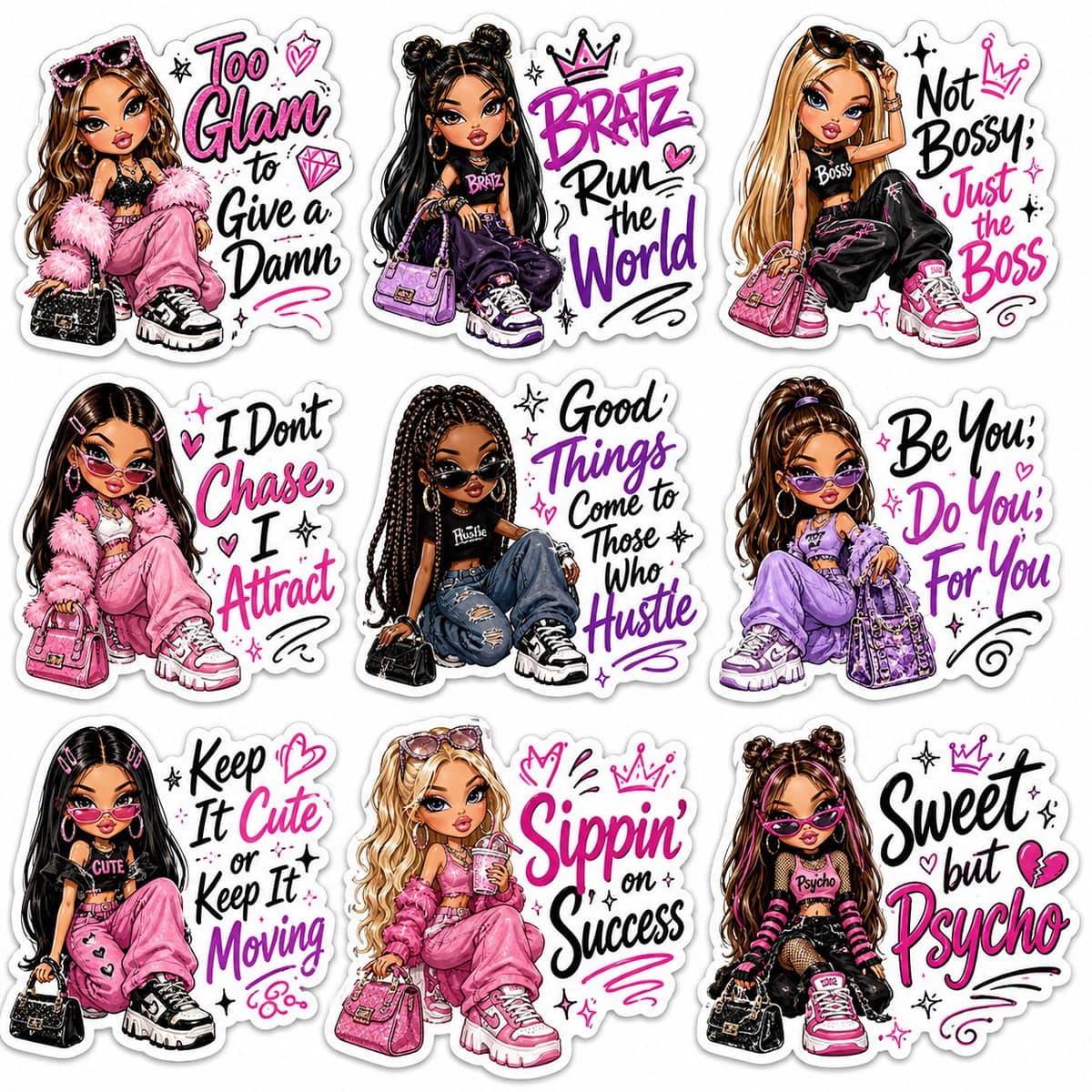
A premium sticker sheet featuring 9 Bratz-inspired fashion dolls in a glamorous Y2K aesthetic. Each character has oversized expressive eyes, glossy pouty lips, flawless makeup, long lashes, stylish hairstyles, trendy streetwear, handbags, sunglasses, chunky sneakers, and confident poses. Every sticker has a thick white die-cut border and includes bold hand-lettered motivational quotes in black, pink, and purple typography with doodle hearts, stars, sparkles, crowns, and swirls. Quotes: "Too Glam to Give a Damn", "Bratz Run the World", "Not Bossy, Just the Boss", "I Don't Chase, I Attract", "Good Things Come to Those Who Hustle", "Be You, Do You, For You", "Keep It Cute or Keep It Moving", "Sippin' on Success", "Sweet but Psycho". Vibrant colors, glossy vinyl sticker style, kawaii fashion illustration, ultra-detailed, high resolution, clean white background, print-ready, 4K.

Reference to result

Three steps forward, without starting from a blank canvas.

  1. 01

    Pick a reference

    Choose the frame closest to your goal in composition, color, and purpose.

  2. 02

    Adjust the details

    Change the subject, copy, style, and image ratio in the generator.

  3. 03

    Generate the image

    Keep the prefilled reference, generate, then refine from the result.

Nothing quite fits?

Start with a blank prompt and define the subject, composition, typography, and aspect ratio yourself.

Create from scratch
Working notes

Get closer to a finished image on the first pass.

01

About Girls prompts

Girls prompts help organize visual ideas around a specific style, subject, medium, or photography use case. Published examples may change as the collection grows.

02

How to write a stronger Girls prompt

Name the main subject first, then define composition, environment, lighting, palette, materials, camera or rendering technique, aspect ratio, and the intended output.

03

How to refine the generated result

Remove conflicting style instructions, keep one clear visual direction, and review anatomy, text, logos, perspective, and important category-specific details before publishing.

Common questions

A few things to know before you begin.

What are Girls AI image prompts?

They are reusable visual briefs grouped under the Girls category. Each brief can be adapted to a different subject, reference image, composition, or output size.

How are Girls examples selected for this collection?

Published prompts are assigned to this collection when their subject, style, or intended use matches the Girls category.

Can I customize these Girls prompts?

Yes. Replace the subject and context, then adjust the lighting, palette, materials, lens or rendering method, aspect ratio, and detail level for your project.