Image Filters prompt library

Image Filters AI Image Prompts

Browse image filters examples and reusable AI image prompts for composition, lighting, color, materials, and style.

Browse a focused image filters category based on the PromptPlum taxonomy. Use the references as starting points, then rewrite each prompt for your own subject, format, and visual goal.
Visual reference set
image filters
Library size
2 public prompts
Visual reference set02 / REF
Image Filters AI Image Prompts reference 101
Image Filters AI Image Prompts reference 202
VEYVIA / IMAGE-FILTERSCURATED
Prompt library

Choose the closest frame to begin.

Open any reference to inspect the full prompt, or take its image and aspect ratio straight into the generator.

2 public prompts
Image Filters AI Image Prompts prompt 101
image filtersimage-filtersautomotive

Don’t change your face! Don’t change your facial features! Don’t change the proportions of your body, your eyes are brown-green! Her black hair was pulled back in a low bun with an even parting and with individual strands near her face Size 9:16 vogue style Make-up with an emphasis on the eyes, cat arrows on the upper eyelid, nude matte lipstick dusty rose outlined with a lip pencil a shade darker than lipstick wet highlighter. A film filter. The grain size of the film. A small nebula. A little noise in the photo. portrait of beautiful women visible eye capillaries, natural skin texture with pores and micro-imperfections, shot on, Fujifilm GFX 100, 100mm lens, depth of field, subsurface scattering, soft morning light, Tyndall effect, hyper-detailed iris, unedited RAW photo 8k resolution Portrait of a stylish woman driving a car, mid-shot through the windshield, a woman in a black sleeveless turtleneck and thin rectangular sunglasses, slightly lowering her glasses with her fingers with neatly painted nails, looking in a semi-profile in the rearview mirror with large gold hoop earrings and thin rings on her fingers, a confident tense expression and gaze at the camera; the interior of the car is blurred, the steering wheel in the foreground is slightly blurred, light glare and reflections on the glass create a smoky atmosphere, soft diffused light with a faint contour rim along the contour of the face; the mood is cinematic, cold-warm palette with muted tones, vignetting, film grain, high contrast, fashion-edited style, realistic skin texture; camera: full-frame lens 50 mm, f/1.8, shallow depth of field, shutter speed ~1/125, ISO ~800, bokeh, eye focus, light soft focus and retro processing in the style of Kodak Portra.

Image Filters AI Image Prompts prompt 202
image filtersai image promptsprompt library

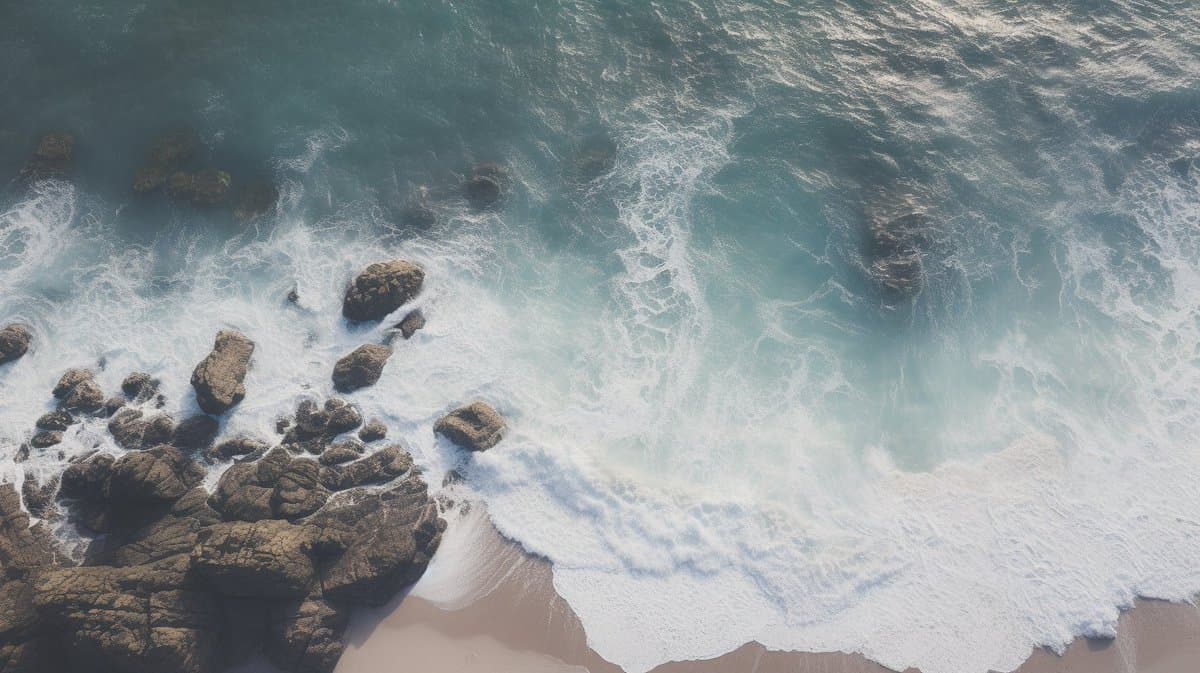
an aerial shot of a rocky beach with waves crashing over rocks, in the style of minimalist, creative commons attribution, multiple filter effect, marble --ar 16:9 --style BpJsIOYiA8sAkGbsnKfMBNNdOZHTUNy9uTmULkX-qUFOTLR7h-qUFOTLR7h

Reference to result

Three steps forward, without starting from a blank canvas.

  1. 01

    Pick a reference

    Choose the frame closest to your goal in composition, color, and purpose.

  2. 02

    Adjust the details

    Change the subject, copy, style, and image ratio in the generator.

  3. 03

    Generate the image

    Keep the prefilled reference, generate, then refine from the result.

Nothing quite fits?

Start with a blank prompt and define the subject, composition, typography, and aspect ratio yourself.

Create from scratch
Working notes

Get closer to a finished image on the first pass.

01

About Image Filters prompts

Image Filters prompts help organize visual ideas around a specific style, subject, medium, or photography use case. Published examples may change as the collection grows.

02

How to write a stronger Image Filters prompt

Name the main subject first, then define composition, environment, lighting, palette, materials, camera or rendering technique, aspect ratio, and the intended output.

03

How to refine the generated result

Remove conflicting style instructions, keep one clear visual direction, and review anatomy, text, logos, perspective, and important category-specific details before publishing.

Common questions

A few things to know before you begin.

What are Image Filters AI image prompts?

They are reusable visual briefs grouped under the Image Filters category. Each brief can be adapted to a different subject, reference image, composition, or output size.

How are Image Filters examples selected for this collection?

Published prompts are assigned to this collection when their subject, style, or intended use matches the Image Filters category.

Can I customize these Image Filters prompts?

Yes. Replace the subject and context, then adjust the lighting, palette, materials, lens or rendering method, aspect ratio, and detail level for your project.