Macro / Close-up prompt library

Macro / Close-up AI Image Prompts

Browse macro / close-up examples and reusable AI image prompts for composition, lighting, color, materials, and style.

Browse a focused macro / close-up category based on the PromptPlum taxonomy. Use the references as starting points, then rewrite each prompt for your own subject, format, and visual goal.

Visual reference set
macro close up
Library size
7 public prompts
Visual reference set04 / REF
Macro / Close-up AI Image Prompts reference 101
Macro / Close-up AI Image Prompts reference 202
Macro / Close-up AI Image Prompts reference 303
Macro / Close-up AI Image Prompts reference 404
VEYVIA / MACRO-CLOSE-UPCURATED
Prompt library

Choose the closest frame to begin.

Open any reference to inspect the full prompt, or take its image and aspect ratio straight into the generator.

7 public prompts
Macro / Close-up AI Image Prompts prompt 101
media & entertainmentmedia-entertainmentmovies

Prompt Studio: Cinema Ticket with Nano Banana Pro in Firefly Boards Epic 3D macro scene: a torn cinema ticket filling the entire frame, shot from a low dramatic angle just centimeters above the surface. The ticket occupies 80% of the composition, every fiber of aged paper visible, every ink groove tactile. [FILM TITLE] erupts upward from the printed text in massive scale relative to the stub. [KEY SCENE] frozen at its most cinematic moment dominates the upper half of the frame. [CHARACTER] towering mid-action, their silhouette breaking above the ticket's top edge into the cinema darkness. [LOCATION FROM FILM] sprawls across the full width of the stub's surface in extraordinary miniature relief, each building and landmark rendered in obsessive detail, close enough to read street signs. The seat number is carved deep into the paper, visible in the ghost-cinema behind, one amber light among dark rows, bokeh-soft but unmistakable. The date stamp radiates weather directly, moisture in the air, cold breath, summer haze rising off the surface. The perforated tear edge, now monumental, becomes a cliff face / shoreline / fault line running the full right side of frame. The barcode looms large, each bar a skyscraper in silhouette. The projector beam enters hard from upper left, raking across the ticket surface and sculpting every texture. Extreme macro tilt-shift, f/1.4 depth of field, front edge sharp / back edge dissolving into cinema black. 8K. The ticket is not a world in miniature, it IS the world, seen from inside it. Check ALTs for ideas 👇 @AdobeFirefly

Macro / Close-up AI Image Prompts prompt 202
linkedin profile pictureai image promptsprompt library

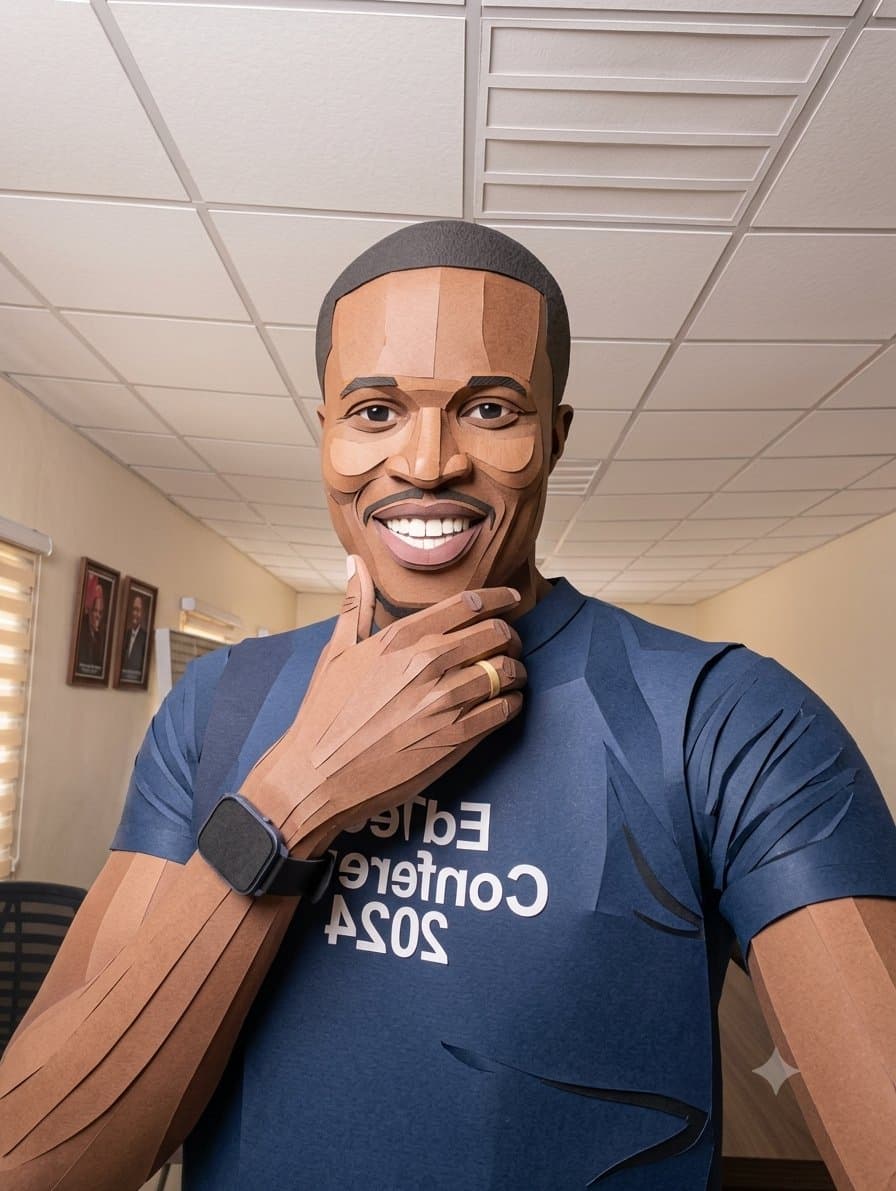
Recreate this image as a LinkedIn profile picture, dressed in a black suit, with a close-up shot. I saw the prompt on Twitter, though.

Macro / Close-up AI Image Prompts prompt 303
twitterbranding-advertisingcommercial-photography

Prompt: High-impact e-commerce infographic for "Apple Pods Pro 3" wireless earbuds. Foreground: An extreme close-up of a hand holding an open, glossy white wireless earbud charging case toward the camera. Inside the case are two sleek white earbuds with black speaker accents. A tiny, glowing green LED status light is visible on the front of the case. The hand and case have a slight macro-lens blur to create a sense of depth. Central Subject: In the mid-ground, a smiling young woman with freckles and wavy pastel-pink hair. She is wearing a vibrant lime-green knit beanie and a psychedelic, black and white-striped long-sleeve shirt. One white earbud is tucked into her ear. Background & Lighting: A clean, soft-focus studio backdrop with a light-gray gradient. The scene is accented by diagonal rainbow prism lens flares and soft light leaks. Several blurred white earbuds float artistically in the background. The lighting is soft and professional, highlighting the glossy plastic of the product. Typography & Layout (Sans-Serif, White): Top Center (Background): Massive, bold text reading "AIRPODS" (positioned behind the model). Top Right: Bold text reading "Apple Pods Pro 3". Mid-Left: "Premium sound and noise cancellation" Mid-Right: Large, bold "30" with the text "hours of battery life." Bottom-Right: Large, bold "1" with the text "year warranty." Style: 8k resolution, commercial product photography, vibrant color palette, sharp focus on the product case, shallow depth of field, clean advertising aesthetic.

Macro / Close-up AI Image Prompts prompt 404
twittermacro-close-upcgi-art

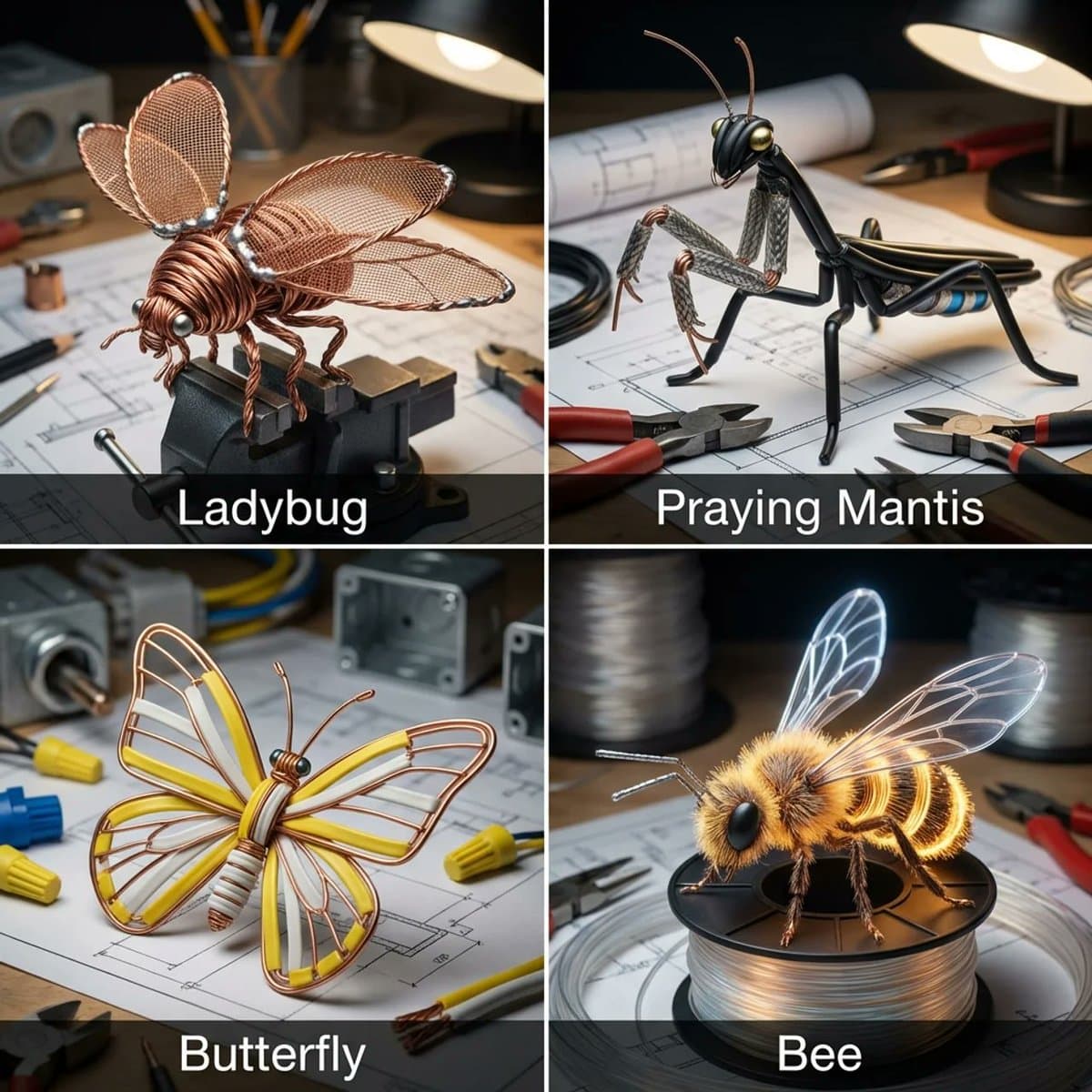
I asked Nano Banana to give insects a copper wire makeover Prompt: Input = Garden Insect (e.g., Ladybug, Praying Mantis, Butterfly, Bee)Act as an electrician. For every insect, identify a wire type (e.g., Stranded Copper, Coaxial, Romex, Fiber Optic).Function Draw ($Insect, $ Wire) Anchor: [$Insect] :: [$Wire Type]::4Morphology: Conductive biology, [$Insect] constructed entirely from twisted wire, wings formed from fine mesh screens or fiber optic strands, joints soldered together, metallic shine::3Material Physics: Physical properties of Wire (rigid strands, metallic reflection, color coding of insulation) applied to exoskeletons, industrial sharpness::3Illumination: Workbench lighting, vise grips holding the bug, blueprints in background::2Render Stack: Industrial macro photography, metallic reflections, sharp focus, 8k::1Negative: [Chitin, wings, fuzz, green, natural, organic]:: -1Output: 2x2 grid, for each panel execute Draw Function the insect plus the wire type. Name of the insect underneath.

Macro / Close-up AI Image Prompts prompt 505
twitterjewelry-accessoriespersonalized-gifts

You can make these cute little keychains too 🥹🌸 Try yours and make it yours ✨ Prompt ⤵️ Ultra-realistic close-up of a human hand holding a modern car key with a custom 3D keychain charm featuring a stylish young woman with short wavy black hair, soft makeup, brown eyes, wearing a black turtleneck and beige coat, gold earrings and necklace. The keychain has bold aesthetic typography reading “Noor 🌸” and “#Prompt Queen” in soft pink and white. Clean minimal dark textured background, shallow depth of field, cinematic lighting, sharp focus on hand and keychain, premium product photography style, highly detailed, 8K, realistic shadows, modern branding aesthetic

Macro / Close-up AI Image Prompts prompt 606
twitter3d-renderconcept-art

Pastry city concept. Fun experiment inspired by a food infographic I made a while back. do this for paris: kinetic baking automaton display concept: a mechanical wind-up diorama where the pastry city name assembles itself in perpetual motion through visible baking stages. input variables: [insert city name] [insert signature baked goods] [insert essential ingredients] [insert process steps] workflow: base setup: ornate brass-and-glass automaton on a wooden base with visible gears. core action/composition: tiny chef automata move [insert essential ingredients] through [insert process steps], gradually forming the rotating [insert city name] letters from [insert signature baked goods]. variants and details: pendulum ovens and conveyor belts delivering fresh pastries to complete each letter. narrative/interactive elements: endless cycle of creation turning raw ingredients into cultural icon. god-level details: warm tungsten lighting with motion blur on gears, polished metal and fresh pastry gloss, macro angled view, 8k hyper-realistic kinetic render with satisfying rhythm. </instructions>

Macro / Close-up AI Image Prompts prompt 707
twitter3d-illustrationcharacter-design

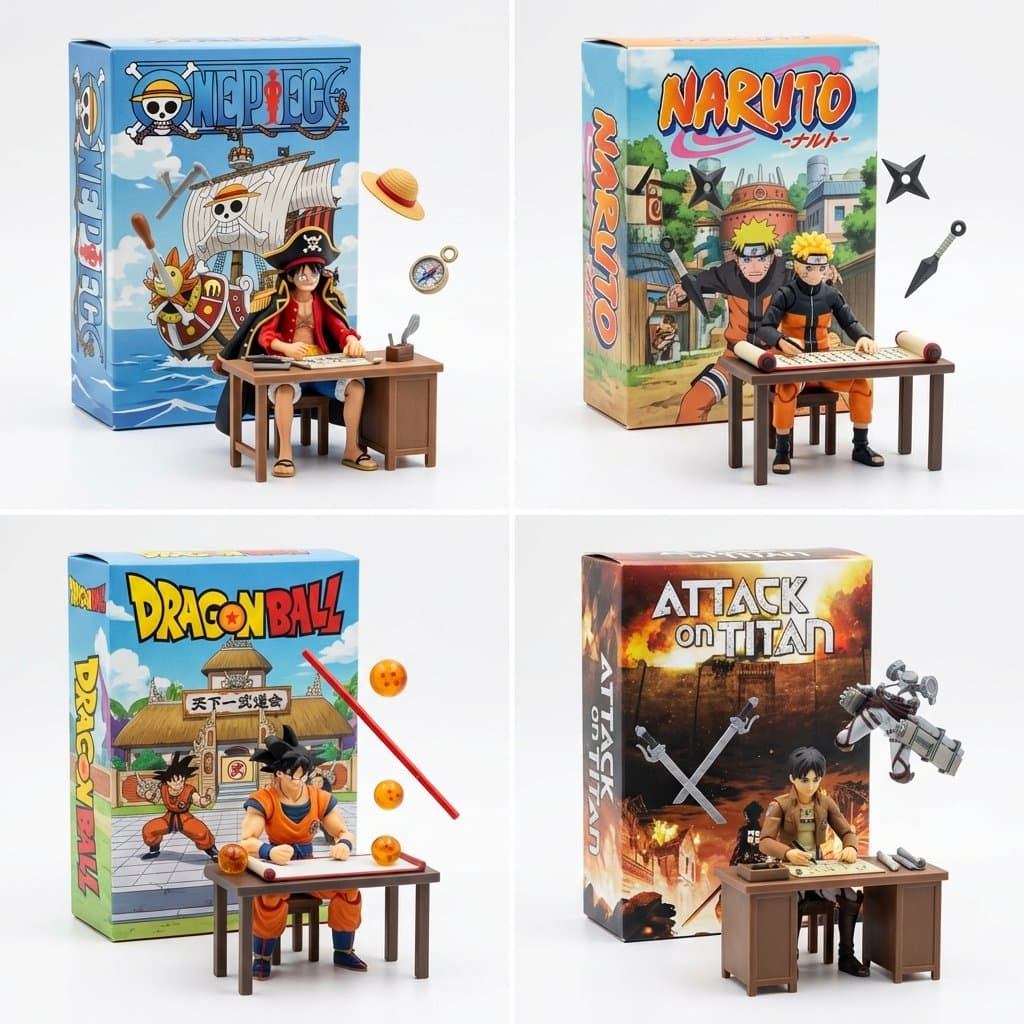
Still working on fun ways to visualize manga and anime. This works pretty well 2x2 grid, do this for famous manga <spatial_topology> [ seamless studio backdrop (pure white) ] [ product box (upright) ] ( 2d graphic art of [the_creation] ) ( bold typography: "ai inferred title" ) \ | / \ [box] / <-- floating [tools] crossing the \ [lid] / boundary of the box into reality \ / [ foreground: 3d action figure of [profession] ] ( sitting at [workstation], intensely focused ) ( suspended [tools] frozen in mid-air around them ) </spatial_topology> instruction: render macro toy photography. create a sharp material contrast: the background box is flat printed cardboard. the foreground figure and floating tools are tangible injection-molded plastic.

Reference to result

Three steps forward, without starting from a blank canvas.

  1. 01

    Pick a reference

    Choose the frame closest to your goal in composition, color, and purpose.

  2. 02

    Adjust the details

    Change the subject, copy, style, and image ratio in the generator.

  3. 03

    Generate the image

    Keep the prefilled reference, generate, then refine from the result.

Nothing quite fits?

Start with a blank prompt and define the subject, composition, typography, and aspect ratio yourself.

Create from scratch
Working notes

Get closer to a finished image on the first pass.

01

About Macro / Close-up prompts

Macro / Close-up prompts help organize visual ideas around a specific style, subject, medium, or photography use case. Published examples may change as the collection grows.

02

How to write a stronger Macro / Close-up prompt

Name the main subject first, then define composition, environment, lighting, palette, materials, camera or rendering technique, aspect ratio, and the intended output.

03

How to refine the generated result

Remove conflicting style instructions, keep one clear visual direction, and review anatomy, text, logos, perspective, and important category-specific details before publishing.

Common questions

A few things to know before you begin.

What are Macro / Close-up AI image prompts?

They are reusable visual briefs grouped under the Macro / Close-up category. Each brief can be adapted to a different subject, reference image, composition, or output size.

How are Macro / Close-up examples selected for this collection?

Published prompts are assigned to this collection when their subject, style, or intended use matches the Macro / Close-up category.

Can I customize these Macro / Close-up prompts?

Yes. Replace the subject and context, then adjust the lighting, palette, materials, lens or rendering method, aspect ratio, and detail level for your project.