Music & Entertainment prompt library

Music & Entertainment AI Image Prompts

Browse music & entertainment examples and reusable AI image prompts for composition, lighting, color, materials, and style.

Browse a focused music & entertainment category based on the PromptPlum taxonomy. Use the references as starting points, then rewrite each prompt for your own subject, format, and visual goal.
Visual reference set
music entertainment
Library size
2 public prompts
Visual reference set02 / REF
Music & Entertainment AI Image Prompts reference 101
Music & Entertainment AI Image Prompts reference 202
VEYVIA / MUSIC-ENTERTAINMENTCURATED
Prompt library

Choose the closest frame to begin.

Open any reference to inspect the full prompt, or take its image and aspect ratio straight into the generator.

2 public prompts
Music & Entertainment AI Image Prompts prompt 101
music-entertainmentcinematic-photographyposter-cover

Cinematic photorealistic album cover featuring an adult woman standing before a misty winter cityscape at dawn. Her hair moves subtly in the cold wind and her eyes convey quiet, introspective emotion. Soft fog drifts through a blurred background with faint distant lights. Use naturalistic dramatic light, realistic skin, hair and fabric, shallow depth of field, minimalist centered framing, contemporary pop-album aesthetics, and a muted blue-gray dawn palette. Square 1:1 composition with space for optional original title typography.

Music & Entertainment AI Image Prompts prompt 202
music & entertainmentai image promptsprompt library

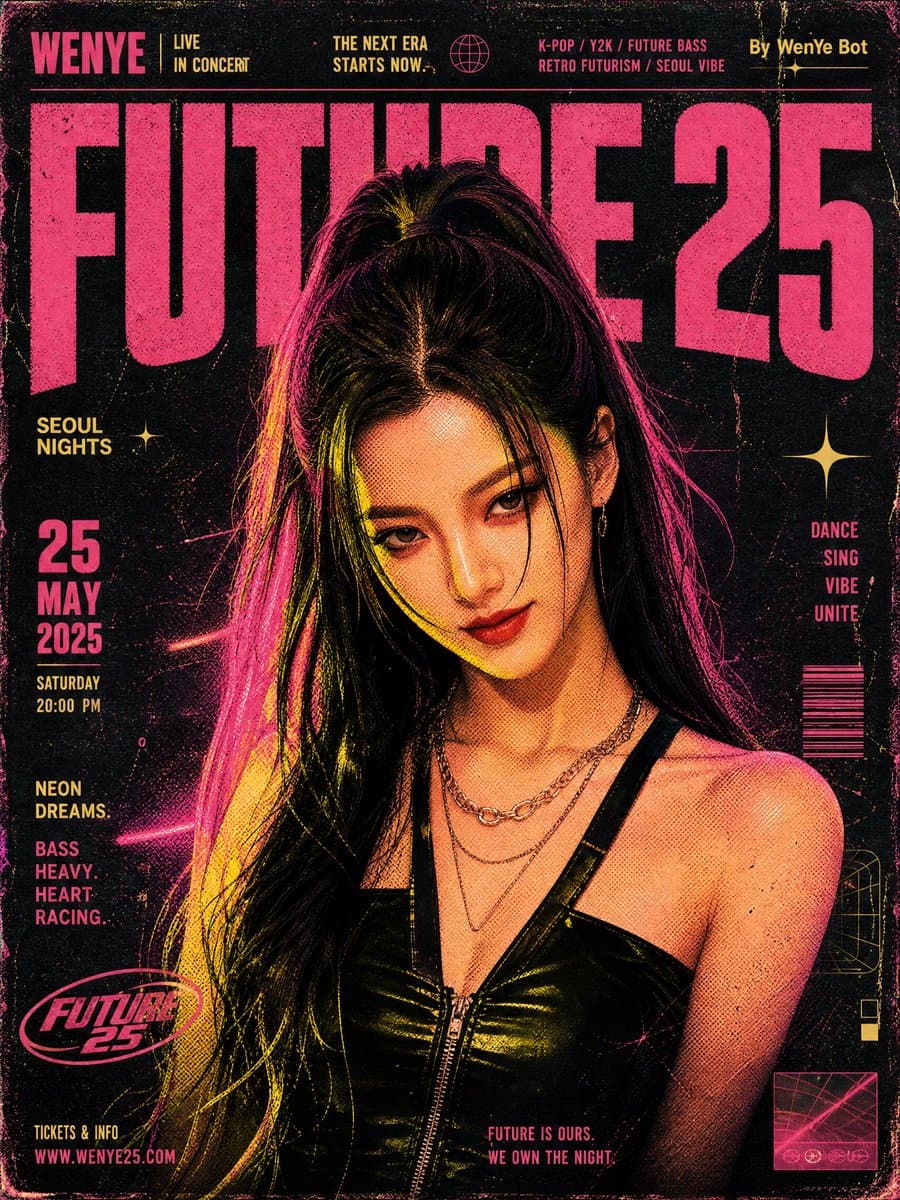
Retro music poster design, K-pop group performance poster, screen printing texture, halftone patterns, mottled colors, hierarchical distribution of dots, lines, and planes. Retro-futuristic music event poster illustration: a Y2K Korean-style beauty (referencing only the facial features from image1), sweet and cool baddie, bathed in neon pink and yellow lighting, smiling at the camera, set against a dark, rough distressed texture background. Large bold pink text reads "FUTURE 25." The top includes artist names, descriptive text, and "By WenYe Bot." The color palette blends vibrant pink, yellow, and deep black, capturing a high-energy retro rave atmosphere with futuristic neon accents.

Reference to result

Three steps forward, without starting from a blank canvas.

  1. 01

    Pick a reference

    Choose the frame closest to your goal in composition, color, and purpose.

  2. 02

    Adjust the details

    Change the subject, copy, style, and image ratio in the generator.

  3. 03

    Generate the image

    Keep the prefilled reference, generate, then refine from the result.

Nothing quite fits?

Start with a blank prompt and define the subject, composition, typography, and aspect ratio yourself.

Create from scratch
Working notes

Get closer to a finished image on the first pass.

01

About Music & Entertainment prompts

Music & Entertainment prompts help organize visual ideas around a specific style, subject, medium, or photography use case. Published examples may change as the collection grows.

02

How to write a stronger Music & Entertainment prompt

Name the main subject first, then define composition, environment, lighting, palette, materials, camera or rendering technique, aspect ratio, and the intended output.

03

How to refine the generated result

Remove conflicting style instructions, keep one clear visual direction, and review anatomy, text, logos, perspective, and important category-specific details before publishing.

Common questions

A few things to know before you begin.

What are Music & Entertainment AI image prompts?

They are reusable visual briefs grouped under the Music & Entertainment category. Each brief can be adapted to a different subject, reference image, composition, or output size.

How are Music & Entertainment examples selected for this collection?

Published prompts are assigned to this collection when their subject, style, or intended use matches the Music & Entertainment category.

Can I customize these Music & Entertainment prompts?

Yes. Replace the subject and context, then adjust the lighting, palette, materials, lens or rendering method, aspect ratio, and detail level for your project.