Photo Enhancement prompt library

Photo Enhancement AI Image Prompts

Browse photo enhancement examples and reusable AI image prompts for composition, lighting, color, materials, and style.

Browse a focused photo enhancement category based on the PromptPlum taxonomy. Use the references as starting points, then rewrite each prompt for your own subject, format, and visual goal.

Visual reference set
photo enhancement
Library size
3 public prompts
Visual reference set04 / REF
Photo Enhancement AI Image Prompts reference 101
Photo Enhancement AI Image Prompts reference 202
Photo Enhancement AI Image Prompts reference 303
Photo Enhancement AI Image Prompts reference 404
VEYVIA / PHOTO-ENHANCEMENTCURATED
Prompt library

Choose the closest frame to begin.

Open any reference to inspect the full prompt, or take its image and aspect ratio straight into the generator.

3 public prompts
Photo Enhancement AI Image Prompts prompt 101
ai retouchingai-retouchingold-photo-restoration

๐ŸŽจ Prompt Gemini : Restoration photography โš™๏ธ This photo is Fictional- Generated by Gemini Restore this old black-and-white family photo with high realism and respect for the original image. Sharpen the photo, reduce noise and grain, remove minor damage, stains and blur, and improve overall clarity while preserving natural facial features, expressions, clothing details and the original composition. Colorize the image accurately and tastefully in a way that fits the historical period, likely late 1970s to early 1980s. Use realistic, slightly muted vintage tones typical of that era, with natural skin tones, believable hair colors, and period-appropriate colors for clothing and background. Keep the result authentic, subtle and historically plausible โ€” not overly saturated, not too modern-looking, and not artificially beautified. Maintain the original proportions, group arrangement and photographic feel of a vintage family portrait. Final result should look like a professionally restored archival photo: clean, sharp, denoised and naturally colorized. #aiart #digitalart #ai #gemini #photography #photographyrestoration #PhotoRestoration #OldPhotoRestoration #PhotoColorization #VintagePhotography #RestoredPhoto #FamilyHistory #HistoricalPhotos #BeforeAndAfter #PhotoEnhancement #MemoriesRestored

Photo Enhancement AI Image Prompts prompt 202
photo-enhancementphoto enhancementai image prompts

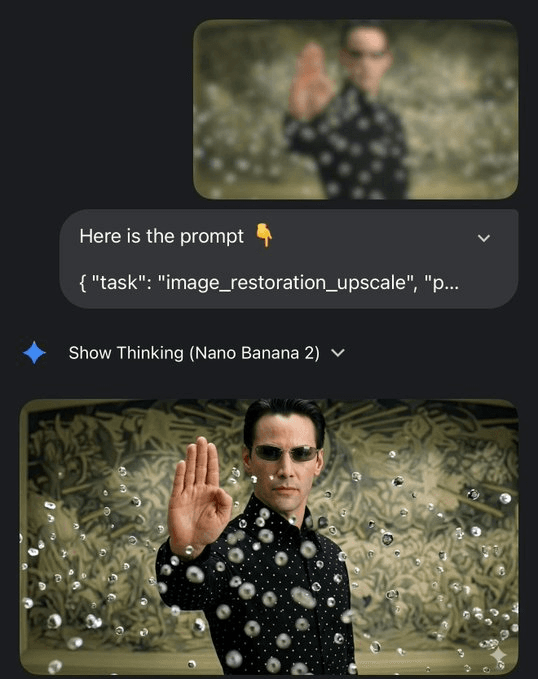
Restore and enhance the provided image while preserving the original identity, facial structure, proportions, and composition. Produce a high-fidelity natural photographic result with realistic skin texture, accurate fine details, balanced cinematic lighting, subtle depth, professional color grading, and sharp but believable focus. Remove blur, noise, compression artifacts, and damage without changing the subject or visual style. Avoid creative reinterpretation, face reshaping, plastic skin, excessive sharpening, washed-out color, anatomy errors, or painterly effects. Output at clean 4K quality.

Photo Enhancement AI Image Prompts prompt 303
twitterai-photo-editingai-retouching

I still find this very impressive Nano Banana Pro Prompt ๐ŸŒ 'Restore this damaged discoloured photo' 'And do not change any details' Exploring @GeminiApp

Reference to result

Three steps forward, without starting from a blank canvas.

  1. 01

    Pick a reference

    Choose the frame closest to your goal in composition, color, and purpose.

  2. 02

    Adjust the details

    Change the subject, copy, style, and image ratio in the generator.

  3. 03

    Generate the image

    Keep the prefilled reference, generate, then refine from the result.

Nothing quite fits?

Start with a blank prompt and define the subject, composition, typography, and aspect ratio yourself.

Create from scratch
Working notes

Get closer to a finished image on the first pass.

01

About Photo Enhancement prompts

Photo Enhancement prompts help organize visual ideas around a specific style, subject, medium, or photography use case. Published examples may change as the collection grows.

02

How to write a stronger Photo Enhancement prompt

Name the main subject first, then define composition, environment, lighting, palette, materials, camera or rendering technique, aspect ratio, and the intended output.

03

How to refine the generated result

Remove conflicting style instructions, keep one clear visual direction, and review anatomy, text, logos, perspective, and important category-specific details before publishing.

Common questions

A few things to know before you begin.

What are Photo Enhancement AI image prompts?

They are reusable visual briefs grouped under the Photo Enhancement category. Each brief can be adapted to a different subject, reference image, composition, or output size.

How are Photo Enhancement examples selected for this collection?

Published prompts are assigned to this collection when their subject, style, or intended use matches the Photo Enhancement category.

Can I customize these Photo Enhancement prompts?

Yes. Replace the subject and context, then adjust the lighting, palette, materials, lens or rendering method, aspect ratio, and detail level for your project.