Photorealism prompt library

Photorealism AI Image Prompts

Browse photorealism examples and reusable AI image prompts for composition, lighting, color, materials, and style.

Browse a focused photorealism category based on the PromptPlum taxonomy. Use the references as starting points, then rewrite each prompt for your own subject, format, and visual goal.
Visual reference set
photorealism
Library size
2 public prompts
Visual reference set02 / REF
Photorealism AI Image Prompts reference 101
Photorealism AI Image Prompts reference 202
VEYVIA / PHOTOREALISMCURATED
Prompt library

Choose the closest frame to begin.

Open any reference to inspect the full prompt, or take its image and aspect ratio straight into the generator.

2 public prompts
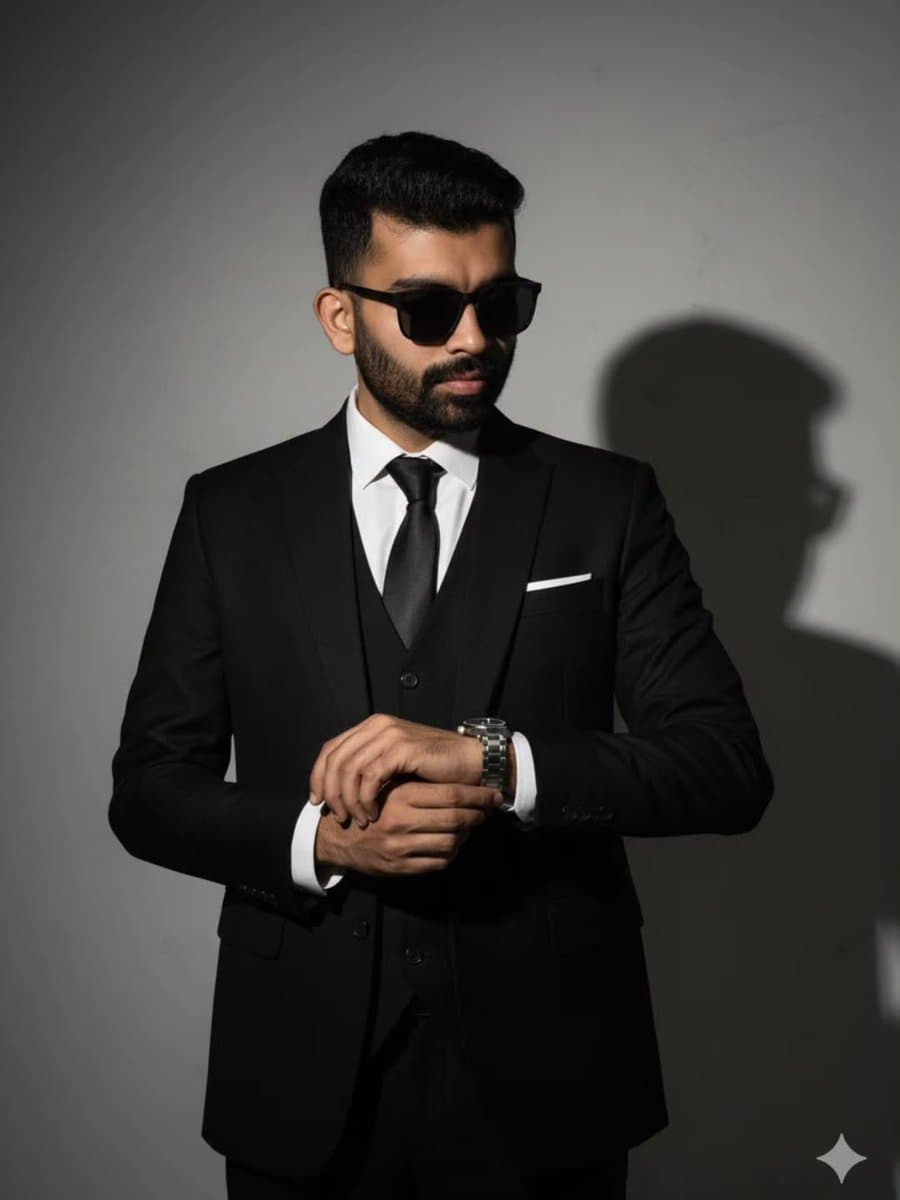
Photorealism AI Image Prompts prompt 101
photorealismai image promptsprompt library

Create an ultra-photorealistic 8K portrait of a well-groomed adult man with dark hair and a full beard, wearing a perfectly tailored black three-piece suit, white dress shirt, black silk tie, white pocket square, and matte black sunglasses. Pose him adjusting a luxury wristwatch with both hands. Use low-key studio lighting from camera right to create dramatic Rembrandt shadows and a crisp cast shadow on a neutral wall. Preserve realistic skin, beard, fabric, metal, and lens reflections with cinematic contrast, sharp editorial focus, and a premium luxury-fashion campaign finish.

Photorealism AI Image Prompts prompt 202
twitterstreet-photographyurban-lifestyle

Gemini Nano Banana pro 🍌 Prompt: A full body, three-quarter view of the young woman from the reference image, maintaining her exact facial features and identity, with her dark hair styled in a modern messy cut with soft bangs. She is walking gracefully with a serene and happy smile, wearing a light, flowing summer sundress. The scene is set in an urban environment where the background consists of weathered brick walls covered in sophisticated Banksy-style stencil graffiti and monochrome urban art. Warm, natural sunlight filters through the alleyway, casting soft, peaceful shadows. The overall aesthetic combines a highly detailed photographic portrait with the gritty, high-contrast texture of street art, capturing a moment of quiet joy.

Reference to result

Three steps forward, without starting from a blank canvas.

  1. 01

    Pick a reference

    Choose the frame closest to your goal in composition, color, and purpose.

  2. 02

    Adjust the details

    Change the subject, copy, style, and image ratio in the generator.

  3. 03

    Generate the image

    Keep the prefilled reference, generate, then refine from the result.

Nothing quite fits?

Start with a blank prompt and define the subject, composition, typography, and aspect ratio yourself.

Create from scratch
Working notes

Get closer to a finished image on the first pass.

01

About Photorealism prompts

Photorealism prompts help organize visual ideas around a specific style, subject, medium, or photography use case. Published examples may change as the collection grows.

02

How to write a stronger Photorealism prompt

Name the main subject first, then define composition, environment, lighting, palette, materials, camera or rendering technique, aspect ratio, and the intended output.

03

How to refine the generated result

Remove conflicting style instructions, keep one clear visual direction, and review anatomy, text, logos, perspective, and important category-specific details before publishing.

Common questions

A few things to know before you begin.

What are Photorealism AI image prompts?

They are reusable visual briefs grouped under the Photorealism category. Each brief can be adapted to a different subject, reference image, composition, or output size.

How are Photorealism examples selected for this collection?

Published prompts are assigned to this collection when their subject, style, or intended use matches the Photorealism category.

Can I customize these Photorealism prompts?

Yes. Replace the subject and context, then adjust the lighting, palette, materials, lens or rendering method, aspect ratio, and detail level for your project.

Photorealism AI Image Prompts | Veyvia