Romance & Relationships prompt library

Romance & Relationships AI Image Prompts

Browse romance & relationships examples and reusable AI image prompts for composition, lighting, color, materials, and style.

Browse a focused romance & relationships category based on the PromptPlum taxonomy. Use the references as starting points, then rewrite each prompt for your own subject, format, and visual goal.
Visual reference set
romance relationship
Library size
2 public prompts
Visual reference set02 / REF
Romance & Relationships AI Image Prompts reference 101
Romance & Relationships AI Image Prompts reference 202
VEYVIA / ROMANCE-RELATIONSHIPCURATED
Prompt library

Choose the closest frame to begin.

Open any reference to inspect the full prompt, or take its image and aspect ratio straight into the generator.

2 public prompts
Romance & Relationships AI Image Prompts prompt 101
romance-relationshipromance & relationshipsai image prompts

Trend 475 Hugging couple prompt ♥️ 1️⃣ Open gemini 2️⃣ Upload your couple image with clear faces 3️⃣ Paste the prompt from below "Create a Romantic couple(match faces from the reference image) hugging intimately in cozy kitchen, woman in oversized white shirt sitting on counter gently holding man's head against her chest, man closing eyes with peaceful expression, warm morning sunlight entering room, soft golden lighting, homey background with plants and kitchen items, emotional and comforting mood, high quality realistic photo"

Romance & Relationships AI Image Prompts prompt 202
romance & relationshipsai image promptsprompt library

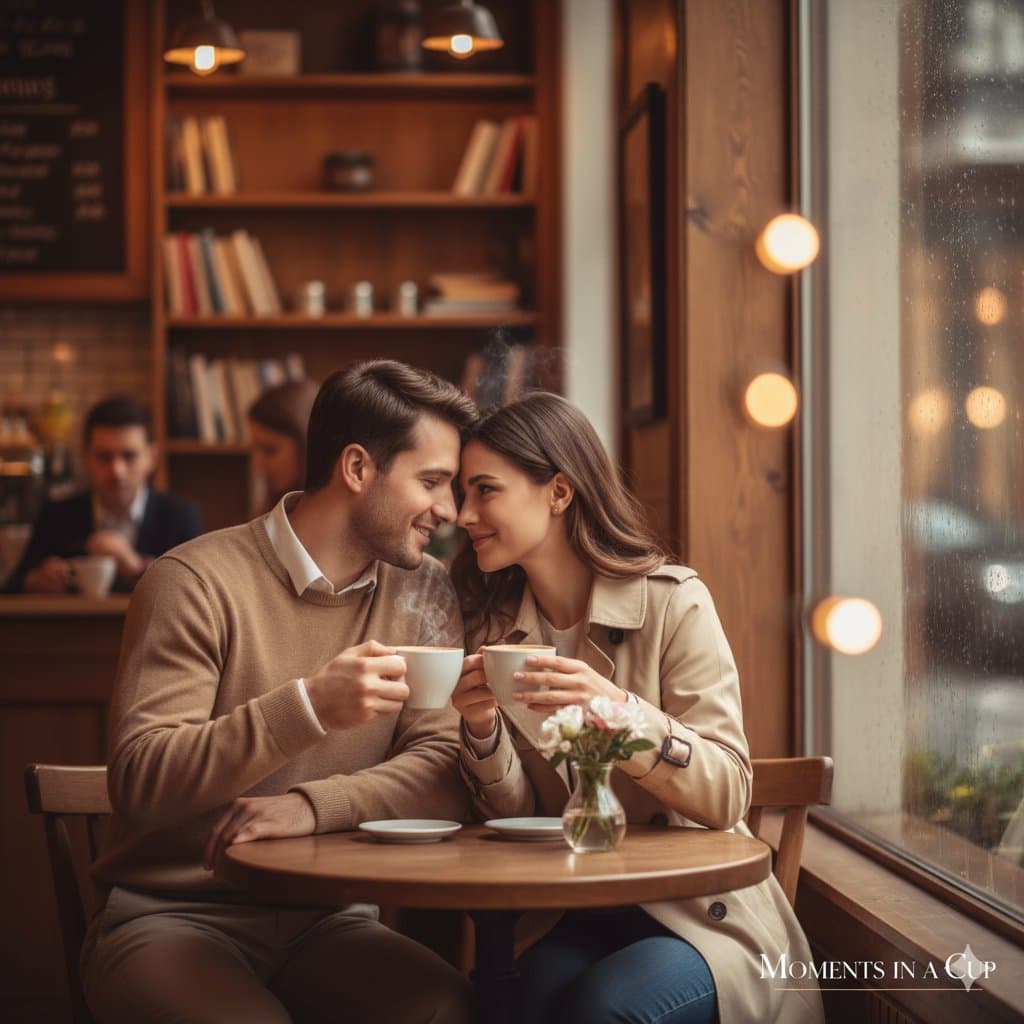
Hunyuan image 3.0 digital image .. Prompt 👇 { "Objective": "Create a romantic lifestyle image of a woman and man sitting together in a cozy cafe, enjoying coffee and intimate conversation, reflecting connection and warmth.", "Scene_Details": { "Main_Subjects": { "Gender": ["Female", "Male"], "Pose": "Seated close at a small round cafe table, leaning slightly toward each other, holding coffee cups with gentle smiles", "Expression": "Soft, joyful, and affectionate — showing natural chemistry", "Outfits": "Man in smart casual attire – light brown sweater over white shirt; woman in a beige trench coat with minimal accessories" }, "Background": { "Description": "Charming indoor cafe with warm ambient lighting, wooden interiors, and blurred background activity", "Elements": "Steam from coffee cups, small flower vase on table, warm reflections on window glass, subtle rain outside for cozy mood" }, "Lighting_and_Color": { "Lighting": "Soft golden indoor light mixed with natural window light, creating gentle highlights on faces", "Color_Tone": "Warm tones with muted browns, creams, and amber for an intimate, cinematic atmosphere" } }, "Artistic_Style": { "Genre": "Lifestyle / Romantic Editorial Photography", "Composition": "Eye-level framing, slightly off-center for realism, shallow depth of field focusing on the couple", "Texture": "Soft and smooth with creamy bokeh and light reflections enhancing cafe ambience" }, "Branding_Details": { "Ad_Text": "Moments in a Cup", "Logo_Placement": "Bottom right corner, minimal and elegant logo style", "Typography_Style": "Modern serif font with gentle letter spacing to evoke warmth and sophistication" }, "Camera_and_Technical_Notes": { "Focus": "Sharp on couple’s faces and hands around coffee cups, softly blurred background patrons and lights", "Depth_of_Field": "Shallow for dreamy, romantic effect", "Shot_Type": "Landscape orientation, medium-wide shot capturing table, couple, and part of cafe interior" }, "Mood_and_Emotion": "Cozy, romantic, and intimate — a timeless scene of love and quiet happiness shared over coffee", "Intended_Use": "Luxury lifestyle brand, cafe advertisement, or romantic editorial visual reference" } Give a image

Reference to result

Three steps forward, without starting from a blank canvas.

  1. 01

    Pick a reference

    Choose the frame closest to your goal in composition, color, and purpose.

  2. 02

    Adjust the details

    Change the subject, copy, style, and image ratio in the generator.

  3. 03

    Generate the image

    Keep the prefilled reference, generate, then refine from the result.

Nothing quite fits?

Start with a blank prompt and define the subject, composition, typography, and aspect ratio yourself.

Create from scratch
Working notes

Get closer to a finished image on the first pass.

01

About Romance & Relationships prompts

Romance & Relationships prompts help organize visual ideas around a specific style, subject, medium, or photography use case. Published examples may change as the collection grows.

02

How to write a stronger Romance & Relationships prompt

Name the main subject first, then define composition, environment, lighting, palette, materials, camera or rendering technique, aspect ratio, and the intended output.

03

How to refine the generated result

Remove conflicting style instructions, keep one clear visual direction, and review anatomy, text, logos, perspective, and important category-specific details before publishing.

Common questions

A few things to know before you begin.

What are Romance & Relationships AI image prompts?

They are reusable visual briefs grouped under the Romance & Relationships category. Each brief can be adapted to a different subject, reference image, composition, or output size.

How are Romance & Relationships examples selected for this collection?

Published prompts are assigned to this collection when their subject, style, or intended use matches the Romance & Relationships category.

Can I customize these Romance & Relationships prompts?

Yes. Replace the subject and context, then adjust the lighting, palette, materials, lens or rendering method, aspect ratio, and detail level for your project.