Synthwave prompt library

Synthwave AI Image Prompts

Browse synthwave examples and reusable AI image prompts for composition, lighting, color, materials, and style.

Browse a focused synthwave category based on the PromptPlum taxonomy. Use the references as starting points, then rewrite each prompt for your own subject, format, and visual goal.
Visual reference set
synthwave
Library size
2 public prompts
Visual reference set02 / REF
Synthwave AI Image Prompts reference 101
Synthwave AI Image Prompts reference 202
VEYVIA / SYNTHWAVECURATED
Prompt library

Choose the closest frame to begin.

Open any reference to inspect the full prompt, or take its image and aspect ratio straight into the generator.

2 public prompts
Synthwave AI Image Prompts prompt 101
synthwavecyberpunkneon-lighting-noir

If you're chasing that Blade Runner aesthetic, stop searching. I just tested Style Reference 1448668210 in Midjourney v6, and the results are absolute fire. It is a pure injection of Cyberpunk futurism mixed with Neo-noir grit. Think rain-soaked streets, blinding neon magenta, and deep cinematic shadows. It perfectly captures that "High-tech, Low-life" atmosphere. Why this style is a game-changer for creators: ⚡ Instant Sci-Fi World Building: Perfect for game concept art and environment design. ⚡ Cinematic Pop: Creates movie-poster quality visuals with built-in bloom effects and chromatic aberration. ⚡ Synthwave Vibes: Ideal for EDM album covers or tech branding that needs to stand out. You don't need complex lighting prompts; this sref handles the contrast and neon reflections automatically. Want to try this style on your own ideas? I've put the direct link to the full prompt and code in the comments below. Click through to grab it and start creating. #midjourney #AIart #Cyberpunk #DesignInspiration #sref

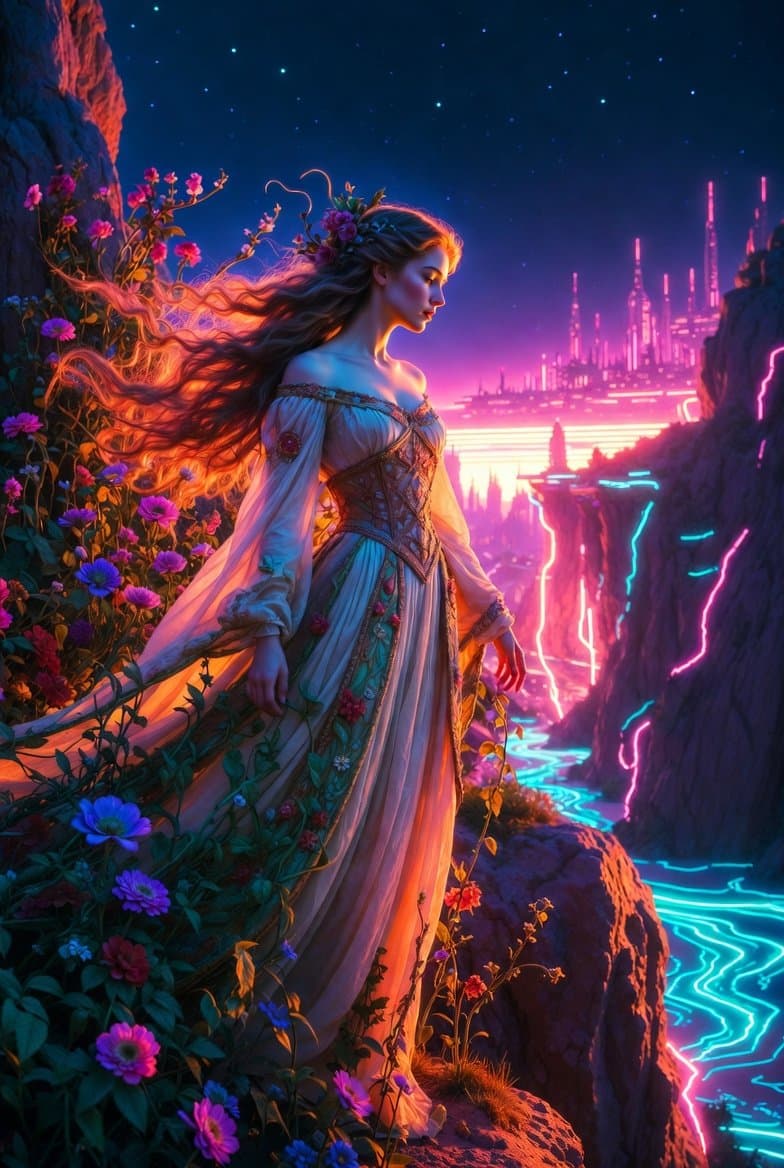
Synthwave AI Image Prompts prompt 202
ai image promptsprompt librarysynthwave

Create a striking mashup of Pre-Raphaelite and Synthwave styles showing a beautiful ethereal woman with long flowing hair in an ornate medieval gown standing on a cliff at night, dramatic romantic lighting mixed with intense neon pink and cyan glows from a retro-futuristic city in the distance, detailed botanical elements and symbolic flowers glowing with neon energy, rich jewel tones blended with electric synthwave colors, dreamy yet cinematic atmosphere

Reference to result

Three steps forward, without starting from a blank canvas.

  1. 01

    Pick a reference

    Choose the frame closest to your goal in composition, color, and purpose.

  2. 02

    Adjust the details

    Change the subject, copy, style, and image ratio in the generator.

  3. 03

    Generate the image

    Keep the prefilled reference, generate, then refine from the result.

Nothing quite fits?

Start with a blank prompt and define the subject, composition, typography, and aspect ratio yourself.

Create from scratch
Working notes

Get closer to a finished image on the first pass.

01

About Synthwave prompts

Synthwave prompts help organize visual ideas around a specific style, subject, medium, or photography use case. Published examples may change as the collection grows.

02

How to write a stronger Synthwave prompt

Name the main subject first, then define composition, environment, lighting, palette, materials, camera or rendering technique, aspect ratio, and the intended output.

03

How to refine the generated result

Remove conflicting style instructions, keep one clear visual direction, and review anatomy, text, logos, perspective, and important category-specific details before publishing.

Common questions

A few things to know before you begin.

What are Synthwave AI image prompts?

They are reusable visual briefs grouped under the Synthwave category. Each brief can be adapted to a different subject, reference image, composition, or output size.

How are Synthwave examples selected for this collection?

Published prompts are assigned to this collection when their subject, style, or intended use matches the Synthwave category.

Can I customize these Synthwave prompts?

Yes. Replace the subject and context, then adjust the lighting, palette, materials, lens or rendering method, aspect ratio, and detail level for your project.