Visual Arts prompt library

Visual Arts AI Image Prompts

Browse visual arts examples and reusable AI image prompts for composition, lighting, color, materials, and style.

Browse a focused visual arts category based on the PromptPlum taxonomy. Use the references as starting points, then rewrite each prompt for your own subject, format, and visual goal.
Visual reference set
visual arts
Library size
3 public prompts
Visual reference set04 / REF
Visual Arts AI Image Prompts reference 101
Visual Arts AI Image Prompts reference 202
Visual Arts AI Image Prompts reference 303
Visual Arts AI Image Prompts reference 404
VEYVIA / VISUAL-ARTSCURATED
Prompt library

Choose the closest frame to begin.

Open any reference to inspect the full prompt, or take its image and aspect ratio straight into the generator.

3 public prompts
Visual Arts AI Image Prompts prompt 101
abstract-portraitminimalismvisual-arts

Abstract continuous-form portrait inspired by [SUBJECT], with one flowing sculptural line creating the main silhouette. Add a few minimal geometric accents, a monochrome palette with one subtle color detail, and carefully balanced negative space. Contemporary design-gallery aesthetic, elegant rhythm, clean composition, no text or logos.

Visual Arts AI Image Prompts prompt 202
visual artsvisual-artsvector-illustration

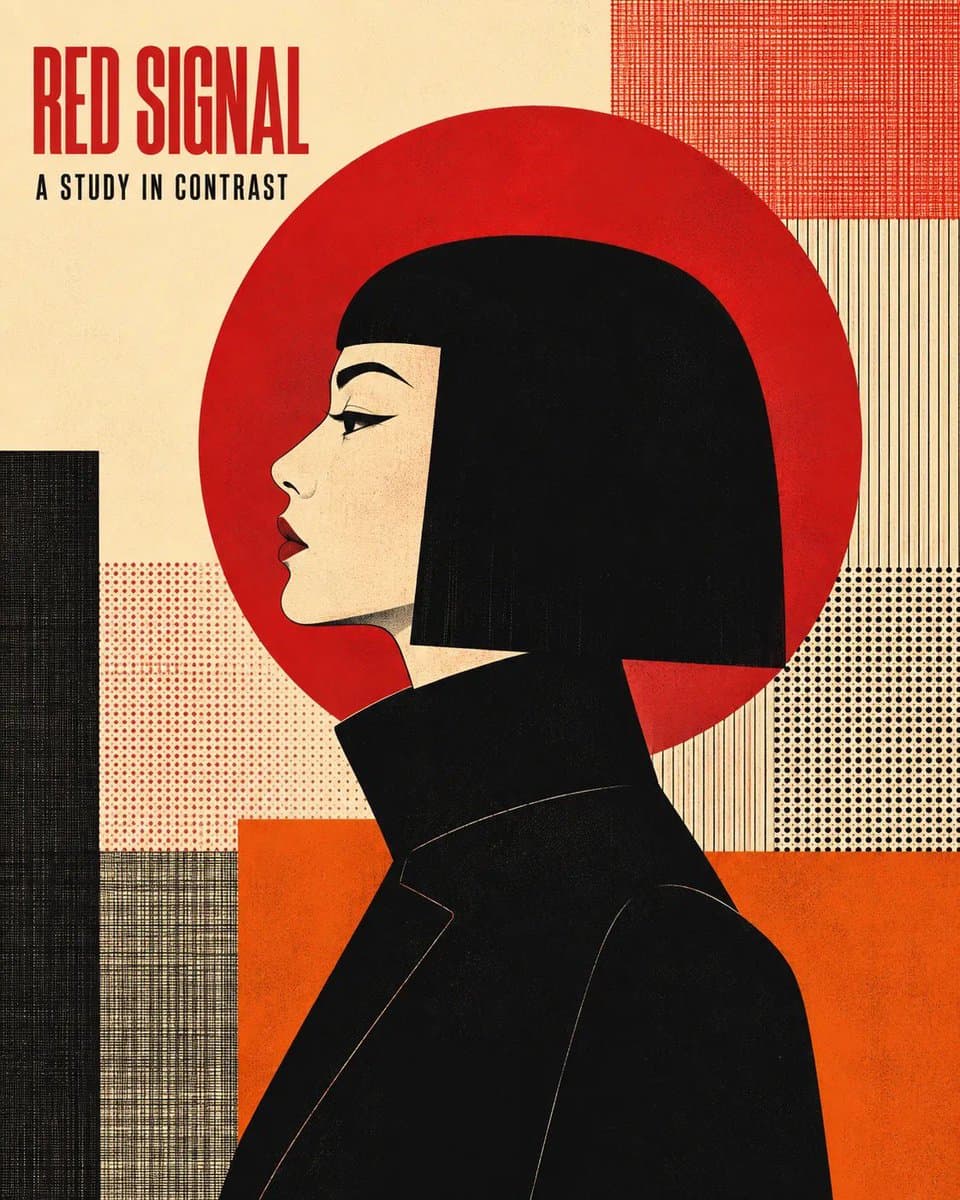
Editorial poster featuring [CHARACTER] in strict left-facing profile, cropped from mid-torso, with [HAIR] forming a dominant graphic silhouette and [CLOTHING]. Place one large flat circular disk directly behind the head. Render crisp flat vector shapes, angular facial features, controlled black contour lines, screen-print grain, halftone dots, and woven grid texture. Construct the background from layered [BACKGROUND] while keeping the composition clean and the subject dominant. Limit the entire artwork to exactly four high-contrast colors: [PALETTE]. Add the minimalist title “[TITLE]” at the upper left in bold condensed uppercase sans serif, with the smaller headline “[HEADLINE]” directly beneath it; clear hierarchy, generous negative space, Vertical 4:5 AR.

Visual Arts AI Image Prompts prompt 303
twitterdouble-exposureposter-cover

GPT image 2 on ChatGPT Use this prompt Create a propaganda poster themed around the character “BLANKA” with a consistent and hierarchical main visual composition. Poster structure: Top (top half): Use the character’s head, facial features, mask, or half-body silhouette as the main large-sized visual element, forming an easily recognizable iconic image. Middle to bottom: Place the full-length character as the second subject, with a stable standing pose or light movement, serving as the center of the visual composition. Visual style: Use double exposure and narrative collage techniques in and around the character’s large silhouette. Combine various elements such as: layered scenes additional images small character interactions supporting elements environmental backgrounds all arranged in layers of clouds, ink, and white negative space. Additional composition: Place supporting elements on the left and right to create narrative tension and spatial variation. Add a vertical flowing visual line connecting: main character internal collage elements large silhouette at the top to reinforce visual continuity. Aesthetics: Maintain the use of large amounts of negative space. The edges are processed with the effects of: ink diffusion soft blur visual fragmentation to create a poetic and “breathing” Eastern aesthetic. Add more pop and striking colors Overall style: Consistent, premium, and refined. Focus on: visual layering narrative key visual impact visual language of serial posters Size: A4

Reference to result

Three steps forward, without starting from a blank canvas.

  1. 01

    Pick a reference

    Choose the frame closest to your goal in composition, color, and purpose.

  2. 02

    Adjust the details

    Change the subject, copy, style, and image ratio in the generator.

  3. 03

    Generate the image

    Keep the prefilled reference, generate, then refine from the result.

Nothing quite fits?

Start with a blank prompt and define the subject, composition, typography, and aspect ratio yourself.

Create from scratch
Working notes

Get closer to a finished image on the first pass.

01

About Visual Arts prompts

Visual Arts prompts help organize visual ideas around a specific style, subject, medium, or photography use case. Published examples may change as the collection grows.

02

How to write a stronger Visual Arts prompt

Name the main subject first, then define composition, environment, lighting, palette, materials, camera or rendering technique, aspect ratio, and the intended output.

03

How to refine the generated result

Remove conflicting style instructions, keep one clear visual direction, and review anatomy, text, logos, perspective, and important category-specific details before publishing.

Common questions

A few things to know before you begin.

What are Visual Arts AI image prompts?

They are reusable visual briefs grouped under the Visual Arts category. Each brief can be adapted to a different subject, reference image, composition, or output size.

How are Visual Arts examples selected for this collection?

Published prompts are assigned to this collection when their subject, style, or intended use matches the Visual Arts category.

Can I customize these Visual Arts prompts?

Yes. Replace the subject and context, then adjust the lighting, palette, materials, lens or rendering method, aspect ratio, and detail level for your project.